
Linux设备驱动-练习
练习要求:
一、设备树
1、配置设备树信息:将3个led灯和1个风扇使用到的设备信息配置到设备树中
二、设备驱动层
1、通过of_find_node_by_name、of_get_named_gpion等内核核心层统一的api接口调用外设;
2、通过udev设备管理器自动注册并创建设备文件
3、通过ioctl控制开启/关闭外设,其中,3个led灯通过传递 设备名称-次设备号minor 控制具体的某栈灯;
三、应用层
1、多线程开发,第一个线程实现三个灯的流水,第二个线程实现风扇的控制
2、通过open、close、ioctl 对应的字符设备文件调用对应的驱动
1、设备树的配置
- arch/arm/boot/dts/stm32mp157a-fsmp1a.dts (根目录 / 里面)
leds{led1-gpio = <&gpioe 10 0>;led2-gpio = <&gpiof 10 0>;led3-gpio = <&gpioe 8 0>;
};fans{fan-gpio = <&gpioe 9 0>;
};
2、源码
2.1、应用程序
- app.c
#include <stdio.h>
#include <pthread.h>
#include <unistd.h>
#include <sys/types.h>
#include <sys/stat.h>
#include <fcntl.h>
#include <string.h>
#include <sys/ioctl.h>
#include "led_driver.h"
#include "fan_driver.h"void *led_task(void *args)
{// 打开文件int fd1 = open("/dev/myled1", O_RDWR);int fd2 = open("/dev/myled2", O_RDWR);int fd3 = open("/dev/myled3", O_RDWR);// 操作硬件for (int i = 0;; i++){if (i % 3 == 0){ioctl(fd1, CMD_LED_ON);ioctl(fd2, CMD_LED_OFF);ioctl(fd3, CMD_LED_OFF);}else if (i % 3 == 1){ioctl(fd1, CMD_LED_OFF);ioctl(fd2, CMD_LED_ON);ioctl(fd3, CMD_LED_OFF);}else{ioctl(fd1, CMD_LED_OFF);ioctl(fd2, CMD_LED_OFF);ioctl(fd3, CMD_LED_ON);}sleep(1);}// 关闭文件close(fd1);close(fd2);close(fd3);
}// void *beep_task(void *args)
// {
//     // 打开文件
//     int fd = open("/dev/mybeep", O_RDWR);
//     char cmd[3] = {0};
//     unsigned short cnt = 0;
//     printf("beep_task\n");
//     for (int i = 0;; i++)
//     {
//         if (cnt % 5 == 0)
//         {
//             ioctl(fd, CMD_BEEP_ON);
//         }
//         else
//         {
//             ioctl(fd, CMD_BEEP_OFF);
//         }
//         sleep(1);
//     }
//     // 关闭文件
//     close(fd);
// }void *fan_task(void *args)
{// 打开文件int fd = open("/dev/myfan", O_RDWR);for(int i=0;;i++){if (i % 2 == 0){ioctl(fd, CMD_FAN_ON);}else{ioctl(fd, CMD_FAN_OFF);}sleep(5);}// 关闭文件close(fd);
}int main(int argc, char *argv)
{pthread_t pid1, pid2, pid3;pthread_create(&pid1, NULL, led_task, NULL);// pthread_create(&pid2, NULL, beep_task, NULL);pthread_create(&pid3, NULL, fan_task, NULL);pthread_join(pid1, NULL);// pthread_join(pid2, NULL);pthread_join(pid3, NULL);return 0;
}
2.2、led驱动程序
- led.h:
#ifndef _LED_H_
#define _LED_H_//
#define CMD_LED_ON _IO('L', 0)
#define CMD_LED_OFF _IO('L', 1)
//#endif- led.c:
#include <linux/fs.h>
#include <linux/init.h>
#include <linux/module.h>
#include <linux/device/class.h>
#include <linux/device.h>
#include <linux/gpio.h>
#include <linux/of.h>
#include <linux/of_gpio.h>
#include "led_driver.h"int major;              // 主设备号
struct device_node *np; // 设备树节点
int led1_gpio_no;       // gpio编号
int led2_gpio_no;
int led3_gpio_no;
struct class *pClass; // udev的文件类指针long file_ioctl(struct file *file, unsigned int cmd, unsigned long arg)
{int signal = 0;int minor = (int)file->private_data;int gpio_no;if (minor == 1)gpio_no = led1_gpio_no;else if(minor == 2)gpio_no = led2_gpio_no;else gpio_no = led3_gpio_no;if (cmd == CMD_LED_ON){signal=1;}else{signal=0;}//改变gpio的电平值gpio_set_value(gpio_no, signal);return 0;
}int file_open(struct inode *inode, struct file *file)
{file->private_data = (void*)MINOR(inode->i_rdev);return 0;
}int file_close(struct inode *inode, struct file *file)
{return 0;
}struct file_operations led_fops = {.unlocked_ioctl = file_ioctl,.open = file_open,.release = file_close};int __init led_driver_init(void)
{int minor;// 注册字符设备驱动 register_chrdevmajor = register_chrdev(0, "myled", &led_fops);if (major == 0){printk("register_chrdev failed\n");return -1;}printk("register_chrdev succes. major=[%d]\n", major);// 从设备树获取硬件信息np = of_find_node_by_name(NULL, "leds");if (np == NULL){printk("of_find_node_by_name failed\n");return -1;}printk("of_find_node_by_name success\n");// led1 = 获取gpio操作句柄led1_gpio_no = of_get_named_gpio(np, "led1-gpio", 0);if (led1_gpio_no < 0){printk("of_get_named_gpio failed\n");return -1;}printk("of_get_named_gpio success.  no1=[%d]\n", led1_gpio_no);if (gpio_request(led1_gpio_no, "led1") < 0){printk("gpio_request failed\n");return -1;}printk("gpio_request success\n");gpio_direction_output(led1_gpio_no, 0);// led1 = 获取gpio操作句柄led2_gpio_no = of_get_named_gpio(np, "led2-gpio", 0);if (led2_gpio_no < 0){printk("of_get_named_gpio failed\n");return -1;}printk("of_get_named_gpio success.  no2=[%d]\n", led2_gpio_no);if (gpio_request(led2_gpio_no, "led2") < 0){printk("gpio_request failed\n");return -1;}printk("gpio_request success\n");gpio_direction_output(led2_gpio_no, 0);// led3 = 获取gpio操作句柄led3_gpio_no = of_get_named_gpio(np, "led3-gpio", 0);if (led3_gpio_no < 0){printk("of_get_named_gpio failed\n");return -1;}printk("of_get_named_gpio success.  no3=[%d]\n", led3_gpio_no);if (gpio_request(led3_gpio_no, "led3") < 0){printk("gpio_request failed\n");return -1;}printk("gpio_request success\n");gpio_direction_output(led3_gpio_no, 0);// 初始化gpio// 向设备管理器udev注册设备文件信息pClass = class_create(THIS_MODULE, "myled");if (IS_ERR(pClass)){printk("class_create failed\n");return -1;}printk("class_create success\n");for (minor = 1; minor < 4; minor++){struct device *pDev = device_create(pClass, NULL, MKDEV(major, minor), NULL, "myled%d", minor);if (IS_ERR(pDev)){printk("device_create failed\n");return -1;}printk("device_create success. major=[%d], monor=[%d]\n", major, minor);}return 0;
}void __exit led_driver_exit(void)
{int minor;// 从设备管理器udev注销设备文件信息for (minor = 1; minor < 4; minor++){device_destroy(pClass, MKDEV(major, minor));}class_destroy(pClass);// 释放gpio资源gpio_free(led1_gpio_no);// 注销字符设备驱动 unregister_chrdevunregister_chrdev(major, "myled");
}module_init(led_driver_init);
module_exit(led_driver_exit);
MODULE_LICENSE("GPL");
2.3、fan驱动程序
- fan.h:
#ifndef _FAN_H_
#define _FAN_H_#define CMD_FAN_ON _IO('F', 0)
#define CMD_FAN_OFF _IO('F', 1)#endif- fan.c:
#include <linux/fs.h>
#include <linux/init.h>
#include <linux/module.h>
#include <linux/device/class.h>
#include <linux/device.h>
#include <linux/gpio.h>
#include <linux/of.h>
#include <linux/of_gpio.h>
#include "fan_driver.h"int major;//主设备号
struct device_node * np;//设备树节点
int fan_gpio_no;//设备树种gpio编号
struct class *pClass;//udev中的文件分类long file_ioctl(struct file * file, unsigned int cmd, unsigned long arg){if(cmd == CMD_FAN_ON){printk("!!!!开风扇\n");gpio_set_value(fan_gpio_no, 1);}else if(cmd == CMD_FAN_OFF){printk("!!!!关风扇\n");gpio_set_value(fan_gpio_no, 0);}return 0;
}int file_open(struct inode * inode, struct file * file){return 0;
}int file_close(struct inode * inode, struct file * file){return 0;
}struct file_operations led_fops={.unlocked_ioctl = file_ioctl,.open = file_open,.release = file_close
};int __init fan_driver_init(void){//注册字符设备驱动 register_chrdevmajor = register_chrdev(0, "myfan", &led_fops);if(major == 0){printk("register_chrdev failed\n");return -1;}printk("register_chrdev succes. major=[%d]\n", major);//从设备树获取硬件信息np = of_find_node_by_name(NULL, "fans");if(np == NULL){printk("of_find_node_by_name failed\n");return -1;  }printk("of_find_node_by_name success\n");//获取gpio操作句柄fan_gpio_no =of_get_named_gpio(np, "fan-gpio", 0);if (fan_gpio_no < 0){printk("of_get_named_gpio failed\n");return -1;}printk("of_get_named_gpio success.  fan_gpio_no=[%d]\n", fan_gpio_no);if(gpio_request(fan_gpio_no, "fan-gpio") < 0){printk("gpio_request failed\n");return -1;}printk("gpio_request success\n");//初始化gpio//设置gpio为输出gpio_direction_output(fan_gpio_no, 0);//向设备管理器udev注册设备文件信息pClass = class_create(THIS_MODULE, "fan_class");if (IS_ERR(pClass)) {printk("class_create failed\n");return -1;}printk("class_create success\n");struct device * pDevice=device_create(pClass, NULL, MKDEV(major, 0), NULL, "myfan");if(IS_ERR(pDevice)){printk("device_create failed\n");return -1;}printk("device_create success\n");return 0;
}void __exit fan_driver_exit(void){//从设备管理器udev注销设备文件信息device_destroy(pClass, MKDEV(major, 0));class_destroy(pClass);//释放gpio资源gpio_free(fan_gpio_no);//注销字符设备驱动 unregister_chrdevunregister_chrdev(major, "myfan");
}module_init(fan_driver_init);
module_exit(fan_driver_exit);
MODULE_LICENSE("GPL");
3、疑问
配置设备树中,引用关系并没有搞明白,暂且认为是一种固定的格式。
例如:

相关文章:
Linux设备驱动-练习
练习要求: 一、设备树 1、配置设备树信息:将3个led灯和1个风扇使用到的设备信息配置到设备树中 二、设备驱动层 1、通过of_find_node_by_name、of_get_named_gpion等内核核心层统一的api接口调用外设; 2、通过udev设备管理器自动注册并创建设…...

蓝桥杯核心内容
核心内容 数学 质数与筛质数,分解质因数 分解质因数 所有的数都可以写成有限个数相乘质数:可以写成1✖本身(如131✖13)合数:ab1✖...✖bn-》把乘数里面是合数的再分(如b3是合数-》b3c1✖c2)进…...

Spring Boot拦截器(Interceptor)详解
拦截器Interceptor 拦截器我们主要分为三个方面进行讲解: 介绍下什么是拦截器,并通过快速入门程序上手拦截器拦截器的使用细节通过拦截器Interceptor完成登录校验功能 1. 快速入门 什么是拦截器? 是一种动态拦截方法调用的机制ÿ…...
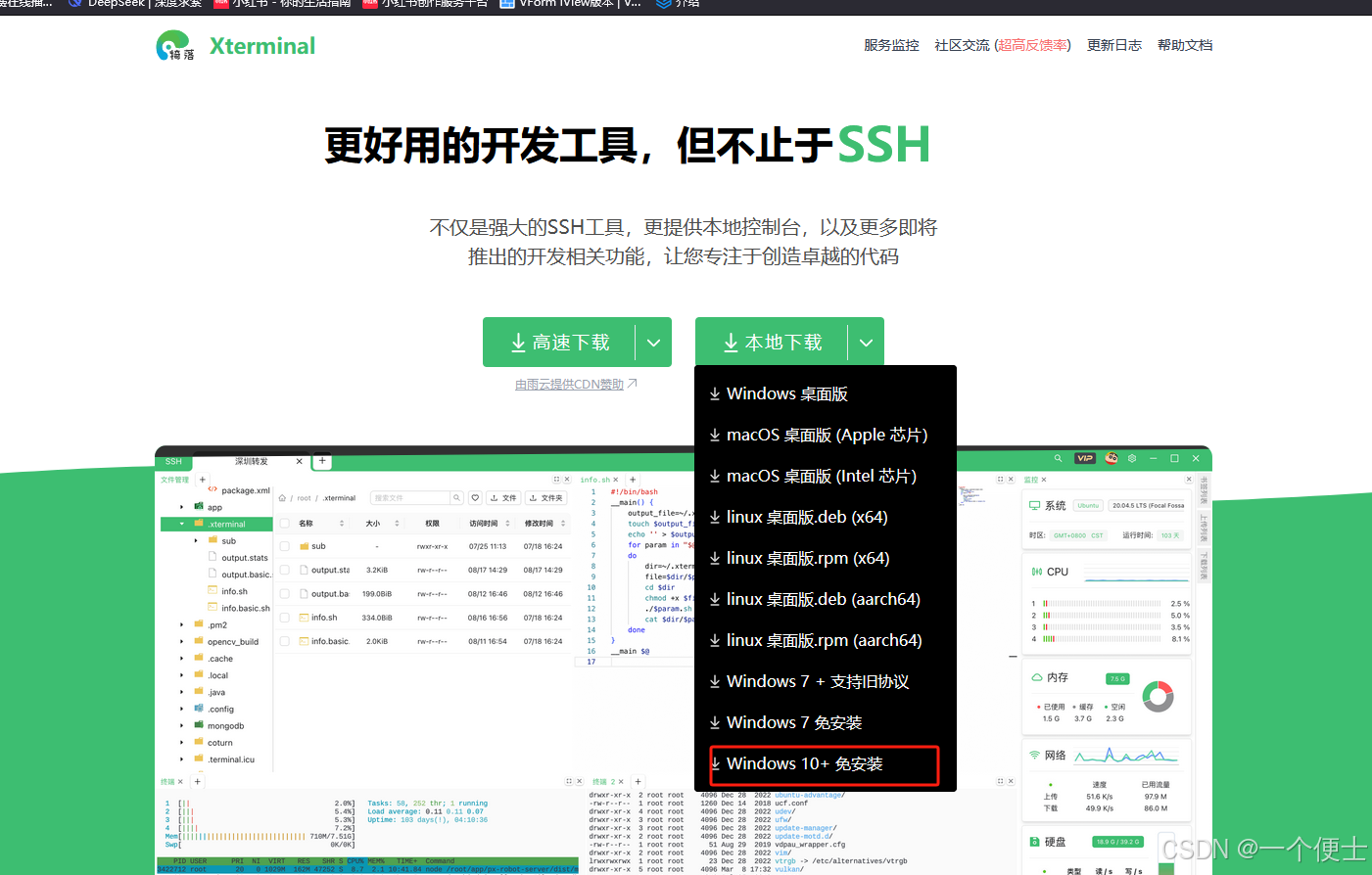
非常好用的ssh工具Xterminal
免安装 Xterminal - 更好用的开发工具,但不止于(SSH/控制台/More)...
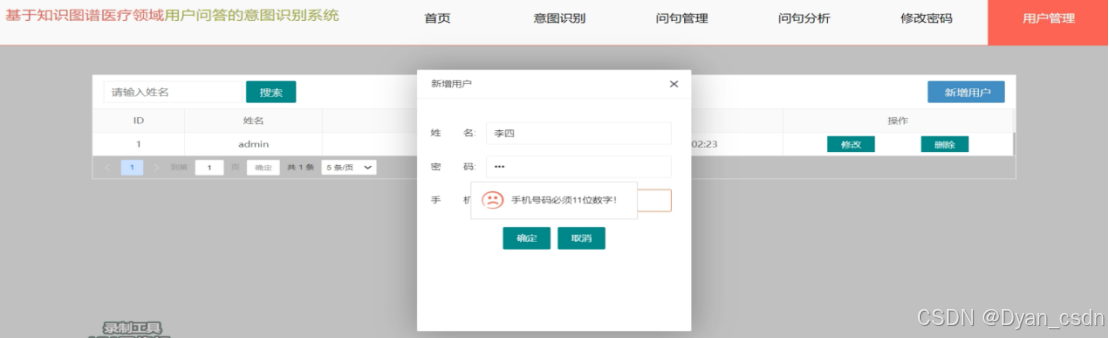
【Python项目】基于Django的医疗领域用户问答意图识别系统
【Python项目】基于Django的医疗领域用户问答意图识别系统 技术简介:采用Python技术、MySQL数据库、Neo4j图形数据库、Django框架、BERTLSTMCRF模型等技术实现。 系统简介: 医疗领域用户问答意图识别系统是一个基于知识图谱的智能问答平台,旨…...

深入理解指针(六)
一、字符指针变量 1.1字符指针变量 在指针的类型中我们知道有一种指针类型为字符指针char* 一般有以下两种使用方式: #include<stdio.h> int main() { char ch w; char* pc &ch; *pc w; return 0; } #include<stdio.h> int main()…...

Linux下基本指令(4)
Linux权限的概念 Linux下有两种用户:超级用户(root)、普通用户。 超级用户:可以再linux系统下做任何事情,不受限制 普通用户:在linux下做有限的事情。 超级用户的命令提示符是“#”,普通用户…...

vue 手写分页
【先看效果】 (1)内容小于2页 不展示页码 (2)1 < 内容页数< 限定展示页码 展示:页码、上下页;隐藏:首页、末页图标,上、下一区间码。即:(页数&#…...

Spring Boot项目接收前端参数的11种方式
大家好,我是。在前后端项目交互中,前端传递的数据可以通过HTTP请求发送到后端, 后端在Spring Boot中如何接收各种复杂的前端数据呢?这篇文章总结了11种在Spring Boot中接收前端数据的方式。 1 搭建项目 1.通过Spring Initializr…...
)
Springboot项目:使用MockMvc测试get和post接口(含单个和多个请求参数场景)
一、引入MockMvc依赖 使用MockMvc,必须要引入依赖 <dependency><groupId>org.springframework.boot</groupId><artifactId>spring-boot-starter-test</artifactId><scope>test</scope></dependency>二、具体演示…...

OpenAI ChatGPT在心理治疗领域展现超凡同理心,通过图灵测试挑战人类专家
近期,一项关于OpenAI ChatGPT在心理治疗领域的研究更是引起了广泛关注。据报道,ChatGPT已经成功通过了治疗师领域的图灵测试,其表现甚至在某些方面超越了人类治疗师,尤其是在展现同理心方面,这一发现无疑为AI在心理健康…...

【HBase】HBaseJMX 接口监控信息实现钉钉告警
目录 一、JMX 简介 二、JMX监控信息钉钉告警实现 一、JMX 简介 官网:Apache HBase ™ Reference Guide JMX (Java管理扩展)提供了内置的工具,使您能够监视和管理Java VM。要启用远程系统的监视和管理,需要在启动Java…...

25旅游管理研究生复试面试问题汇总 旅游管理专业知识问题很全! 旅游管理复试全流程攻略 旅游管理考研复试真题汇总
旅游管理复试很难?! 别怕!经验超丰富的老学姐来给你们出谋划策啦! 最近是不是被旅游管理考研复试折磨得够呛?莫慌!我这有着丰富复试指导经验的老学姐来帮你们排雷,助力大家顺利上岸!…...

深入解析C++26 Execution Domain:设计原理与实战应用
一、Domain设计目标与核心价值 Domain是C26执行模型的策略载体,其核心解决两个问题: 执行策略泛化:将线程池、CUDA流等异构调度逻辑抽象为统一接口策略组合安全:通过类型隔离避免不同执行域的策略污染 // Domain类型定义示例&a…...

Linux命令基础
【Linux路径写法】 相对路径与绝对路径: 绝对路径:以根目录为起点,描述路径的一种写法,路径描述以 / 开头 相对路径:以当前目录为起点,描述路径的一种写法,路径描述无需以/开头 特殊路径符&…...
(元编程?))
什么是超越编程(逾编程)(元编程?)
超越编程(逾编程)(元编程?)(meta-programming) 目录 1. meta- 的词源 2. 逾编程(meta-programming) 的直实含义 2.1 定义 2.2 说明 3. 翻译成“元编程”应该是一种错误 1. meta- 的词源 这是一个源自希腊语的构词元素,其有三种含义ÿ…...

netcore libreoffice word转pdf中文乱码
一、效果 解决: cd /usr/share/fonts/ mkdir zhFont cd zhFont #windows系统C:\Windows\Fonts 中复制/usr/share/fonts/zhFont sudo apt update sudo apt install xfonts-utils mkfontscale mkfontdir #刷新字体缓存 fc-cache -fv #查看已安装的字体列表 fc-list :…...

【练习】【回溯:组合:一个集合 元素可重复】力扣 39. 组合总和
题目 组合总和 给你一个 无重复元素 的整数数组 candidates 和一个目标整数 target ,找出 candidates 中可以使数字和为目标数 target 的 所有 不同组合 ,并以列表形式返回。你可以按 任意顺序 返回这些组合。 candidates 中的 同一个 数字可以 无限制重…...

Mac 清理缓存,提高内存空间
步骤 1.打开【访达】 2.菜单栏第五个功能【前往】,点击【个人】 3.【command shift J】显示所有文件,打开【资源库】 4.删除【Containers】和【Caches】文件 Containers 文件夹:用于存储每个应用程序的沙盒数据,确保应用程序…...

数据结构——二叉树经典习题讲解
各位看官早安午安晚安呀 如果您觉得这篇文章对您有帮助的话 欢迎您一键三连,小编尽全力做到更好 欢迎您分享给更多人哦 大家好,我们今天来学习java数据结构的二叉树 递归很重要的一些注意事项: 1:递归你能不能掌握在于࿱…...

泡泡玛特王宁:我们想成为树一样的企业 把根扎得足够深
2010年,北京中关村一家名为“泡泡玛特”的潮流杂货铺悄然开业。彼时,没有人会想到,这家藏在地下一层角落的小店,有朝一日会成长为营收超370亿、IP遍布全球近百个国家和地区的潮玩巨头。而缔造这一切的,正是85后泡泡玛特…...

从零入门 LangChain:Python 语法详解 + 工具开发 + 结构化输出实战
一、LangChain 宏观定义 LangChain 是大模型与实际AI应用之间的桥梁。裸调用API:淌水过河,需手动处理底层细节,开发繁琐。使用LangChain:走桥过河,封装通用能力(消息管理、工具调用等)ÿ…...

TX412 双极锁存型霍尔位置传感器
产品特点 ● 双极锁存型霍尔效应传感器 ● 宽的工作电压范围: 3.8V~30V ● 集电极开路输出 ● 最大输出灌电流:50mA ● 电源反极性保护 ● 工作温度:-40℃~125℃ ● 封装形式: SOT23-3 典型应用 ● 直流无刷电机 ● 位置控制 ● 安全报警装置 ● 转速检测…...

别再纠结SMA和EMA了!用Python的TA-Lib库5分钟搞定双均线交易策略回测
用Python和TA-Lib实现双均线交易策略的实战指南 在量化交易的世界里,移动平均线是最基础也最经典的技术指标之一。很多刚接触程序化交易的朋友都会被各种类型的均线搞得晕头转向——SMA、EMA、WMA等等,每种都有其数学原理和应用场景。但与其花大量时间纠…...

8d报告案例分析:拆解8d报告案例分析的8个步骤,解决生产现场重复发生的质量难题
在制造业的质量管理工作中,8d报告案例分析绝对是绕不开的核心话题。无论是应对主机厂的客诉,还是解决内部生产现场重复发生的质量难题,一份高质量的8d报告案例分析都是质量人手中的“尚方宝剑”。然而,很多企业在进行8d报告案例分…...

你的@Service注解用对了吗?从‘non-compatible bean definition’错误深入理解Spring Bean命名机制
你的Service注解用对了吗?从‘non-compatible bean definition’错误深入理解Spring Bean命名机制 在Spring框架的日常开发中,许多开发者都曾遇到过这样的错误提示:"non-compatible bean definition of same name and class"。表面…...

如何永久保存微信聊天记录并生成个性化年度报告
如何永久保存微信聊天记录并生成个性化年度报告 【免费下载链接】WeChatMsg 提取微信聊天记录,将其导出成HTML、Word、CSV文档永久保存,对聊天记录进行分析生成年度聊天报告 项目地址: https://gitcode.com/GitHub_Trending/we/WeChatMsg 你是否曾…...

手把手搭建你的第一个OCT仿真模型:用Python和光学仿真库重现A-SCAN信号
手把手搭建你的第一个OCT仿真模型:用Python和光学仿真库重现A-SCAN信号 光学相干层析成像(OCT)技术正在医疗诊断领域掀起一场分辨率革命。想象一下,无需切开组织就能获得微米级精度的三维结构图像——这正是OCT带给现代医学的魔法…...

C语言学习笔记 - 15.C编程预备计算机专业知识 - CPU 内存条 硬盘 显卡 主板 显示器 之间的关系
一、计算机核心硬件组成计算机程序运行的核心硬件包含以下组件,所有组件通过主板完成物理连接与数据通信:CPU(中央处理器):计算机的运算与控制核心。内存条(内存):程序运行时的临时数…...

5分钟掌握Python自动化AutoCAD:告别重复绘图的终极解决方案
5分钟掌握Python自动化AutoCAD:告别重复绘图的终极解决方案 【免费下载链接】pyautocad AutoCAD Automation for Python ⛺ 项目地址: https://gitcode.com/gh_mirrors/py/pyautocad 还在为AutoCAD中繁琐的重复操作而烦恼吗?每天面对大量的图纸处…...