
Vue使用Three.js加载glb (gltf) 文件模型及实现简单的选中高亮、测距、测面积
安装:
# three.jsnpm install --save three附中文网:
5. gltf不同文件形式(.glb) | Three.js中文网
附官网:
安装 – three.js docs
完整代码(简易demo):
<template><div class="siteInspection" ref="threeContainer"><div class="measurement-buttons"><button @click="startDistanceMeasurement">测距</button><button @click="startAreaMeasurement">测面积</button></div></div>
</template><script lang="ts" setup>
import { ref, onMounted, onUnmounted } from "vue";
import * as THREE from "three";
import { GLTFLoader } from "three/addons/loaders/GLTFLoader.js";
import { OrbitControls } from "three/examples/jsm/controls/OrbitControls.js";const lzModel = ref("/lz.glb");  // 此处为你的 模型文件  .glb或 .gltf
const threeContainer = ref(null);// 创建场景、相机和渲染器
let scene: THREE.Scene;
let camera: THREE.PerspectiveCamera;
let renderer: THREE.WebGLRenderer;
let model: THREE.Group | null = null;
let controls: OrbitControls;
let raycaster: THREE.Raycaster;
let mouse: THREE.Vector2;
let selectedObject: THREE.Mesh | null = null; // 用于跟踪当前选中的对象
let line: THREE.Line | null = null; // 用于存储高亮线
let label: THREE.Sprite | null = null; // 用于存储标签// 测量相关变量
let isDistanceMeasuring = false;
let isAreaMeasuring = false;
let distancePoints: THREE.Vector3[] = [];
let areaPoints: THREE.Vector3[] = [];
let distanceLine: THREE.Line | null = null;
let areaLines: THREE.Line[] = [];
let distanceLabel: THREE.Sprite | null = null;
let areaLabel: THREE.Sprite | null = null;
let distanceDots: THREE.Mesh[] = [];
let areaDots: THREE.Mesh[] = [];// 初始化
function initThree() {scene = new THREE.Scene();scene.background = new THREE.Color(0xffffff); // 设置背景颜色为亮色camera = new THREE.PerspectiveCamera(75,window.innerWidth / window.innerHeight,0.1,1000);renderer = new THREE.WebGLRenderer();renderer.setSize(window.innerWidth, window.innerHeight);threeContainer.value.appendChild(renderer.domElement);// 添加光源const ambientLight = new THREE.AmbientLight(0x404040); // 环境光scene.add(ambientLight);const directionalLight = new THREE.DirectionalLight(0xffffff, 0.5);directionalLight.position.set(1, 1, 1).normalize();scene.add(directionalLight);// 设置相机位置camera.position.z = 5;camera.lookAt(0, 0, 0);// 创建GLTF加载器对象const loader = new GLTFLoader();loader.load(lzModel.value, function (gltf: any) {model = gltf.scene;scene.add(model);});// 初始化OrbitControlscontrols = new OrbitControls(camera, renderer.domElement);controls.enableDamping = true; // 启用阻尼效果controls.dampingFactor = 0.25; // 阻尼系数controls.enableZoom = true; // 启用缩放controls.enablePan = true; // 启用平移// 初始化Raycaster和Vector2raycaster = new THREE.Raycaster();mouse = new THREE.Vector2();// 渲染循环function animate() {requestAnimationFrame(animate);controls.update(); // 更新OrbitControlsrenderer.render(scene, camera);}animate();// 清理事件监听器onUnmounted(() => {controls?.dispose();threeContainer.value?.removeEventListener("mousedown", onDocumentMouseDown);if (line) {scene.remove(line);}if (label) {scene.remove(label);}if (distanceLine) {scene.remove(distanceLine);}areaLines.forEach((areaLine) => {scene.remove(areaLine);});if (distanceLabel) {scene.remove(distanceLabel);}if (areaLabel) {scene.remove(areaLabel);}distanceDots.forEach((dot) => {scene.remove(dot);});areaDots.forEach((dot) => {scene.remove(dot);});});// 添加鼠标点击事件监听threeContainer.value.addEventListener("mousedown", onDocumentMouseDown);
}function onDocumentMouseDown(event: MouseEvent) {// 将鼠标位置归一化到-1到1之间mouse.x = (event.clientX / window.innerWidth) * 2 - 1;mouse.y = -(event.clientY / window.innerHeight) * 2 + 1;// 更新射线投射器raycaster.setFromCamera(mouse, camera);// 计算交点const intersects = raycaster.intersectObjects(model ? model.children : [],true);if (intersects.length > 0) {const intersect = intersects[0];const point = intersect.point;if (isDistanceMeasuring) {if (event.button === 0) {// 左键点击distancePoints.push(point);addDot(point, distanceDots);if (distancePoints.length === 2) {calculateDistance();}} else if (event.button === 2) {// 右键点击cancelDistanceMeasurement();}} else if (isAreaMeasuring) {if (event.button === 0) {// 左键点击areaPoints.push(point);addDot(point, areaDots);if (areaPoints.length >= 3) {updateAreaLines();// calculateArea();}} else if (event.button === 2) {// 右键点击if (areaPoints.length >= 3) {calculateArea();} else {cancelAreaMeasurement();}}} else {// 原有的点击选中功能if (selectedObject) {(selectedObject.material as THREE.MeshStandardMaterial).emissive.set(0x000000); // 恢复 emissive 颜色为黑色if (line) {scene.remove(line);line = null;}if (label) {scene.remove(label);label = null;}}if (intersect.object instanceof THREE.Mesh) {(intersect.object.material as THREE.MeshStandardMaterial).emissive.set(0x16d46b); // 设置 emissive 颜色为绿色selectedObject = intersect.object; // 更新选中的对象// 创建线段const startPoint = intersect.point;const endPoint = startPoint.clone().add(new THREE.Vector3(0, 0, 0.5)); // 延伸到外部const geometry = new THREE.BufferGeometry().setFromPoints([startPoint,endPoint,]);const material = new THREE.LineBasicMaterial({color: 0x16d46b,});line = new THREE.Line(geometry, material);scene.add(line);// 创建标签const canvas = document.createElement("canvas");const context = canvas.getContext("2d");if (context) {const textWidth = context.measureText(intersect.object.name).width;canvas.width = textWidth + 20;canvas.height = 50;context.font = "16px";// context.fillStyle = "rgba(0,0,0,0.8)";context.fillRect(0, 0, canvas.width, canvas.height);context.fillStyle = "#0179d4";context.textAlign = "center";context.fillText(intersect.object.name, canvas.width / 2, 30);const texture = new THREE.CanvasTexture(canvas);texture.needsUpdate = true; // 确保纹理更新const spriteMaterial = new THREE.SpriteMaterial({ map: texture });label = new THREE.Sprite(spriteMaterial);label.position.copy(endPoint);label.scale.set(0.1, 0.1, 1); // 调整标签大小scene.add(label);}}}} else {// 如果没有点击到任何对象,恢复当前选中的对象的颜色并移除线和标签if (selectedObject) {(selectedObject.material as THREE.MeshStandardMaterial).emissive.set(0x000000); // 恢复 emissive 颜色为黑色selectedObject = null; // 清除选中的对象if (line) {scene.remove(line);line = null;}if (label) {scene.remove(label);label = null;}}}
}function startDistanceMeasurement() {isDistanceMeasuring = true;isAreaMeasuring = false;distancePoints = [];distanceDots.forEach((dot) => {scene.remove(dot);});distanceDots = [];if (distanceLine) {scene.remove(distanceLine);distanceLine = null;}if (distanceLabel) {scene.remove(distanceLabel);distanceLabel = null;}
}function startAreaMeasurement() {isAreaMeasuring = true;isDistanceMeasuring = false;areaPoints = [];areaDots.forEach((dot) => {scene.remove(dot);});areaDots = [];areaLines.forEach((areaLine) => {scene.remove(areaLine);});areaLines = [];if (areaLabel) {scene.remove(areaLabel);areaLabel = null;}
}function calculateDistance() {const startPoint = distancePoints[0];const endPoint = distancePoints[1];const distance = startPoint.distanceTo(endPoint);// 创建线段const geometry = new THREE.BufferGeometry().setFromPoints([startPoint,endPoint,]);const material = new THREE.LineBasicMaterial({color: 0x00ff00,});distanceLine = new THREE.Line(geometry, material);scene.add(distanceLine);// 创建标签const canvas = document.createElement("canvas");const context = canvas.getContext("2d");if (context) {const text = `距离: ${distance.toFixed(2)}`;const textWidth = context.measureText(text).width;canvas.width = textWidth + 25;canvas.height = 35;context.font = "12px Arial";context.fillStyle = "#ffffff";context.textAlign = "center";context.fillText(text, canvas.width / 2, 15);const texture = new THREE.CanvasTexture(canvas);texture.needsUpdate = true; // 确保纹理更新const spriteMaterial = new THREE.SpriteMaterial({ map: texture });distanceLabel = new THREE.Sprite(spriteMaterial);const midPoint = startPoint.clone().add(endPoint).divideScalar(2);distanceLabel.position.copy(midPoint);distanceLabel.scale.set(0.1, 0.1, 1); // 调整标签大小scene.add(distanceLabel);}isDistanceMeasuring = false;
}function calculateArea() {let area = 0;const numPoints = areaPoints.length;for (let i = 0; i < numPoints; i++) {const j = (i + 1) % numPoints;area +=areaPoints[i].x * areaPoints[j].y - areaPoints[j].x * areaPoints[i].y;}area = Math.abs(area) / 2;// 创建标签const canvas = document.createElement("canvas");const context = canvas.getContext("2d");if (context) {const text = `面积: ${area.toFixed(2)}`;const textWidth = context.measureText(text).width;canvas.width = textWidth + 25;canvas.height = 35;context.font = "12px Arial";context.fillStyle = "#ffffff";context.textAlign = "center";context.fillText(text, canvas.width / 2, 15);const texture = new THREE.CanvasTexture(canvas);texture.needsUpdate = true; // 确保纹理更新const spriteMaterial = new THREE.SpriteMaterial({ map: texture });areaLabel = new THREE.Sprite(spriteMaterial);const centroid = new THREE.Vector3();areaPoints.forEach((point) => {centroid.add(point);});centroid.divideScalar(numPoints);areaLabel.position.copy(centroid);areaLabel.scale.set(0.1, 0.1, 1); // 调整标签大小scene.add(areaLabel);}isAreaMeasuring = false;
}function cancelDistanceMeasurement() {isDistanceMeasuring = false;distancePoints = [];distanceDots.forEach((dot) => {scene.remove(dot);});distanceDots = [];if (distanceLine) {scene.remove(distanceLine);distanceLine = null;}if (distanceLabel) {scene.remove(distanceLabel);distanceLabel = null;}
}function cancelAreaMeasurement() {isAreaMeasuring = false;areaPoints = [];areaDots.forEach((dot) => {scene.remove(dot);});areaDots = [];areaLines.forEach((areaLine) => {scene.remove(areaLine);});areaLines = [];if (areaLabel) {scene.remove(areaLabel);areaLabel = null;}
}// 添加点击圆点
function addDot(point: THREE.Vector3, dots: THREE.Mesh[]) {const geometry = new THREE.SphereGeometry(0.01, 12, 12);const material = new THREE.MeshBasicMaterial({ color: 0xff0000 });const dot = new THREE.Mesh(geometry, material);dot.position.copy(point);scene.add(dot);dots.push(dot);
}function updateAreaLines() {areaLines.forEach((areaLine) => {scene.remove(areaLine);});areaLines = [];const numPoints = areaPoints.length;for (let i = 0; i < numPoints; i++) {const j = (i + 1) % numPoints;const geometry = new THREE.BufferGeometry().setFromPoints([areaPoints[i],areaPoints[j],]);const material = new THREE.LineBasicMaterial({color: 0x00ff00,});const line = new THREE.Line(geometry, material);scene.add(line);areaLines.push(line);}
}onMounted(() => {initThree();
});
</script><style lang="scss" scoped>
.siteInspection {width: 100%;height: 100vh;position: relative;
}.measurement-buttons {position: absolute;bottom: 10px;left: 50%;transform: translateX(-50%);display: flex;gap: 10px;
}
</style>
相关文章:
 文件模型及实现简单的选中高亮、测距、测面积)
Vue使用Three.js加载glb (gltf) 文件模型及实现简单的选中高亮、测距、测面积
安装: # three.jsnpm install --save three 附中文网: 5. gltf不同文件形式(.glb) | Three.js中文网 附官网: 安装 – three.js docs 完整代码(简易demo): <template><div class"siteInspe…...

<el-table>右侧有空白列解决办法
问题如图: 解决办法:.box 为本页面最外层的class名,保证各个页面样式不会互相污染。 .box::v-deep .el-table th.gutter {display: none;width: 0}.box ::v-deep.el-table colgroup col[namegutter] {display: none;width: 0;}.box::v-deep …...

Linux网络 网络层
IP 协议 协议头格式 4 位版本号(version): 指定 IP 协议的版本, 对于 IPv4 来说, 就是 4. 4 位头部长度(header length): IP 头部的长度是多少个 32bit, 也就是 4 字节,4bit 表示最大的数字是 15, 因此 IP 头部最大长度是 60 字节. 8 位服务类型(Type Of Service):…...

系统讨论Qt的并发编程——逻辑上下文的分类
目录 前言 首先,讨论Qt里常见的三种上下文 同一线程的串行执行 同一线程的异步执行 多线程的执行 moveToThread办法 前言 笔者最近看了一个具备一定启发性质的Qt教程,在这里,笔者打算整理一下自己的笔记。分享在这里. 首先,…...

《Linux Shell 脚本深度探索:原理与高效编程》
1. 基本结构 Shebang 行 #!/bin/bash # Shebang 行指定了脚本使用的解释器。 /bin/bash 表示使用 Bash 解释器执行脚本。 注释 # 这是注释,不会被执行 2. 变量 定义变量 variable_namevalue # 不需要加 $ 来定义变量。 # 变量名不能包含空格或特殊字符。 访…...

深入剖析:基于红黑树实现自定义 map 和 set 容器
🌟 快来参与讨论💬,点赞👍、收藏⭐、分享📤,共创活力社区。🌟 在 C 标准模板库(STL)的大家庭里,map和set可是超级重要的关联容器成员呢😎&#x…...

在大数据项目中如何设计和优化数据模型
在大数据项目中,设计和优化数据模型是一个涉及多个步骤和维度的复杂过程。以下是我通常采取的方法: 一、数据模型设计 明确业务需求: 深入了解项目的业务场景和目标,明确数据模型需要解决的具体问题。与业务团队紧密合作…...
、querySelectorAll() CSS选择器解析(DOM元素选择))
JavaScript querySelector()、querySelectorAll() CSS选择器解析(DOM元素选择)
文章目录 基于querySelector系列方法的CSS选择器深度解析一、方法概述二、基础选择器类型1. 类型选择器2. ID选择器3. 类选择器4. 属性选择器 三、组合选择器1. 后代组合器2. 子元素组合器3. 相邻兄弟组合器4. 通用兄弟组合器 四、伪类与伪元素1. 结构伪类2. 状态伪类3. 内容伪…...

Linux系统中处理子进程的终止问题
1. 理解子进程终止的机制 在Unix/Linux系统中,当子进程终止时,会向父进程发送一个SIGCHLD信号。父进程需要捕捉这个信号,并通过调用wait()或waitpid()等函数来回收子进程的资源。这一过程被称为“回收僵尸进程”。 如果父进程没有及时调用w…...

Docker 不再难懂:快速掌握容器命令与架构原理
1. Docker 是容器技术的一种 容器(Container)概述 容器(Container)是一种轻量级的虚拟化技术,它将应用程序及其所有依赖环境打包在一个独立的、可移植的运行时环境中。容器通过操作系统级的虚拟化提供隔离࿰…...

取消票证会把指定的票证从数据库中删除,同时也会把票证和航班 等相关表中的关联关系一起删除。但在删除之前,它会先检查当前用户是否拥有这张票
在做航班智能客服问答系统时会遇到取消票证的场景,这里涉及数据库的操作时会把指定的票证从数据库中删除,同时也会把票证和航班等相关表中的关联关系一起删除。但在删除之前,需要先检查当前用户是否拥有这张票,只有票主才有权限取…...

力扣-贪心-763 划分字母区间
思路 先统计字符串中每一个字母出现的最后下标,然后从end初始化为第一个字母出现的最后下标,在i<end时,不断更新end,因为一旦囊括新的字母就最起码要遍历到新字母出现的最后下标,在i>end时,说明遍历…...

【Redis 原理】网络模型
文章目录 用户空间 && 内核空间阻塞IO非阻塞IO信号驱动IO异步IOIO多路复用selectpollepoll Web服务流程Redis 网络模型Redis单线程网络模型的整个流程Redis多线程网络模型的整个流程 用户空间 && 内核空间 为了避免用户应用导致冲突甚至内核崩溃,用…...

cpp中的继承
一、继承概念 在cpp中,封装、继承、多态是面向对象的三大特性。这里的继承就是允许已经存在的类(也就是基类)的基础上创建新类(派生类或者子类),从而实现代码的复用。 如上图所示,Person是基类&…...

DeepSeek全栈接入指南:从零到生产环境的深度实践
第一章:DeepSeek技术体系全景解析 1.1 认知DeepSeek技术生态 DeepSeek作为新一代人工智能技术平台,构建了覆盖算法开发、模型训练、服务部署的全链路技术栈。其核心能力体现在: 1.1.1 多模态智能引擎 自然语言处理:支持文本生成(NLG)、语义理解(NLU)、情感分析等计算…...

CSS 真的会阻塞文档解析吗?
在网页开发领域,一个常见的疑问是 CSS 是否会阻塞文档解析。理解这一问题对于优化网页性能、提升用户体验至关重要。要深入解答这个问题,需要从浏览器渲染网页的原理说起。 浏览器渲染网页的基本流程 浏览器在接收到 HTML 文档后,会依次进行…...
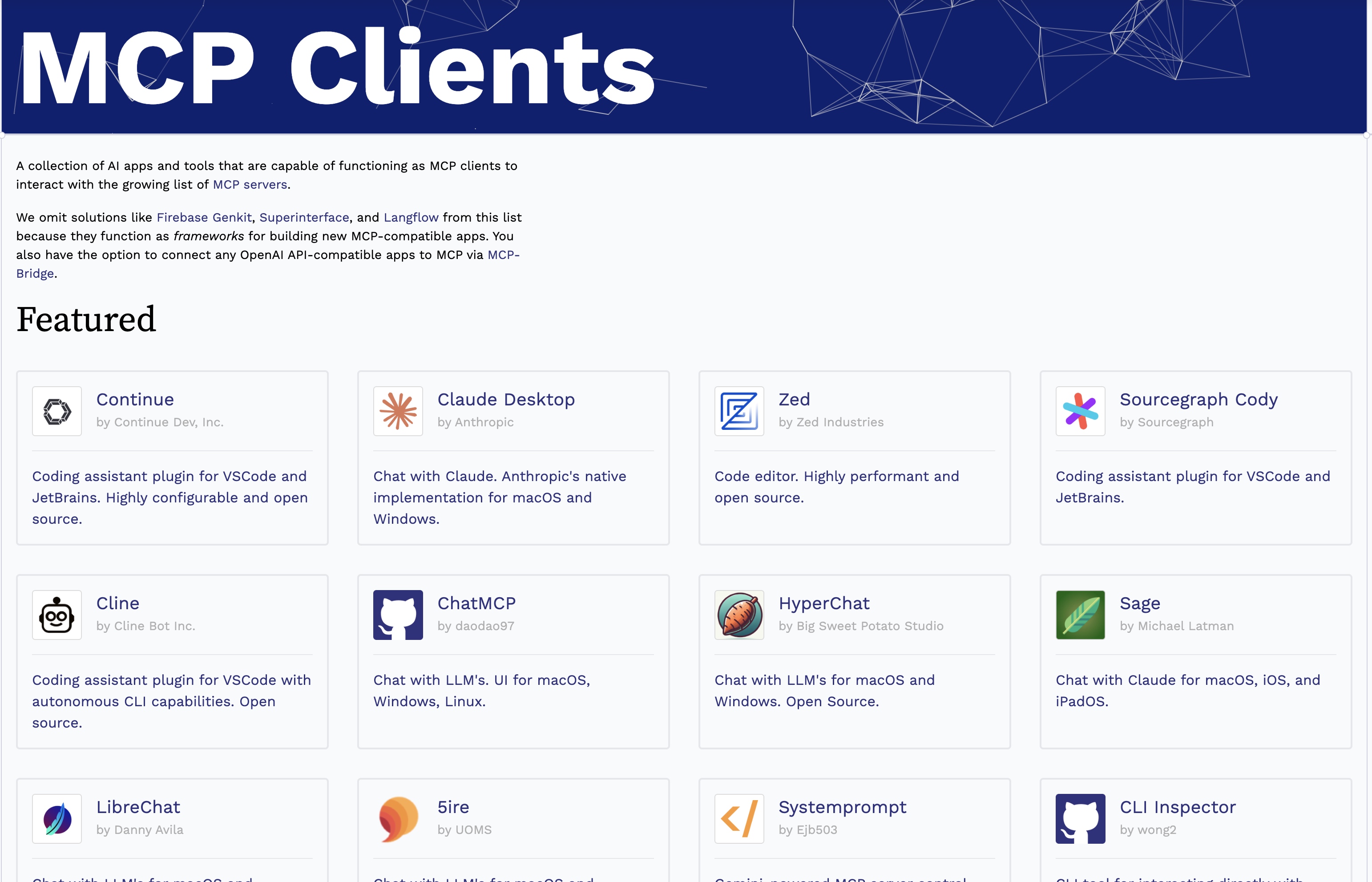
大模型的UI自动化:Cline 使用Playwright MCP Server完成测试
大模型的UI自动化:Cline 使用Playwright MCP Server完成测试 MCP MCP(Model Context Protocol),是一个开发的协议,标准化了应用程序如何为大模型提供上下文。MCP提供了一个标准的为LLM提供数据、工具的方式,使用MCP会更容易的构建Agent或者是基于LLM的复杂工作流。 最近…...
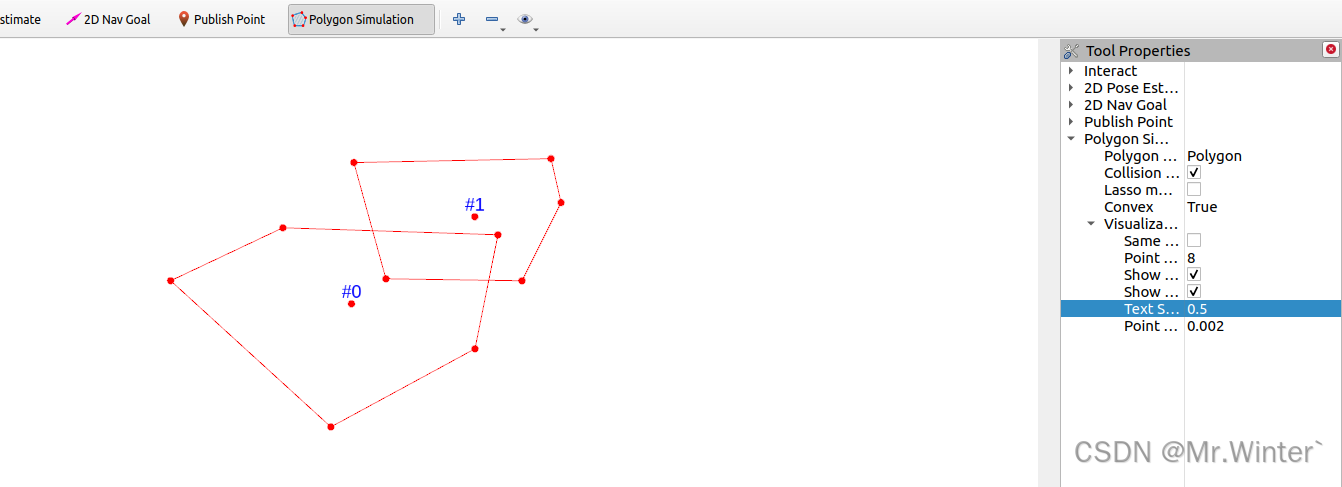
碰撞检测 | 图解凸多边形分离轴定理(附ROS C++可视化)
目录 0 专栏介绍1 凸多边形碰撞检测2 多边形判凸算法3 分离轴定理(SAT)4 算法仿真与可视化4.1 核心算法4.2 仿真实验 0 专栏介绍 🔥课设、毕设、创新竞赛必备!🔥本专栏涉及更高阶的运动规划算法轨迹优化实战,包括:曲线…...

Python 基本数据类型
目录 1. 字符串(String) 2. 列表(List) 3. 字典(Dictionary) 4. 集合(Set) 5. 数字(Number) 6. 布尔值(Boolean) 1. 字符串&…...

突破“第一崇拜“:五维心理重构之路
一、视频介绍 在这个崇尚"第一"的时代,我们如何找到自己的独特价值?本视频将带您踏上五维心理重构之旅,从诗意人生的角度探讨如何突破"圣人之下皆蝼蚁"的局限。我们将穿越人生的不同阶段,从青春的意气风发到…...

MySQL升级后如何启用新安全特性_配置密码策略与加密
MySQL 8.0升级后密码策略未生效,主因是default_authentication_plugin仍为mysql_native_password;需修改my.cnf设为caching_sha256_password并重启,新用户才启用,旧用户须ALTER USER显式切换;validate_password插件仅对…...

别再凭感觉画板了!PCB布局布线这10个坑,新手工程师最容易踩
PCB设计避坑指南:新手工程师必须掌握的10个布局布线技巧 刚接触PCB设计的新手工程师常常会陷入一个误区——认为只要电路原理正确,板子画出来就能正常工作。这种想法往往会导致后期调试时遇到各种"玄学"问题:信号不稳定、EMI超标、…...

【LeetCode刷题日记】:字符串替换技巧揭秘
🔥个人主页:北极的代码(欢迎来访) 🎬作者简介:java后端学习者 ❄️个人专栏:苍穹外卖日记,SSM框架深入,JavaWeb ✨命运的结局尽可永在,不屈的挑战却不可须臾或…...

nRF52832串口DMA效率翻倍秘籍:从“定长接收”到“伪不定长”的完整配置流程
nRF52832串口DMA效率翻倍秘籍:从“定长接收”到“伪不定长”的完整配置流程 在嵌入式开发中,串口通信是最基础也最常用的外设之一。对于nRF52832这样的低功耗蓝牙SoC来说,如何高效利用其UARTE外设配合DMA实现可靠的数据传输,是每个…...

Windows服务器运维:如何用mstsc命令和.rdp配置文件打造你的专属远程桌面管理库
Windows服务器高效运维:构建企业级远程桌面管理库的终极指南 每次面对服务器列表里密密麻麻的IP地址时,你是否也经历过这样的崩溃瞬间?临时需要连接某台测试服务器,却记不清具体IP;生产环境紧急维护,手忙脚…...

2026年降AI工具处理英文论文效果横评:Turnitin达标率对比
2026年降AI工具处理英文论文效果横评:Turnitin达标率对比 帮五个同学处理过论文,加上自己用的,总共测过六七款工具。 结论先说:综合价格、效果、售后,嘎嘎降AI(www.aigcleaner.com)是最稳的选…...

Skills - 把方法论做成「可安装的技能」:Khazix Skills 技术解析与实战指南
文章目录一、为什么需要「Skills」,光有 Prompts 不够?二、Khazix Skills 总览:一个聚焦「深度研究 写作」的工具箱三、从 Prompt 到 Skill:为什么要遵循开放标准?3.1 Prompt:快速试错的「脚本」3.2 Skill&…...
)
USB2.0信号测试避坑指南:为什么你的480Mbps总测不准?(附RIGOL探头选型表)
USB2.0信号测试避坑指南:为什么你的480Mbps总测不准? 在电子工程领域,USB2.0高速信号测试就像一场精密的外科手术——任何细微的操作失误都可能导致诊断结果失真。许多工程师在追求480Mbps理论速率时,常常陷入"数字达标但实际…...

从字符流到语义单元:深入理解编译原理中的Token化过程
1. 什么是Token化? 想象一下你正在读一本英文小说,虽然整本书是由字母组成的,但真正有意义的是由字母组合而成的单词。Token化(Tokenization)就是编译器中类似的"单词拆分"过程——它把源代码这个"长字…...

安全运营中心中的威胁狩猎与事件调查
安全运营中心中的威胁狩猎与事件调查 在数字化时代,网络安全威胁日益复杂,攻击手段层出不穷。安全运营中心(SOC)作为企业网络安全的核心防线,不仅需要被动响应安全事件,还需主动开展威胁狩猎与事件调查&am…...