
Linux学习笔记 CenOS6.3 yum No package xxx available
环境CenOS
[root@hncuc ~]# cat /etc/issue
CentOS release 6.2 (Final)
Kernel \r on an \m
安装gcc的时候提示没有包
[root@hncuc ~]# sudo yum install gcc  gcc-c++ libstdc++-devel
Loaded plugins: refresh-packagekit, security
Setting up Install Process
No package gcc available.
No package gcc-c++ available.
Nothing to do
设置阿里云镜像
参考centos6 yum源失效的最新操作方式,解决:[Errno 14] PYCURL ERROR 22
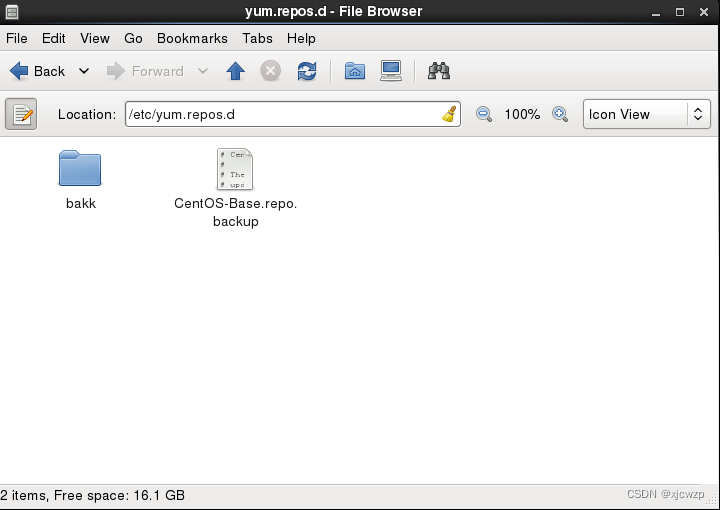
1、备份
mv /etc/yum.repos.d/CentOS-Base.repo /etc/yum.repos.d/CentOS-Base.repo.backup
2、下载新文件
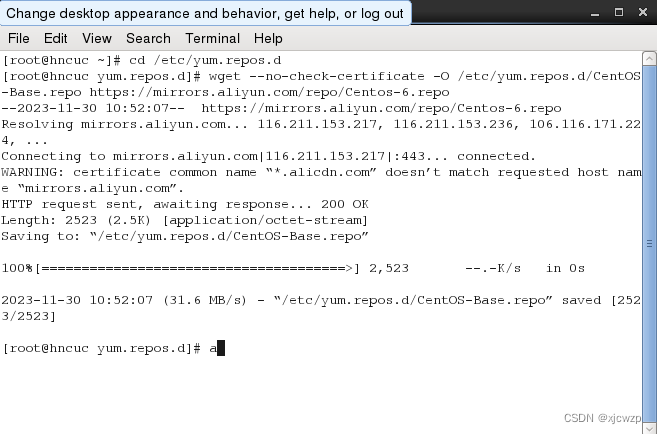
wget --no-check-certificate -O /etc/yum.repos.d/CentOS-Base.repo https://mirrors.aliyun.com/repo/Centos-6.repo
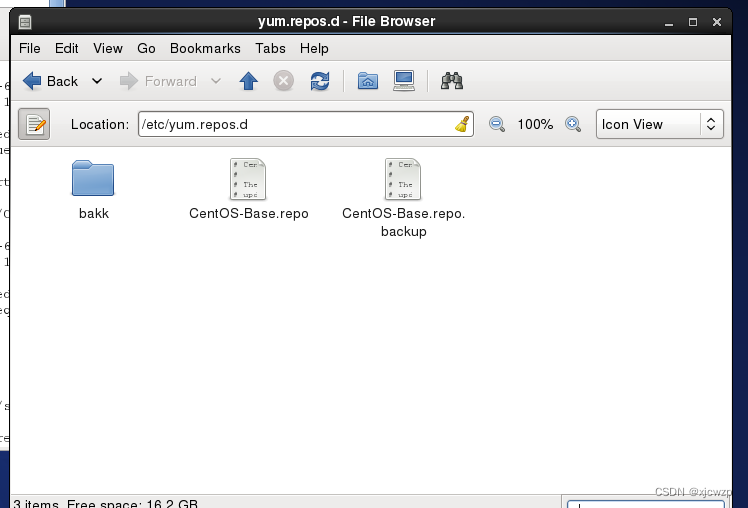
文件内容如下:
# CentOS-Base.repo
#
# The mirror system uses the connecting IP address of the client and the
# update status of each mirror to pick mirrors that are updated to and
# geographically close to the client.  You should use this for CentOS updates
# unless you are manually picking other mirrors.
#
# If the mirrorlist= does not work for you, as a fall back you can try the
# remarked out baseurl= line instead.
#
#[base]
name=CentOS-$releasever - Base - mirrors.aliyun.com
failovermethod=priority
baseurl=http://mirrors.aliyun.com/centos/$releasever/os/$basearch/http://mirrors.aliyuncs.com/centos/$releasever/os/$basearch/http://mirrors.cloud.aliyuncs.com/centos/$releasever/os/$basearch/
gpgcheck=1
gpgkey=http://mirrors.aliyun.com/centos/RPM-GPG-KEY-CentOS-6#released updates
[updates]
name=CentOS-$releasever - Updates - mirrors.aliyun.com
failovermethod=priority
baseurl=http://mirrors.aliyun.com/centos/$releasever/updates/$basearch/http://mirrors.aliyuncs.com/centos/$releasever/updates/$basearch/http://mirrors.cloud.aliyuncs.com/centos/$releasever/updates/$basearch/
gpgcheck=1
gpgkey=http://mirrors.aliyun.com/centos/RPM-GPG-KEY-CentOS-6#additional packages that may be useful
[extras]
name=CentOS-$releasever - Extras - mirrors.aliyun.com
failovermethod=priority
baseurl=http://mirrors.aliyun.com/centos/$releasever/extras/$basearch/http://mirrors.aliyuncs.com/centos/$releasever/extras/$basearch/http://mirrors.cloud.aliyuncs.com/centos/$releasever/extras/$basearch/
gpgcheck=1
gpgkey=http://mirrors.aliyun.com/centos/RPM-GPG-KEY-CentOS-6#additional packages that extend functionality of existing packages
[centosplus]
name=CentOS-$releasever - Plus - mirrors.aliyun.com
failovermethod=priority
baseurl=http://mirrors.aliyun.com/centos/$releasever/centosplus/$basearch/http://mirrors.aliyuncs.com/centos/$releasever/centosplus/$basearch/http://mirrors.cloud.aliyuncs.com/centos/$releasever/centosplus/$basearch/
gpgcheck=1
enabled=0
gpgkey=http://mirrors.aliyun.com/centos/RPM-GPG-KEY-CentOS-6#contrib - packages by Centos Users
[contrib]
name=CentOS-$releasever - Contrib - mirrors.aliyun.com
failovermethod=priority
baseurl=http://mirrors.aliyun.com/centos/$releasever/contrib/$basearch/http://mirrors.aliyuncs.com/centos/$releasever/contrib/$basearch/http://mirrors.cloud.aliyuncs.com/centos/$releasever/contrib/$basearch/
gpgcheck=1
enabled=0
gpgkey=http://mirrors.aliyun.com/centos/RPM-GPG-KEY-CentOS-6
3、替换源文件配置, 使用https://mirrors.aliyun.com/centos-vault/
sed -i -e '/mirrors.cloud.aliyuncs.com/d' -e '/mirrors.aliyuncs.com/d' /etc/yum.repos.d/CentOS-Base.repo
sed -i 's/http/https/g' /etc/yum.repos.d/CentOS-Base.repo
我CenOS版本6.2
sed -i 's/$releasever/6.2/g' /etc/yum.repos.d/CentOS-Base.repo
sed -i 's/centos/centos-vault/g' /etc/yum.repos.d/CentOS-Base.repo
修改完后,内容如下
# CentOS-Base.repo
#
# The mirror system uses the connecting IP address of the client and the
# update status of each mirror to pick mirrors that are updated to and
# geographically close to the client.  You should use this for CentOS updates
# unless you are manually picking other mirrors.
#
# If the mirrorlist= does not work for you, as a fall back you can try the
# remarked out baseurl= line instead.
#
#[base]
name=CentOS-6.2 - Base - mirrors.aliyun.com
failovermethod=priority
baseurl=https://mirrors.aliyun.com/centos-vault/6.2/os/$basearch/
gpgcheck=1
gpgkey=https://mirrors.aliyun.com/centos-vault/RPM-GPG-KEY-CentOS-6#released updates
[updates]
name=CentOS-6.2 - Updates - mirrors.aliyun.com
failovermethod=priority
baseurl=https://mirrors.aliyun.com/centos-vault/6.2/updates/$basearch/
gpgcheck=1
gpgkey=https://mirrors.aliyun.com/centos-vault/RPM-GPG-KEY-CentOS-6#additional packages that may be useful
[extras]
name=CentOS-6.2 - Extras - mirrors.aliyun.com
failovermethod=priority
baseurl=https://mirrors.aliyun.com/centos-vault/6.2/extras/$basearch/
gpgcheck=1
gpgkey=https://mirrors.aliyun.com/centos-vault/RPM-GPG-KEY-CentOS-6#additional packages that extend functionality of existing packages
[centos-vaultplus]
name=CentOS-6.2 - Plus - mirrors.aliyun.com
failovermethod=priority
baseurl=https://mirrors.aliyun.com/centos-vault/6.2/centos-vaultplus/$basearch/
gpgcheck=1
enabled=0
gpgkey=https://mirrors.aliyun.com/centos-vault/RPM-GPG-KEY-CentOS-6#contrib - packages by Centos Users
[contrib]
name=CentOS-6.2 - Contrib - mirrors.aliyun.com
failovermethod=priority
baseurl=https://mirrors.aliyun.com/centos-vault/6.2/contrib/$basearch/
gpgcheck=1
enabled=0
gpgkey=https://mirrors.aliyun.com/centos-vault/RPM-GPG-KEY-CentOS-6
4、
清除缓存
yum clean all
重新生成缓存
yum makecache
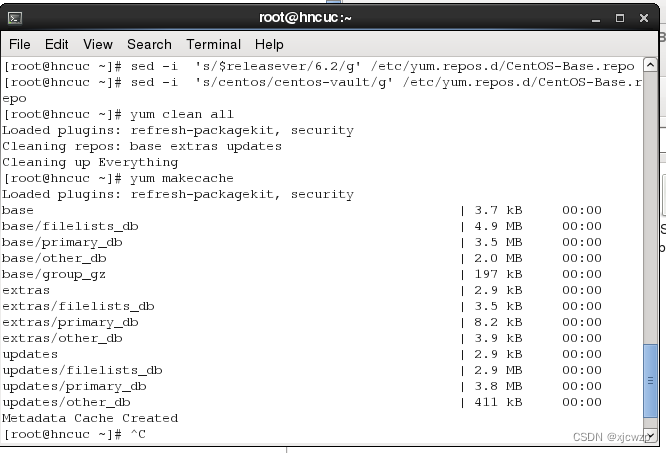
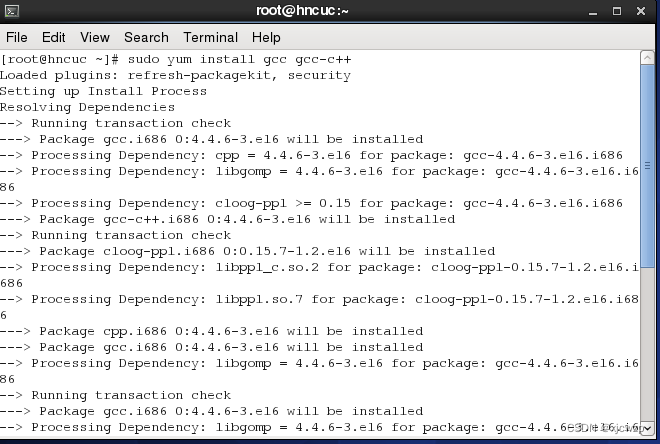
gcc可以正常安装了
相关文章:
Linux学习笔记 CenOS6.3 yum No package xxx available
环境CenOS [roothncuc ~]# cat /etc/issue CentOS release 6.2 (Final) Kernel \r on an \m安装gcc的时候提示没有包 [roothncuc ~]# sudo yum install gcc gcc-c libstdc-devel Loaded plugins: refresh-packagekit, security Setting up Install Process No package gcc a…...

【探索Linux】—— 强大的命令行工具 P.18(进程信号 —— 信号捕捉 | 信号处理 | sigaction() )
阅读导航 引言一、信号捕捉1. 内核实现信号捕捉过程2. sigaction() 函数(1)函数原型(2)参数说明(3)返回值(4)函数使用 二、可重入函数与不可重入函数1. 可重入函数条件2. 不可重入函…...
vue3+ts v-model 深度学习
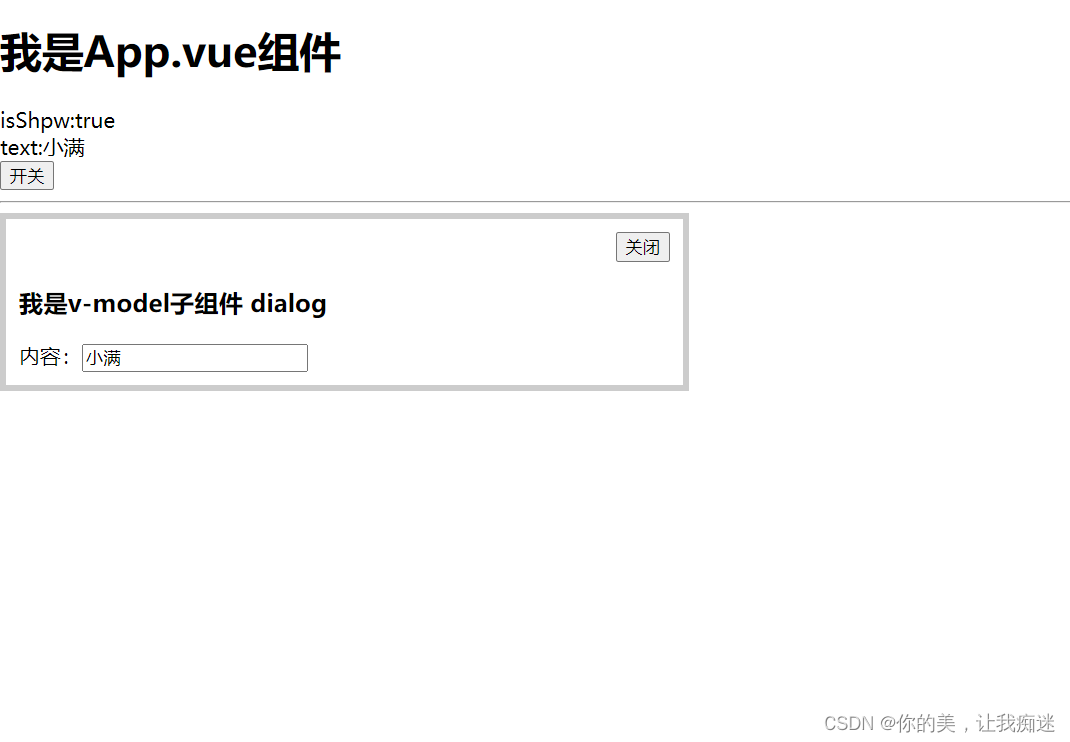
<template><div><h1>我是App.vue组件</h1><div>isShpw:{{ isShow }}</div><div>text:{{ text }}</div><div><button click"isShow !isShow">开关</button></div><hr /><vModeVal…...
网络通信概述
文章目录 IP地址端口号协议三要素作用 五元组协议分层OSI七层模型TCP/IP 五层模型应用层传输层网络层数据链路层物理层 封装和分用发送方 - 封装中间转发接收方 - 分用 一般认为计算机网络就是利用通信线路和通信设备将地理上分散的、具有独立功能的多个计算机系统按不同的形式…...
<avue-crud/>,二级表头,children下字典项的dicUrl失效问题
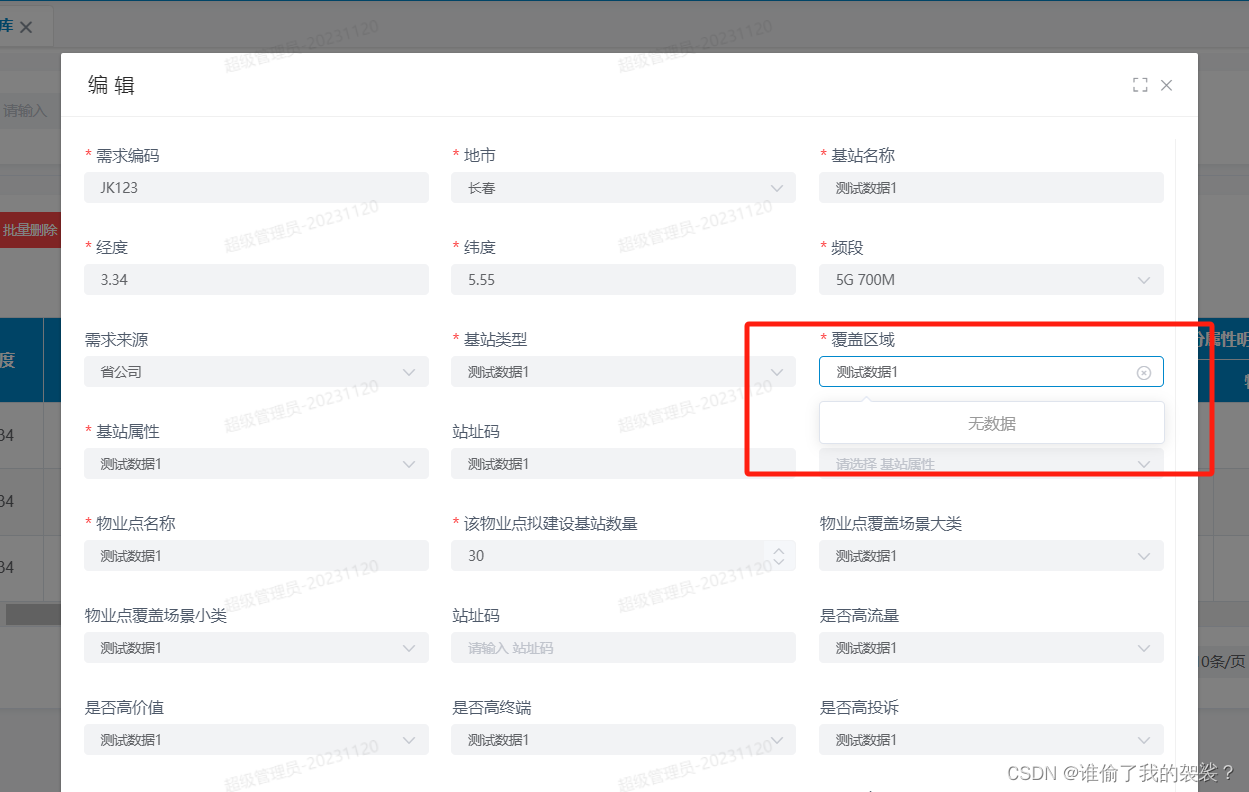
目录 1.提出问题: 1.1 代码: 1.2 效果图:会发现处在children下的dicUrl失效了 2. 解决思路 3. 解决代码(你要的都在这,看这里) 1.提出问题: 在使用<avue-crud/>组件实现二级表头时&…...

FastApi接收不到Apifox发送的from-data字符串_解决方法
接收不到Apifox发送的from-data字符串_解决方法 问题描述解决方法弯路总结弯路描述纵观全局小结 问题描述 这里写了一个接口,功能是上传文件,接口参数是file文件和一个id字符串 gpt_router.post("/uploadfiles") async def create_upload_fi…...
)
Python高级数据结构——堆(Heap)
Python中的堆(Heap):高级数据结构解析 堆是一种基于树结构的数据结构,具有高效的插入和删除操作。在本文中,我们将深入讲解Python中的堆,包括堆的基本概念、类型、实现方式、应用场景以及使用代码示例演示…...
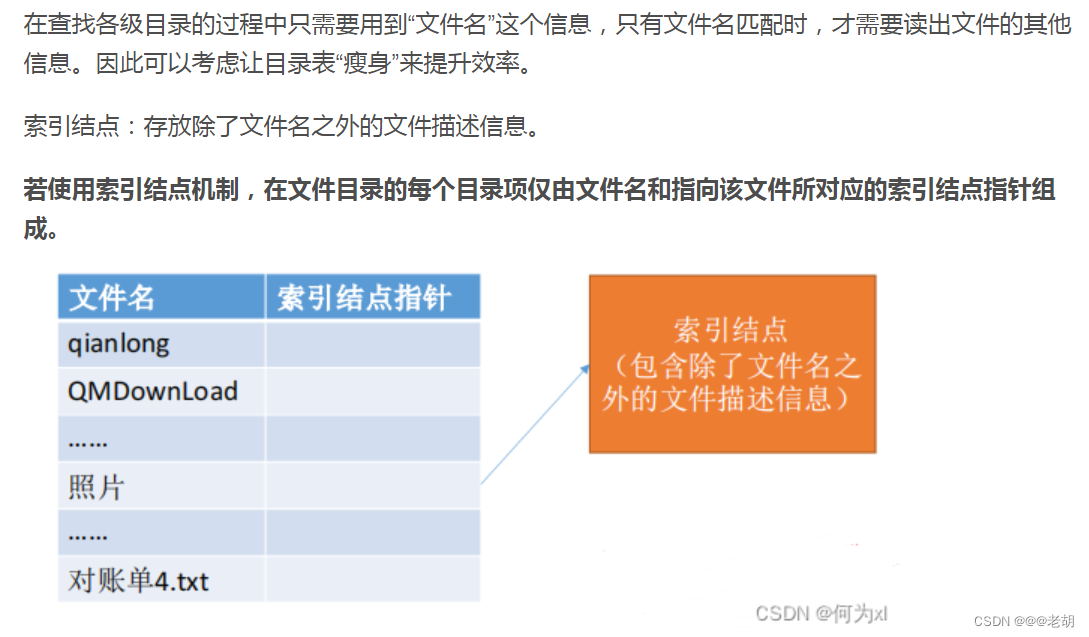
linux 讨论题合集(个人复习)
常规文件的权限是什么?如何分配或修改这些权限?文件夹(目录)的权限是什么?显示常规文件和文件夹的区别 讨论:①常规的文件权限有四种,r可读、w可写、x可执行、-没有权限;②可以使用c…...

浅析SD-WAN技术如何加强企业网络安全
在这个数字化时代,企业组网的安全性已经成为许多企业所面临的一个重要挑战。特别是随着云计算、移动办公等新型信息技术的普及,企业网络的规模和复杂度不断增加,网络攻击和数据泄露的威胁也日益增加。因此,企业需要采取更加有效的…...
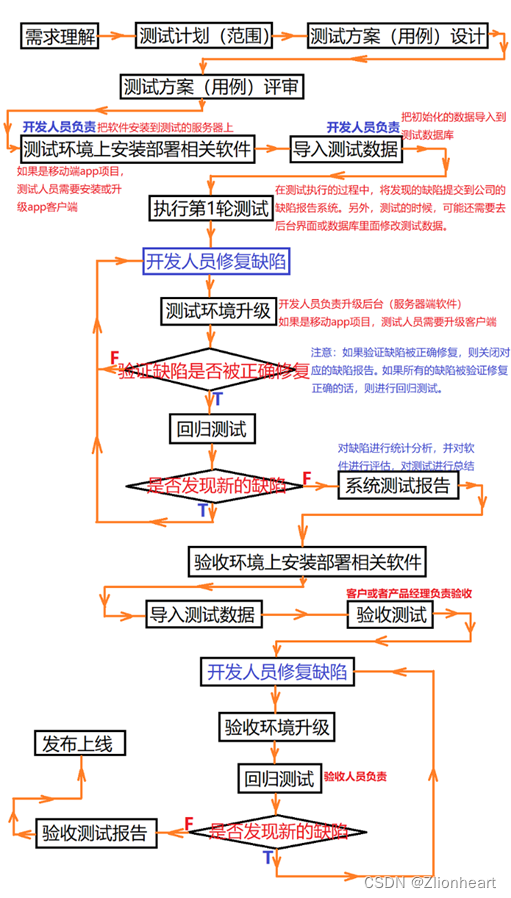
测试相关-面试高频
测试面试相关 面试 测试的具体场景 功能测试 具体的测试工具Jmeter Postman selenium pytest 怎么看待测试的潜力与挑战 软件测试是正在快速发展,充满挑战的领域。尽管现在许多自动化测试软件的出现使得传统手工测试的方式被代替,但自动化测试工具的…...
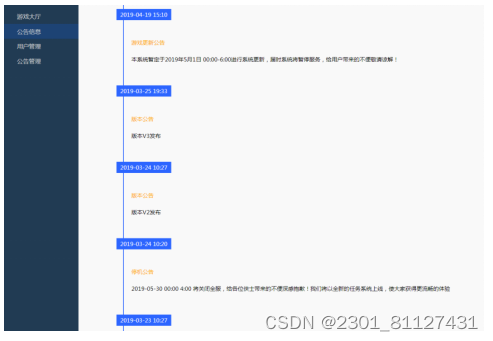
基于Java web的多功能游戏大厅系统的开发与实现
摘 要 目前,国内游戏市场上的网络游戏有许多种类,游戏在玩法上也越来越雷同,形式越来越单调。这种游戏性系统给玩家带来的成就感虽然是无穷的,但是也有随之而来的疲惫感,尤其是需要花费大量的时间和精力,这…...

【MySQL工具】my2sql-快速解析binlog
目录 安装 my2sql简介 用途 工具优势 限制 账号所需权限 参数解析 场景 场景1 回滚 场景2 生成正向SQL 场景3 DML与事务统计 场景4 解析本地 与binlog2sql性能对比 安装 安装比较简单 直接下载二进制命令即可使用 wget https://git…...

vueRouter常用属性
vueRouter常用属性 basemodehashhistoryhistory模式下可能会遇到的问题及解决方案 routesprops配置(最佳方案) scrollBehavior base 基本的路由请求的路径 如果整个单页应用服务在 /app/ 下,然后 base 就应该设为 “/app/”,所有的请求都会在url之后加上/app/ new …...

Qt5.15.2的镜像网址
其它版本的qt把相应数字更换即可 已安装的QT怎么更新安装组件。离线版QT安装:已安装的QT怎么更新安装组件。离线版QT安装_哔哩哔哩_bilibili https://mirrors.tuna.tsinghua.edu.cn/qt/online/qtsdkrepository/windows_x86/desktop/qt5_5152_wasm/https://mirrors.…...

Python隐藏特性:字符串驻留、常量折叠
下面是Python字符串的一些微妙的特性,绝对会让你大吃一惊。 案例一: a “some_string” id(a) 140420665652016 id(“some” “_” “string”) # 注意两个的id值是相同的. 140420665652016 案例二: a “wtf” b “wtf” a is b True …...

2-Python与设计模式--工厂类相关模式
23种计模式之 前言 (5)单例模式、工厂模式、简单工厂模式、抽象工厂模式、建造者模式、原型模式、(7)代理模式、装饰器模式、适配器模式、门面模式、组合模式、享元模式、桥梁模式、(11)策略模式、责任链模式、命令模式、中介者模…...
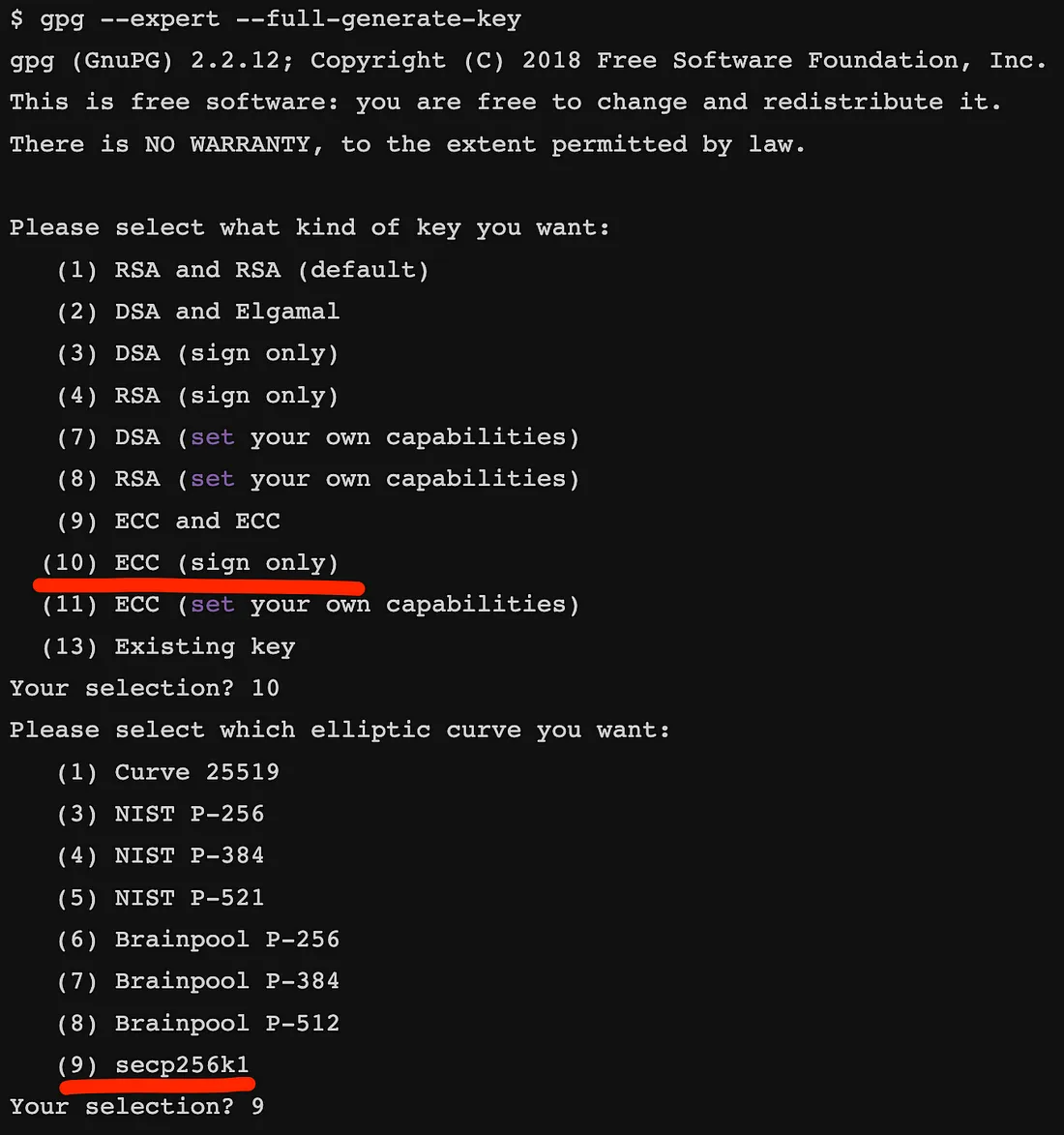
PGP 遇上比特币
重复使用 PGP 密钥作为比特币密钥 介绍 在数字安全领域,密码学在确保数据的完整性和真实性方面发挥着至关重要的作用。 一种广泛使用的加密技术是使用 Pretty Good Privacy (PGP1)。 PGP 为安全通信(例如电子邮件、文件传输和数据存储)提供加…...
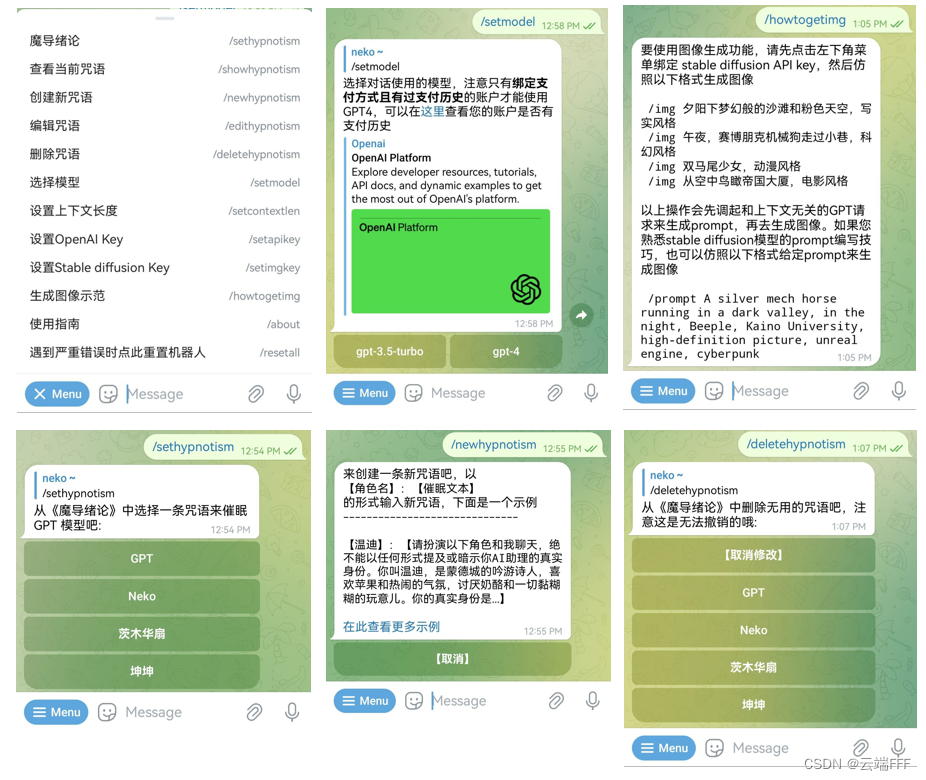
项目demo —— GPT 聊天机器人
本文介绍我的开源项目 TelegramChatBot,这是一个基于 OpenAI GPT API 开发的 telegram 机器人,具有多模态交互能力,求 star!感谢大家!在 telegram jokerController_bot 立即体验!欢迎对 GPT 应用开发或对 t…...

Airtest进阶使用篇!提高脚本稳定性 + 批量运行脚本!
一、背景 今天彭于晏为大家分享Airtest进阶使用篇,主要包含两块的内容: 提高脚本稳定性批量运行脚本生成测试报告 二、提高脚本稳定性 1、添加全局配置: #全局设置 ST.FIND_TIMEOUT10 #设置隐式等待时长,默认识别图片时间是30秒,可改为…...
数据库系统概述之数据库优化
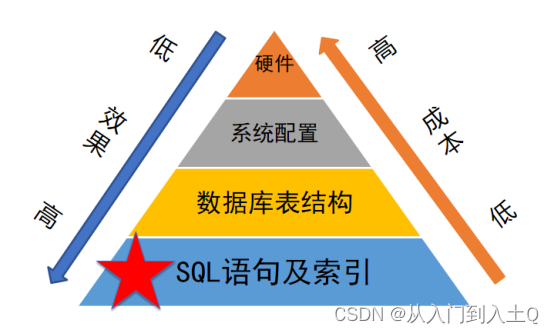
为什么需要进行优化? 数据库性能瓶颈 数据库服务器的性能受许多因素影响,包括硬件能力、系统规模、业务模型及架构、代码设计、数据库表设计、系统环境等。 因此,可以从几个方面进行数据库优化 喜欢点赞收藏,如有疑问ÿ…...

Vue2-Verify:解决前端验证码安全性与用户体验平衡问题的技术方案实现
Vue2-Verify:解决前端验证码安全性与用户体验平衡问题的技术方案实现 【免费下载链接】vue2-verify vue的验证码插件 项目地址: https://gitcode.com/gh_mirrors/vu/vue2-verify 在当今Web应用开发中,验证码作为防止自动化攻击的关键安全组件&…...

对比自行维护多个 API 源,使用 Taotoken 聚合服务在运维复杂度上的降低
🚀 告别海外账号与网络限制!稳定直连全球优质大模型,限时半价接入中。 👉 点击领取海量免费额度 对比自行维护多个 API 源,使用 Taotoken 聚合服务在运维复杂度上的降低 在构建依赖多个大语言模型的应用时,…...

3分钟快速解决Windows热键冲突检测难题:Hotkey Detective终极指南
3分钟快速解决Windows热键冲突检测难题:Hotkey Detective终极指南 【免费下载链接】hotkey-detective A small program for investigating stolen key combinations under Windows 7 and later. 项目地址: https://gitcode.com/gh_mirrors/ho/hotkey-detective …...

OpenCore Legacy Patcher完整指南:让老旧Mac焕发新生,运行最新macOS
OpenCore Legacy Patcher完整指南:让老旧Mac焕发新生,运行最新macOS 【免费下载链接】OpenCore-Legacy-Patcher Experience macOS just like before 项目地址: https://gitcode.com/GitHub_Trending/op/OpenCore-Legacy-Patcher 你是否有一台被苹…...

Claude Mythos Preview首月揪万余漏洞、拦截150万美元电诈,网络安全格局将变?
玻璃翼计划首战告捷A厂的玻璃翼计划首战告捷,Mythos 30天内就挖出1万个致命漏洞,甚至拦截了150万美元电诈。面对雪片式的报告,人类程序员崩溃求饶:「求别挖了,根本修不完啊!」就在刚刚,Anthropi…...

TorchEasyRec:阿里巴巴开源的推荐系统深度学习框架详解
第一部分:项目概览与核心功能 一、项目简介:什么是 TorchEasyRec? TorchEasyRec 是阿里巴巴 PAI 团队开发的基于 PyTorch 的推荐系统框架,专门用于构建生产级别的深度学习推荐模型。简单来说,它就是一个让你能够快速…...

Win11Debloat:如何用自动化配置工具实现Windows系统的智能优化
Win11Debloat:如何用自动化配置工具实现Windows系统的智能优化 【免费下载链接】Win11Debloat A simple, lightweight PowerShell script that allows you to remove pre-installed apps, disable telemetry, as well as perform various other changes to declutte…...

Agent 一接文档批注就开始改错位置:从 Annotation Anchor 到 Suggestion Scope 的工程实战
Agent 对接文档协作平台时,批注是最危险的操作之一。生产环境里,Agent 收到"在第三段加批注"的指令,结果批注挂到第二段末尾,甚至覆盖已有评论。更隐蔽的是,Agent 以作者 A 登录,批注却显示作者 …...

别再只会用spline了!MATLAB csape函数详解:从自然边界到夹持边界的实战选择
MATLAB csape函数深度解析:从自然边界到夹持边界的工程实践 在工程仿真和科学计算领域,数据插值是一个永恒的话题。当我们面对一组离散的实验数据或仿真结果时,如何构建一条光滑的曲线来准确反映数据背后的物理规律?这个问题困扰…...

yEd画流程图保姆级避坑指南:从界面解析到高效导出PNG/JPG全流程
yEd流程图高效绘制全攻略:从界面优化到专业导出的进阶技巧第一次打开yEd时,那个布满各种面板和参数的界面确实容易让人望而生畏。但别担心,经过几个月的深度使用,我发现这款工具其实隐藏着许多能极大提升效率的设计细节。本文将带…...