
jsp-servlet开发
STS中开发步骤
建普通jsp项目过程
1.建项目(非Maven项目)
new----project----other----Web----Dynamic Web Project


2.下载包放到LIB目录中,如果是Maven项目可以自动导包(pom.xml中设置好)

3.设置工作空间,网页的编码(我常用UTF-8)


3.分层(dao,vo,servlet…)
一个构建maven项目的过程
《1》

《2》

《3》配置maven

《4》下图中,爆红,是因为,Dynamic Web Module模式版本太低了,现在我们都3.x了,这里还是2.5,如下面第二图所示。


处理办法:
先去掉那个勾选,再点应用(apply),选勾选3.1版本,同时到下面点击’Further configuration available…',我们勾选Generate web.xml。。。,让项目自建web.xml文件。

《5》,build path,即增加jdk库,apache库

一个自已写的settings.xml,里面没有设置从远程仓库上传,下载功能,只设了阿里云下载镜像包。对IDEA 也适用,
<?xml version="1.0" encoding="UTF-8"?>
<settings xmlns="http://maven.apache.org/SETTINGS/1.0.0"xmlns:xsi="http://www.w3.org/2001/XMLSchema-instance"xsi:schemaLocation="http://maven.apache.org/SETTINGS/1.0.0 http://maven.apache.org/xsd/settings-1.0.0.xsd"><localRepository>C:\Users\Administrator\Desktop\maven\repository</localRepository><pluginGroups><pluginGroup>org.codehaus.plugins</pluginGroup></pluginGroups><proxies></proxies><mirrors><mirror><id>aliyunmaven</id><name>aliyun maven</name><url>http://maven.aliyun.com/nexus/content/groups/public/</url><mirrorOf>central</mirrorOf></mirror>  </mirrors>
<profiles>
<!--jdk版本一劳永逸的改法,因为系统默认为1.5版,太扯了--><profile><id>jdk-1.8</id><activation><activeByDefault>true</activeByDefault><jdk>jdk1.8</jdk></activation><properties><maven.compiler.source>1.8</maven.compiler.source><maven.compiler.target>1.8</maven.compiler.target><maven.compiler.compilerVersion>1.8</maven.compiler.compilerVersion></properties></profile></profiles>
<!--激活下载仓库预文件--><activeProfiles><activeProfile>myProfile</activeProfile></activeProfiles>
</settings>
jsp-servlet验证码开发
1.index.jsp嵌入由下面的servlet生成的图片并刷新可重新获得验证码
<%@ page contentType="text/html;charset=UTF-8" language="java" %>
<html>
<head><title>登录界面</title><script>function reloadCode() {var time=new Date().getTime();document.getElementById("imagecode").src="<%= request.getContextPath()%>/servlet/ImageServlet?date="+time;}/* js部分的Date相关是防止浏览器缓存后不能正常刷新,添加时间的唯一性来实现能够及时刷新和展示。js 部分可以参阅:JavaScript 语言入门也可以在ImageServlet中添加防止浏览器缓存的语句:response.setHeader("Pragma", "No-cache");*/</script>
</head>
<body>
<form action="<%= request.getContextPath()%>/servlet/ValidateServlet" method="get" >请您输入账号:<input type="text" name="account" /><BR>请您输入密码:<input type="password" name="password" /><BR>验证码:<input  type="text" name="checkCode"/><br/><img alt="验证码" id="imagecode" src="<%= request.getContextPath()%>/servlet/ImageServlet"/><a href="javascript:reloadCode();">看不清楚</a><br><br/><input type="submit" value="提交">
</form>
</body>
</html>
2.Servelt生成验证码图片
import java.awt.Color;
import java.awt.Graphics;
import java.awt.image.BufferedImage;
import java.io.IOException;
import java.util.Random;import javax.imageio.ImageIO;
import javax.servlet.http.HttpServlet;
import javax.servlet.http.HttpServletRequest;
import javax.servlet.http.HttpServletResponse;public class ImageServlet  extends HttpServlet {public void doGet(HttpServletRequest request, HttpServletResponse response) throws IOException {BufferedImage bi = new BufferedImage(68, 22, BufferedImage.TYPE_INT_RGB);//创建图像缓冲区Graphics g = bi.getGraphics();      //通过缓冲区创建一个画布Color c = new Color(200, 150, 255); //创建颜色g.setColor(c);                     //为画布创建背景颜色g.fillRect(0, 0, 68, 22);           //填充矩形char[] ch = "ABCDEFGHIJKLMNOPQRSTUVWXYZ0123456789".toCharArray();//转化为字符型的数组Random r = new Random();int len = ch.length;int index;                           //index用于存放随机数字StringBuffer sb = new StringBuffer();for (int i = 0; i < 4; i++) {index = r.nextInt(len);               //产生随机数字g.setColor(new Color(r.nextInt(88), r.nextInt(188), r.nextInt(255)));  //设置颜色g.drawString(ch[index] + "", (i * 15) + 3, 18);   //画数字以及数字的位置sb.append(ch[index]);}request.getSession().setAttribute("piccode", sb.toString());ImageIO.write(bi, "JPG", response.getOutputStream());}
}
3.Servlet逻辑判断验证是否正确,再进行相应的跳转
public class ValidateServlet extends HttpServlet {public void doGet(HttpServletRequest request, HttpServletResponse response)throws ServletException, IOException {response.setHeader("Pragma", "No-cache");response.setContentType("text/html;charset=utf-8");//解决乱码问题//得到提交的验证码String code = request.getParameter("checkCode");//获取session中的验证码HttpSession session = request.getSession();String randStr = (String)session.getAttribute("piccode");response.setCharacterEncoding("utf8");PrintWriter out = response.getWriter();if(!code.equals(randStr)){out.println("验证码错误!");}else{out.println("验证码正确!跳转到LoginServlet......");}	out.flush();//将流刷新out.close();//将流关闭}public void doPost(HttpServletRequest request, HttpServletResponse response)throws ServletException, IOException {this.doGet(request, response);		}
}
4.测试
我首先:生成验证码图片看看
http://localhost/yanzhengma/index.jsp

然后,测试提交效果。


JFreeChart开发图片报表
在web开发过程中,经常需要将数据以比较直观的方式显示出来,此时报表能够起到很好的作用。
JAVA技术报表的代表产品有:JFreeChart,JasperReports,iReport,FineReport,iText等。
下载JFreeChart包
https://sourceforge.net/projects/jfreechart/
下载后解压:到解压的文件目录的lib下复制如下两个文件到WebContent目录WEB-INF的lib目录下

1.web.xml
<servlet><servlet-name>DisplayChart</servlet-name><servlet-class>org.jfree.chart.servlet.DisplayChart</servlet-class></servlet><servlet-mapping><servlet-name>DisplayChart</servlet-name><url-pattern>/DisplayChart</url-pattern></servlet-mapping>
1.1开发柱状报表
《1》。实例化数据集org.jfree.data.category.DefaultCategoryDataset类
《2》,添加数据给DefaultCategoryDatase对象,当然也可以从数据库中查询
datase.addValue(value1,value2,value3);
value1为纵坐标的值,value2是纵坐标中的各个项目的种类,value3是横坐标中各个项目的种类。实际上,value1即为人数数据,value2可以为NULL,因为纵坐标没有对人数进行细分。
《3》。通过工厂类org.jfree.chart.ChartFactory创建柱状报表。
JFreeChart chart = ChartFactory.createBarChart(value1,value2,value3,value4,value5,false,false,false);
各参数的意义如下
value1:表示柱状报表的标题,
value2:表示柱状表的横坐标名称,如“成绩”
value3:表示。。。。纵坐标的名称,如‘人数’
value4:数据集
value5:表示的是所作之图是水平还是坚直,可以用org.jfree.chart.plot.PlotOrientation的常量表示.VERTICAL 和 .HORIZONTAL
《4》。用org.jfree.chart.servlet.ServletUtilities将chart保存为图片,确定宽,高,并确定保存的范围(一般session)然后组图片路径。
String filename = ServeltUtilities.saveChartAsPng(chart,width,height,session);
String graphUrl = "/项目名/DisplayChart?filename="+filename;
《5》设置中文体体,在jsp页面中显示图片
Font font = new Font("隶书", Font.PLAIN, 20);StandardChartTheme stheme=new StandardChartTheme("CN"); stheme.setExtraLargeFont(font); //设置标题字体stheme.setLargeFont(new Font("宋书",Font.PLAIN,20)); //设置轴向字体stheme.setRegularFont(font); //设置图例字体ChartFactory.setChartTheme(stheme); //应用字体功能
jsp页中显示图片
<img src="<%=graphURL%"></img>案例:显示男女成绩分布报表
<%@page import="org.jfree.data.general.DatasetUtilities"%>
<%@page import="org.jfree.data.category.CategoryDataset"%>
<%@page import="org.jfree.chart.StandardChartTheme"%>
<%@page import="org.jfree.chart.servlet.ServletUtilities"%>
<%@page import="org.jfree.chart.JFreeChart"%>
<%@page import="org.jfree.chart.plot.PlotOrientation"%>
<%@page import="org.jfree.chart.ChartFactory,java.awt.*"%>
<%@page import="org.jfree.data.category.DefaultCategoryDataset"%>
<%@ page language="java" contentType="text/html; charset=UTF-8"pageEncoding="UTF-8"%><html>
<head>
<meta http-equiv="Content-Type" content="text/html; charset=UTF-8">
<title>柱状报表2美化了</title>
</head><body><%double[][] data = new double[][]{{1,2},{3,5},{7,5},{7,8},{2,6}};String[] rowKeys = new String[]{"优秀","良好","中等","及格","不及格"};String[] columnKeys = {"男","女"};Font font = new Font("隶书", Font.PLAIN, 20);StandardChartTheme stheme=new StandardChartTheme("CN"); stheme.setExtraLargeFont(font);                             //设置标题字体stheme.setLargeFont(new Font("宋书",Font.PLAIN,20));         //设置轴向字体stheme.setRegularFont(font);                                 //设置图例字体ChartFactory.setChartTheme(stheme); CategoryDataset dataset = DatasetUtilities.createCategoryDataset(rowKeys,columnKeys,data);JFreeChart chart =ChartFactory.createBarChart3D("考试成绩统计表(按性别)","成绩","人数",dataset,PlotOrientation.VERTICAL,true,false,false); String filename = ServletUtilities.saveChartAsPNG(chart,600,400,session);String graphURL = "/jfreechart/DisplayChart?filename="+filename;%>
<img src="<%=graphURL %>">
</body>
</html>
测试 http://localhost:8080/jfreechart/barchar2.jsp

1.2开发饼状报表
<html>
<head>
<meta http-equiv="Content-Type" content="text/html; charset=UTF-8">
<title>饼状报表</title>
</head>
<body><%DefaultPieDataset dataset = new DefaultPieDataset();dataset.setValue("优秀",0.45);dataset.setValue("良好",0.3);dataset.setValue("中等",0.1);dataset.setValue("及格",0.05);dataset.setValue("不及格",0.1);Font font = new Font("隶书", Font.PLAIN, 20);StandardChartTheme stheme=new StandardChartTheme("CN"); stheme.setExtraLargeFont(font);                             //设置标题字体stheme.setLargeFont(new Font("宋书",Font.PLAIN,20));         //设置轴向字体stheme.setRegularFont(font);       //设置图例字体ChartFactory.setChartTheme(stheme); JFreeChart chart = ChartFactory.createPieChart3D("考试成绩统计图",dataset,true,false,false);String filename = ServletUtilities.saveChartAsPNG(chart,600,400,session);String graphURL = "/jfreechart/DisplayChart?filename="+filename;%><img src="<%=graphURL %>"></img>
</body>
</html>
1.3曲线报表
下面是双曲线,单曲线只要减少一个TimeSeries对象即可。
@page import="org.jfree.chart.servlet.ServletUtilities"%>
<%@page import="org.jfree.chart.title.TextTitle"%>
<%@page import="org.jfree.data.time.Month"%>
<%@page import="org.jfree.data.time.TimeSeries"%>
<%@page import="org.jfree.data.time.TimeSeriesCollection"%>
<%@page import="org.jfree.chart.ChartFactory"%>
<%@page import="java.awt.*"%>
<%@page import="org.jfree.chart.StandardChartTheme"%>
<%@page import="org.jfree.chart.JFreeChart"%>
<%@ page language="java" contentType="text/html; charset=UTF-8"pageEncoding="UTF-8"%><html>
<head><title>曲线图报表</title>
</head>
<body>
<%TimeSeriesCollection lineDataset = new TimeSeriesCollection();TimeSeries timeSeries = new TimeSeries("熊少文",Month.class);timeSeries.add(new Month(1,2024),85);timeSeries.add(new Month(2,2024),76);timeSeries.add(new Month(3,2024),65);timeSeries.add(new Month(4,2024),80);timeSeries.add(new Month(5,2024),66);timeSeries.add(new Month(6,2024),72);timeSeries.add(new Month(7,2024),83);timeSeries.add(new Month(8,2024),88);timeSeries.add(new Month(9,2024),85);timeSeries.add(new Month(10,2024),74);timeSeries.add(new Month(11,2024),78);timeSeries.add(new Month(12,2024),63);lineDataset.addSeries(timeSeries);TimeSeries timeSeries2 = new TimeSeries("徐会凤",Month.class);timeSeries2.add(new Month(1,2024),98);timeSeries2.add(new Month(2,2024),95);timeSeries2.add(new Month(3,2024),89);timeSeries2.add(new Month(4,2024),88);timeSeries2.add(new Month(5,2024),86);timeSeries2.add(new Month(6,2024),82);timeSeries2.add(new Month(7,2024),93);timeSeries2.add(new Month(8,2024),98);timeSeries2.add(new Month(9,2024),85);timeSeries2.add(new Month(10,2024),74);timeSeries2.add(new Month(11,2024),78);timeSeries2.add(new Month(12,2024),83);lineDataset.addSeries(timeSeries2);JFreeChart chart = ChartFactory.createTimeSeriesChart("每月考试成绩","月份","成绩",lineDataset,true,false,false);Font font = new Font("隶书", Font.PLAIN, 20);StandardChartTheme stheme=new StandardChartTheme("CN"); stheme.setExtraLargeFont(font);                             //设置标题字体stheme.setLargeFont(new Font("宋书",Font.PLAIN,20));         //设置轴向字体stheme.setRegularFont(font);                                 //设置图例字体ChartFactory.setChartTheme(stheme);//设置子标题  TextTitle subTtitle = new TextTitle("2024年度");chart.addSubtitle(subTtitle);//设置主标题 chart.setTitle(new TextTitle("每月月考成绩"));chart.setAntiAlias(true);String filename = ServletUtilities.saveChartAsPNG(chart,600,400,session);String graphURL =request.getContextPath()+"/DisplayChart?filename="+filename;%>
<img src="<%=graphURL%>">
</body>
</html>

iText开发动态PDF报表
pdf是由服务器生成的,不是客户端生成的。
该应用,我用maven项目来做,因为iText pdf java包太难自主下载了,我用maven自动下载。
-
新建一个maven工程 maventest

-
导包pom.xml
<dependencies><dependency><groupId>com.itextpdf</groupId><artifactId>itext7-core</artifactId><version>7.1.9</version><type>pom</type></dependency></dependencies>
- 建一个jsp页面,创建一个空白文档

<%@page import="com.itextpdf.layout.Document"%>
<%@page import="com.itextpdf.kernel.pdf.PdfDocument"%>
<%@page import="com.itextpdf.kernel.pdf.PdfWriter"%>
<%@page import="com.itextpdf.kernel.pdf.DocumentProperties"%>
<%@ page language="java" contentType="text/html; charset=UTF-8"pageEncoding="UTF-8"%><html>
<head>
<meta http-equiv="Content-Type" content="text/html; charset=UTF-8">
<title>Insert title here</title>
</head>
<body><%String des="C:\\";String dest = des+"sample.pdf";PdfWriter writer = new PdfWriter(dest);// 2、创建一个 PdfDocument,参数为PdfWriterPdfDocument pdfDoc = new PdfDocument(writer);// 3、用PdfDocument创建一个空白 page pdfDoc.addNewPage();// 4、创建一个 Document,参数为PdfDocumentDocument document = new Document(pdfDoc);// 5、关闭 document,PdfDocumentdocument.close();pdfDoc.close();
%>
</body>
</html>
相关文章:
jsp-servlet开发
STS中开发步骤 建普通jsp项目过程 1.建项目(非Maven项目) new----project----other----Web----Dynamic Web Project 2.下载包放到LIB目录中,如果是Maven项目可以自动导包(pom.xml中设置好) 3.设置工作空间,网页…...
从零玩转CanMV-K230(7)-I2C例程
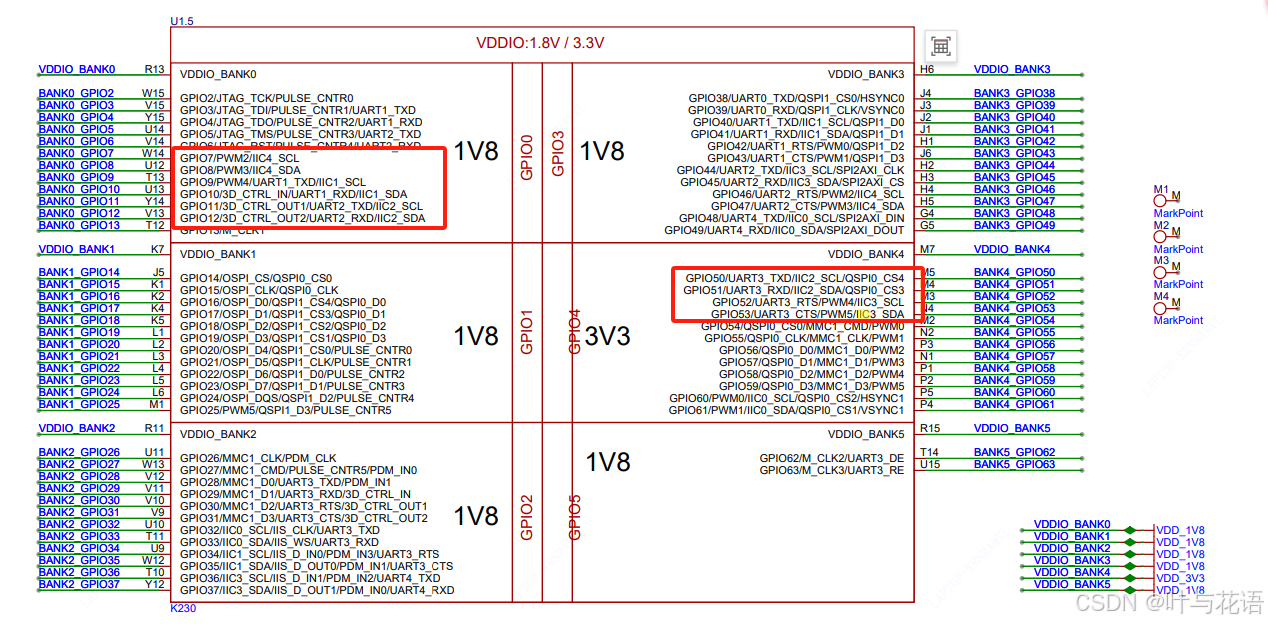
文章目录 前言一、IIC API二、示例总结 前言 K230内部包含5个I2C硬件模块,支持标准100kb/s,快速400kb/s模式,高速模式3.4Mb/s。 通道输出IO配置参考IOMUX模块。 一、IIC API I2C类位于machine模块下。 i2c I2C(id, freq100000) 【参数】…...

n阶Legendre多项式正交性的证明
前言 在《n次Legendre(勒让德)多项式在区间(-1, 1)上根的分布及证明》这篇文章中,我们阐述了Legendre多项式在 [ − 1 , 1 ] [-1,1] [−1,1]上的根分布情况并给出了证明。本文将证明Legendre多项式在 [ − 1 , 1 ] [-1,1] [−1,1]上的正交性质。 正交多项式的定义…...
HarmonyOS NEXT - Dialog 和完全自定义弹框
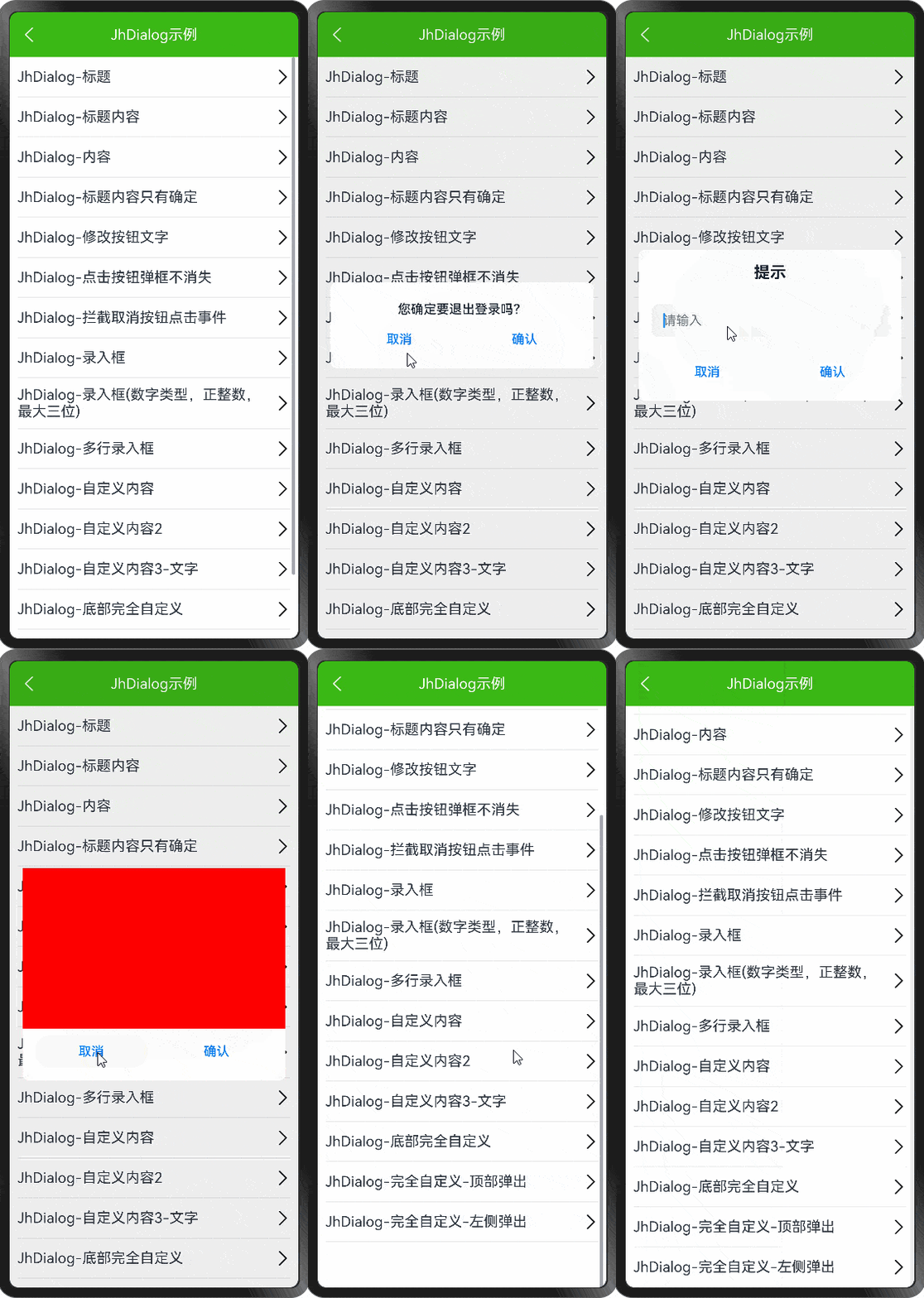
demo 地址: https://github.com/iotjin/JhHarmonyDemo 组件对应代码实现地址 代码不定时更新,请前往github查看最新代码 在demo中这些组件和工具类都通过module实现了,具体可以参考HarmonyOS NEXT - 通过 module 模块化引用公共组件和utils HarmonyOS NE…...

内容与资讯API优质清单
作为开发者,拥有一套API合集是必不可少的。这个开发者必备的API合集汇集了各种实用的API资源,为你的开发工作提供了强大的支持!无论你是在构建网站、开发应用还是进行数据分析,这个合集都能满足你的需求。你可以通过这些免费API获…...
开源 JS PDF 库比较
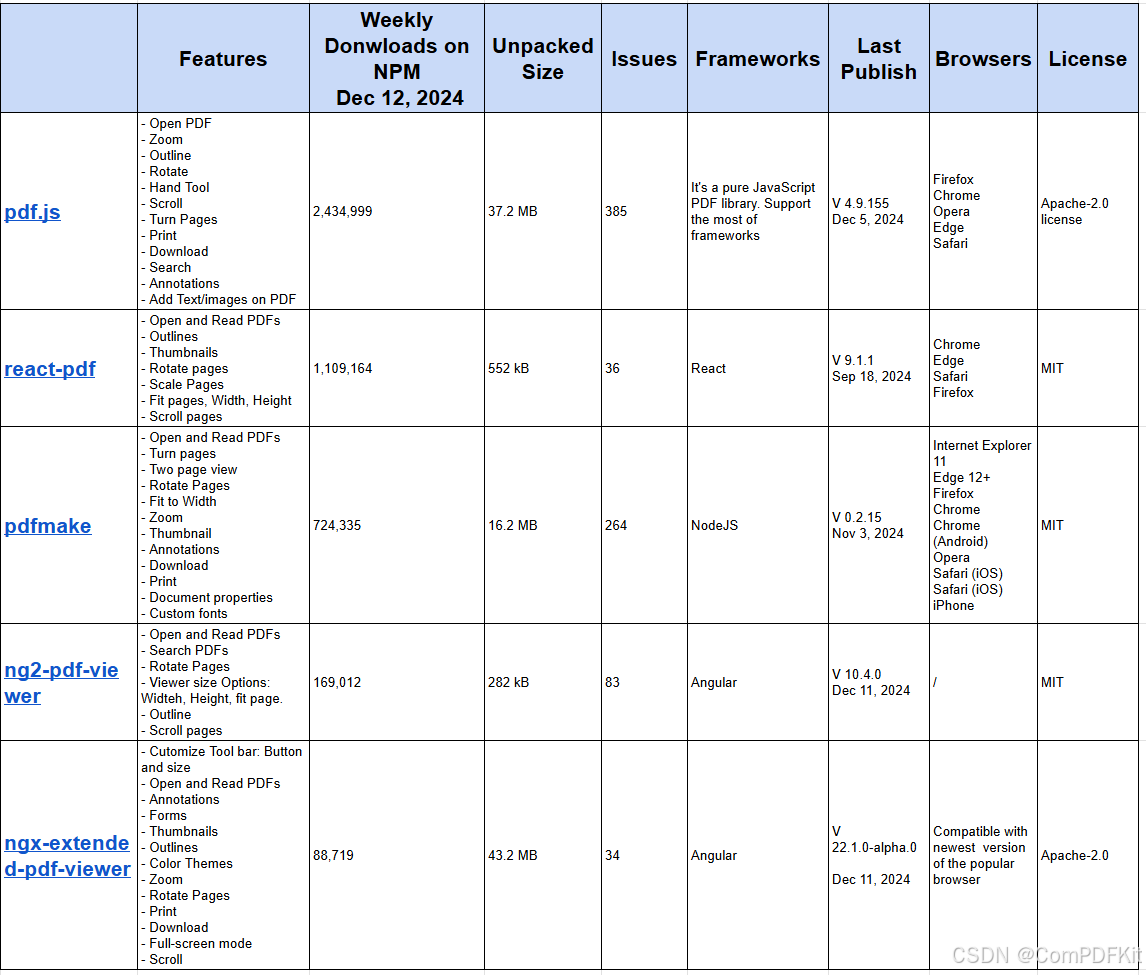
原文查看:开源JavaScript PDF Library对比 对于需要高性能、复杂功能或强大支持处理复杂 PDF 的项目,建议选择商业 PDF 库, 如ComPDFKit for Web。但是,如果您的目标只是在 Web 应用程序中显示 PDF,则可以使用几个可靠的开源…...

AnaPico信号源在通信测试中的应用案例
AnaPico信号源在通信测试中的应用案例广泛,涉及多种通信技术和测试需求。以下是一些具体的应用实例: 1. APPH系列信号源分析仪(相位噪声分析仪) APPH系列是一款高性能相位噪声分析仪和VCO测试仪,其不同型号的频率范围…...

《智启新材:人工智能重塑分子结构设计蓝图》
在当今科技飞速发展的时代,新材料的研发宛如一场激烈的竞赛,而人工智能(AI)作为一匹黑马,正以前所未有的速度和力量驰骋于这片赛场,为新材料的分子结构设计带来了革命性的突破,成为推动行业发展…...
进阶岛-L2G5000
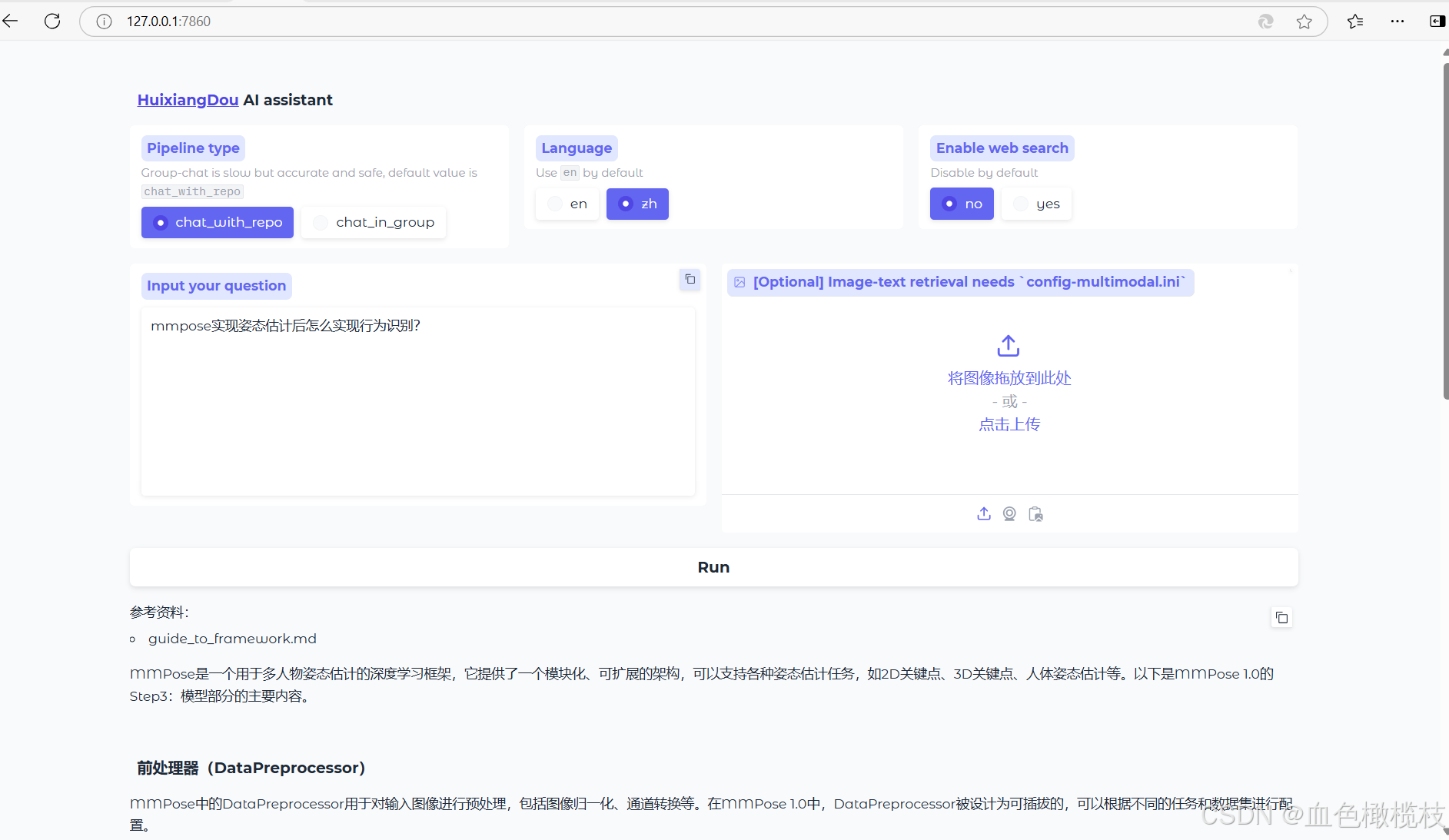
茴香豆:企业级知识库问答工具 茴香豆本地标准版搭建 环境搭建 安装茴香豆 知识库创建 测试知识助手 Gradio UI 界面测试...
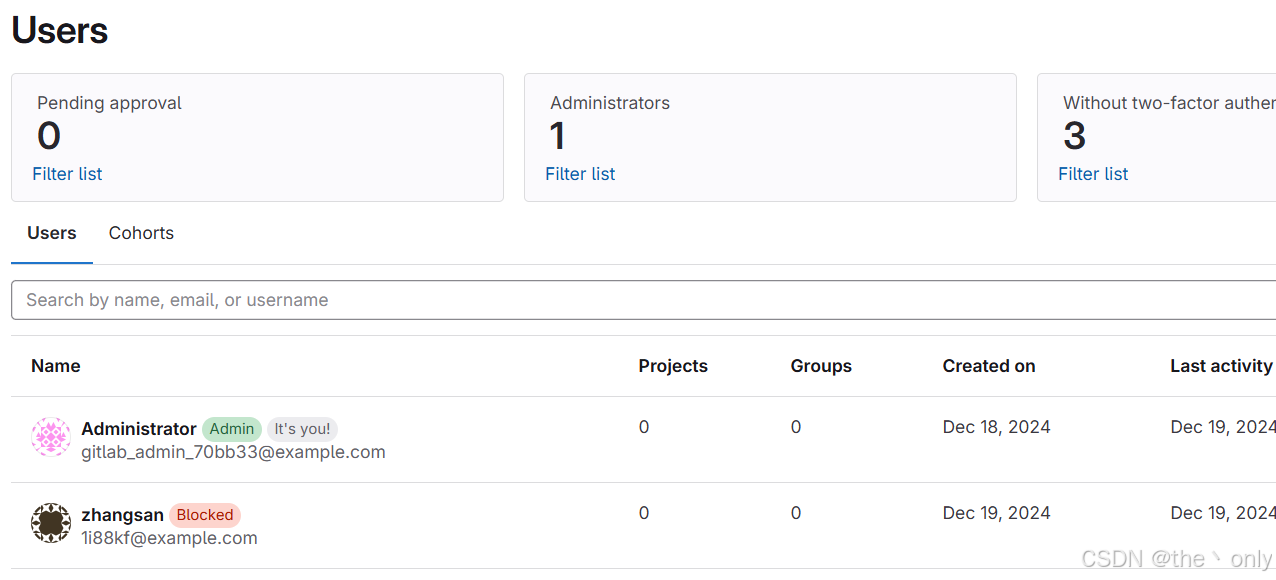
单点登录平台Casdoor搭建与使用,集成gitlab同步创建删除账号
一,简介 一般来说,公司有很多系统使用,为了实现统一的用户名管理和登录所有系统(如 GitLab、Harbor 等),并在员工离职时只需删除一个主账号即可实现权限清除,可以采用 单点登录 (SSO) 和 集中式…...
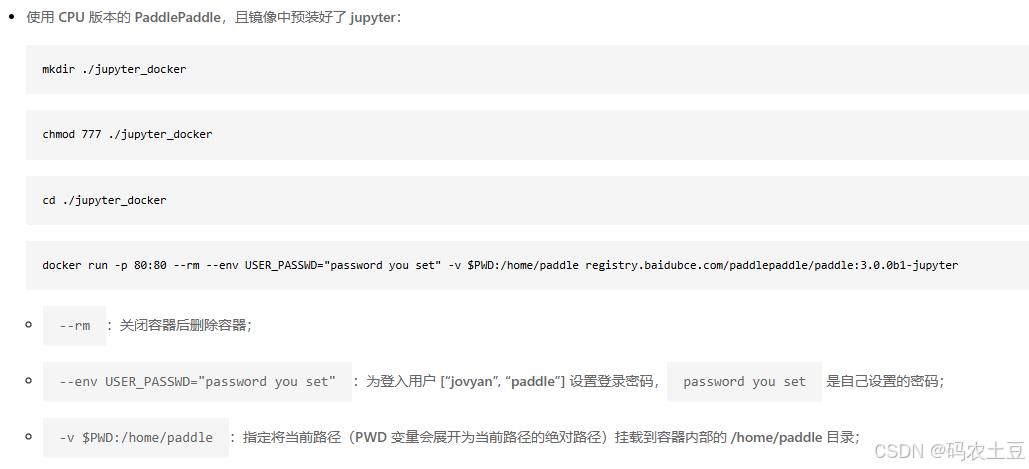
PaddlePaddle飞桨Linux系统Docker版安装
PaddlePaddle飞桨Linux系统Docker版安装 最近学习和了解PP飞桨,一切从安装开始。官网的安装教程很详细: https://www.paddlepaddle.org.cn/install/quick?docurl/documentation/docs/zh/install/docker/linux-docker.html 记录我在安装过程中遇到的问题…...
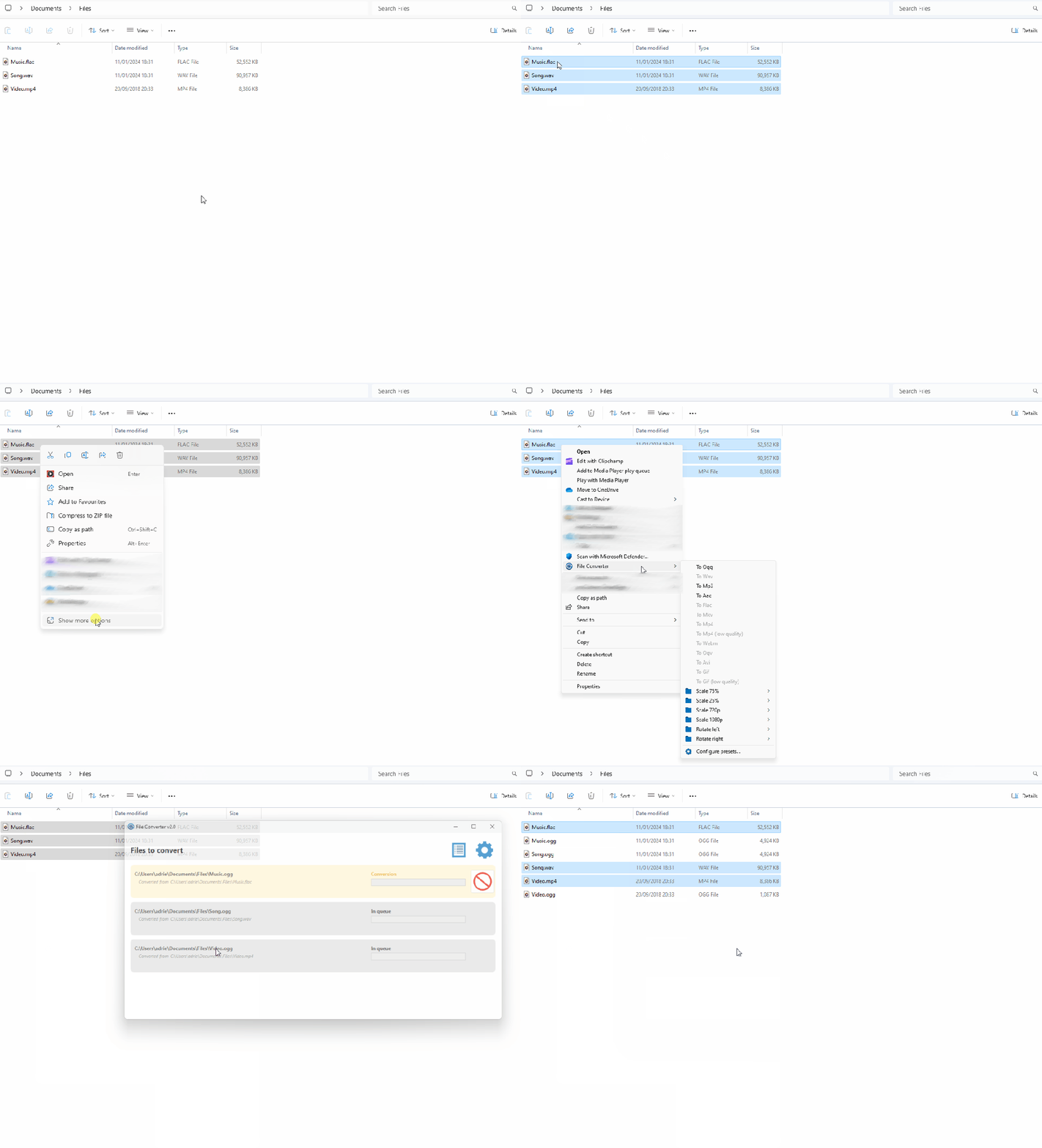
一款基于.NET开发的简易高效的文件转换器
前言 今天大姚给大家分享一款基于.NET开发的免费(GPL-3.0 license)、简易、高效的文件转换器,允许用户通过Windows资源管理器的上下文菜单来转换和压缩一个或多个文件:FileConverter。 使用技术栈 ffmpeg:作为文件转换…...
Spring Boot教程之三十一:入门 Web
Spring Boot – 入门 Web 如今,大多数应用程序都需要模型-视图-控制器(MVC) 架构来满足各种需求,例如处理用户数据、提高应用程序效率、为应用程序提供动态特性。它主要用于构建桌面图形用户界面 (GUI),但现在越来越流行用于构建基于 Web 的…...

青少年编程与数学 02-004 Go语言Web编程 20课题、单元测试
青少年编程与数学 02-004 Go语言Web编程 20课题、单元测试 一、单元测试(Unit Testing)二、集成测试(Integration Testing)三、区别四、Go Web单元测试使用testing包使用testify框架使用GoConvey框架 五、应用示例步骤 1: 创建HTT…...
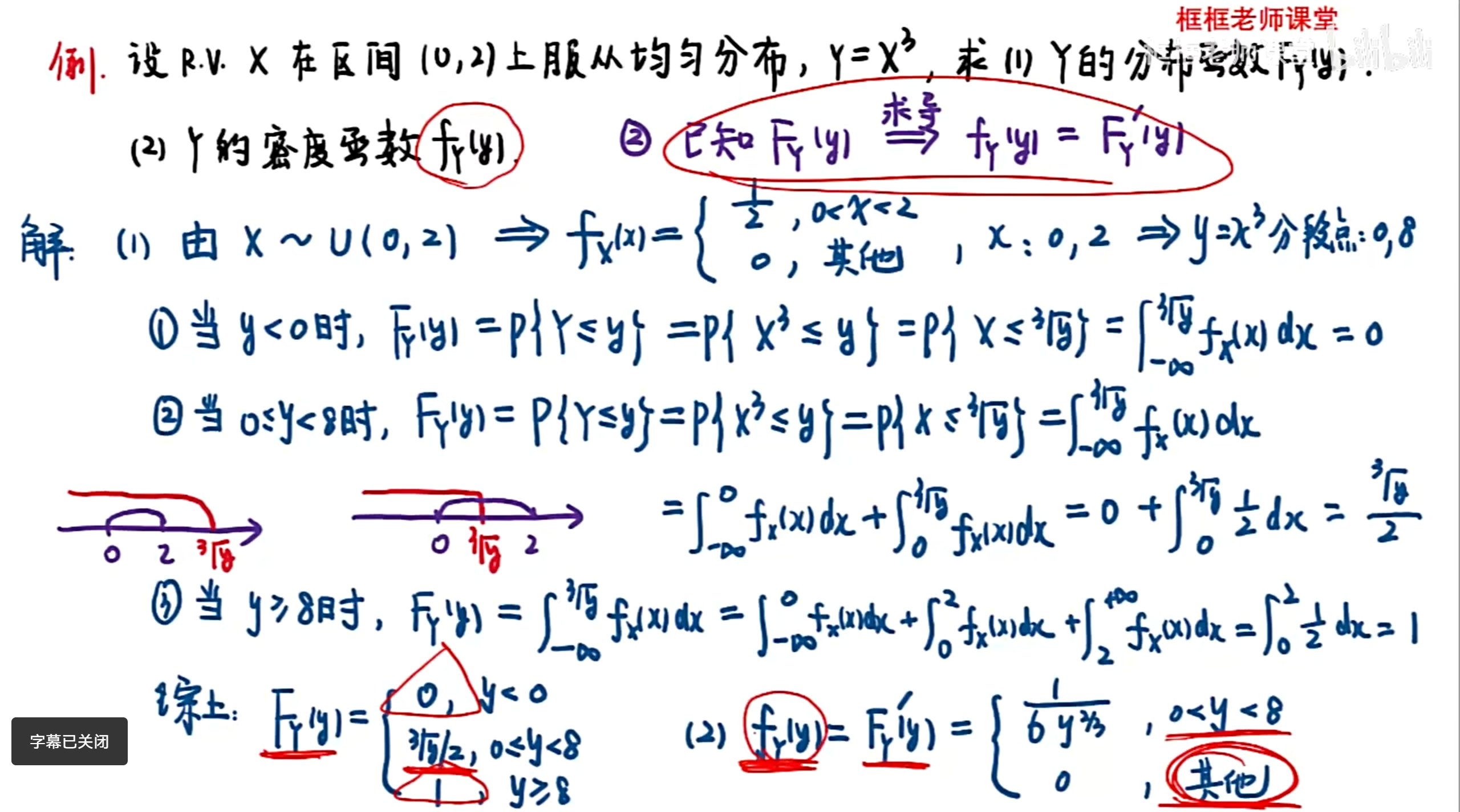
概率论 期末 笔记
第一章 随机事件及其概率 利用“四大公式”求事件概率 全概率公式与贝叶斯公式 伯努利概型求概率 习题 推导 一维随机变量及其分布 离散型随机变量(R.V)求分布律 利用常见离散型分布求概率 连续型R.V相关计算 利用常见连续型分布的计算 均匀分布 正态…...

Typesense:开源的高速搜索引擎
在当今数据驱动的世界中,高效、快速且智能的搜索能力是任何应用程序和网站成功的关键因素之一。无论是电商平台、内容管理系统还是社交媒体,用户都希望能够迅速找到所需信息。Typesense,作为一款优秀的开源搜索引擎,旨在通过其卓越…...

【vue】圆环呼吸灯闪烁效果(模拟扭蛋机出口处灯光)
效果图先发: 页面部分: <div ref"round" class"round"><div class"light" ref"light"/><div class"box"></div></div>js部分(控制圆环生成); setRound…...
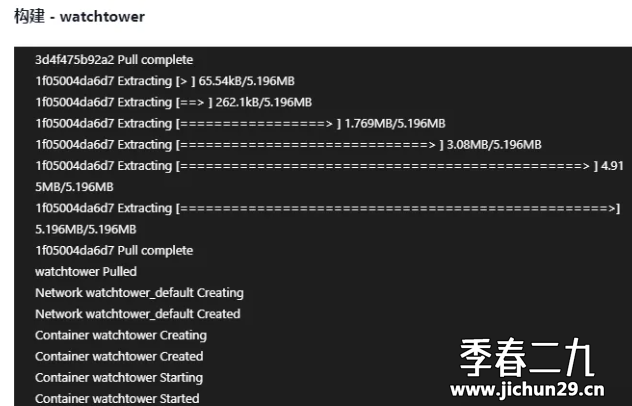
飞牛 fnos 使用docker部署 Watchtower 自动更新 Docker 容器
Watchtower 简介 Watchtower 是一款开源的 Docker 容器管理工具,主要功能为自动更新运行中的 Docker 容器,支持自动拉取镜像并更新容器、配置邮件通知以及定时执行容器更新任务。 用 compose 搭建 Watchtower 的步骤 新建文件夹:在任意位置…...
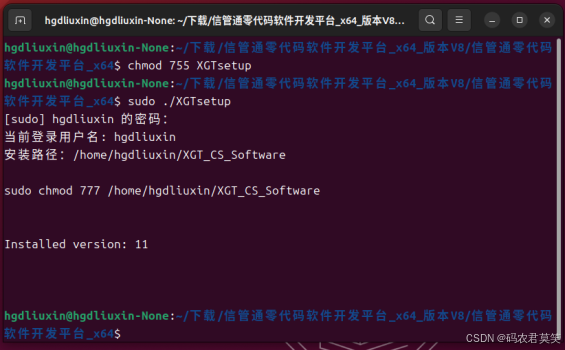
《信管通低代码信息管理系统开发平台》Linux环境安装说明
1 简介 信管通低代码信息管理系统应用平台提供多环境软件产品开发服务,包括单机、局域网和互联网。我们专注于适用国产硬件和操作系统应用软件开发应用。为事业单位和企业提供行业软件定制开发,满足其独特需求。无论是简单的应用还是复杂的系统ÿ…...
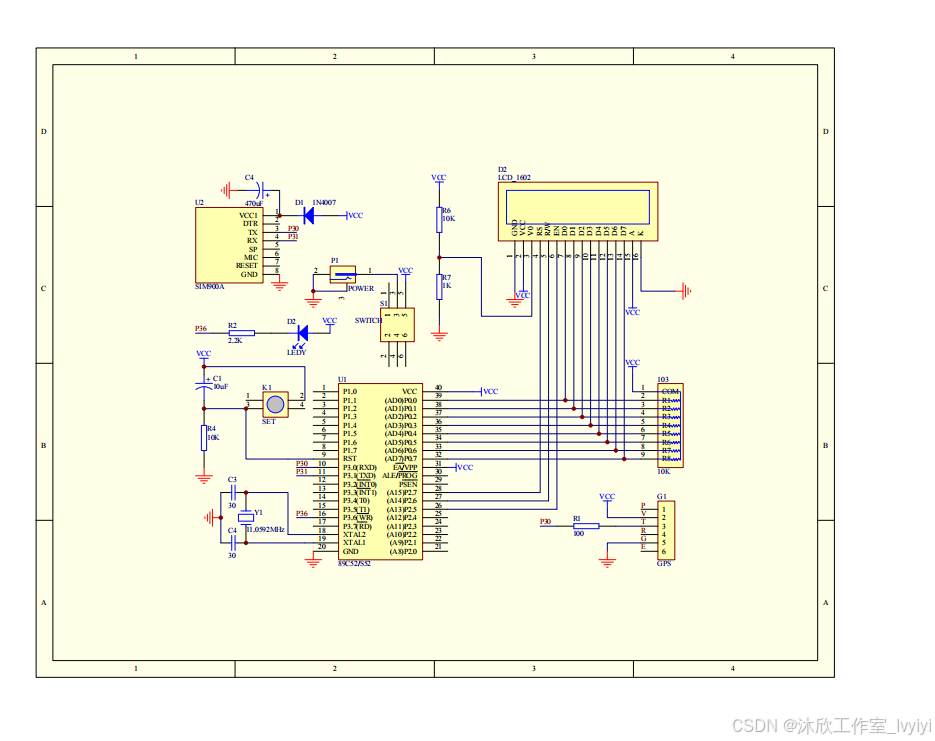
基于物联网的车辆定位和防盗报警系统(论文+源码)
1 系统概述 本文的主要内容是设计一个基于物联网的车辆定位和防盗报警系统,主要是利用STC89C52单片机来作为整体的核心控制元件,主要的核心控制模块主要由GSM通信模块,GPS定位模块,热释电红外检测模块,报警模块以及其他…...

如何从零开始组装高性能Voron 2.4 CoreXY 3D打印机:新手完整指南
如何从零开始组装高性能Voron 2.4 CoreXY 3D打印机:新手完整指南 【免费下载链接】Voron-2 Voron 2 CoreXY 3D Printer design 项目地址: https://gitcode.com/gh_mirrors/vo/Voron-2 还在为商业3D打印机的高昂价格和有限性能而烦恼吗?今天我要为…...
的架构设计与实战解析)
点云自监督学习新范式:掩码自编码器(MAE)的架构设计与实战解析
1. 点云自监督学习为何需要MAE? 点云数据在自动驾驶、机器人导航、工业检测等领域越来越重要,但标注成本高得吓人。我去年参与过一个室内场景重建项目,光是标注1000帧点云就花了团队两周时间。这时候自监督学习就成了救命稻草——它能让模型从…...

大数据之路--维度设计
一、维度设计基础1、维度的基本概念维度是维度建模的基础和灵魂。在维度建模中,将度量称为事实,将环境描述为维度,唯独用于分析事实所需要的多样环境。维度所包含的表示维度的列称为维度属性。维度属性是查询约束条件、分组和报表标签生成的基…...

如何免费使用QQ截图独立版?3分钟快速上手终极指南
如何免费使用QQ截图独立版?3分钟快速上手终极指南 【免费下载链接】QQScreenShot 电脑QQ截图工具提取版,支持文字提取、图片识别、截长图、qq录屏。默认截图文件名为ScreenShot日期 项目地址: https://gitcode.com/gh_mirrors/qq/QQScreenShot 还在为截图工具…...

Kandinsky-5.0-I2V-Lite-5s开源大模型应用:新闻配图→事件动态还原短视频
Kandinsky-5.0-I2V-Lite-5s开源大模型应用:新闻配图→事件动态还原短视频 1. 从静态到动态的新闻革命 想象一下这样的场景:当你看到一则突发新闻的配图时,不仅能了解事件的基本情况,还能通过短短5秒的视频动态还原关键瞬间。这正…...

HonoX API开发:如何创建RESTful和GraphQL接口
HonoX API开发:如何创建RESTful和GraphQL接口 【免费下载链接】honox HonoX - Hono based meta framework 项目地址: https://gitcode.com/gh_mirrors/ho/honox HonoX 是一个简单快速的元框架,用于创建全栈网站或 Web APIs(前身为 Son…...

OpenClaw+千问3.5-35B-A3B-FP8:自动化简历筛选助手
OpenClaw千问3.5-35B-A3B-FP8:自动化简历筛选助手 1. 为什么需要自动化简历筛选 上个月帮朋友筛选一批实习生简历时,我深刻体会到人工处理的痛点:200多份PDF简历中,每份平均需要3分钟阅读,光是初步筛选就耗费了整整1…...

投放Facebook广告需要多少预算?又如何提升转化率?
随着这两年独立站市场的风靡,吸引了大量卖家的涌入。我们都知道,独立站不像平台是自带流量的,需要我们自己去推广引流。所以,我们在投放广告的时候,一定会优先考虑广告预算的问题。很多卖家也会问到:我们每…...

OpenClaw环境隔离方案:千问3.5-9B在Docker中安全运行
OpenClaw环境隔离方案:千问3.5-9B在Docker中安全运行 1. 为什么需要Docker隔离? 去年我在尝试用OpenClaw自动化处理个人文档时,遇到了一个棘手问题:当AI助手在后台执行文件整理任务时,主机上的Python开发环境突然崩溃…...

Bypass Paywalls Clean技术实现:浏览器扩展的付费内容访问完整方案
Bypass Paywalls Clean技术实现:浏览器扩展的付费内容访问完整方案 Bypass Paywalls Clean是一款基于Chrome扩展架构的智能内容访问工具,通过请求头优化、脚本注入和动态解析技术,为技术爱好者和进阶用户提供突破网站付费限制的深度解决方案&…...