
Linux CEF(Chromium Embedded Framework)源码下载编译详细记录
Linux CEF(Chromium Embedded Framework)源码下载编译
背景
由于CEF默认的二进制分发包不支持音视频播放,需要自行编译源码,将ffmpeg开关打开才能支持。这里介绍的是Linux平台下的CEF源码下载编译过程。
前置条件
下载的过程非常艰辛,因为硬性要求比较高。
- 16GB RAM (推荐 32GB+ )
- 120GB SSD硬盘空闲空间起步(避免机械硬盘)
- 100Mbps带宽(包括代理带宽)以及100G以上的代理流量
这里额外说明一下,下载过程总是失败,大概率原因是因为网络的问题,尤其是网络带宽和代理带宽。这里为什么要单独提代理带宽呢,因为公司有提供代理服务,但是只有10Mbps,所以会导致下载超时,服务端关闭连接。
注意,由于一些因素,下载代码的环境是基于WSL,编译的时候是在UOS V20 1050系统上,但总体差异不大,相关路径会有区别,仍有参考价值。
接下来开始下载CEF的代码
下载
创建目录结构
首先,先创建目录结构,最终的目录结构如下:
~/CEF/automate/automate-git.py <-- CEF build scriptchromium_git/cef/ <-- CEF source checkoutchromium/src/ <-- Chromium source checkoutupdate.[bat|sh] <-- Bootstrap script for automate-git.pydepot_tools/ <-- Chromium build tools
可以使用以下命令,创建目录
mkdir CEF && cd CEF && mkdir automate && mkdir chromium_git
终端设置代理
这一步非常重要,因为需要让终端走代理,才能正常下载代码
设置终端代理
export http_proxy=127.0.0.1:7890
export https_proxy=127.0.0.1:7890
通常情况下,这样就可以了,但由于公司的代理问题,设置了代理之后,bitbucket.org域名无法访问,所以我这里将bitbucket.org域名排除在外,这一步因人而异,但基本是不需要这一步的。
export no_proxy=localhost,bitbucket.org
验证代理是否设置成功
leoya@leoya-PC:~$ curl -I https://chromium.googlesource.com
HTTP/1.1 200 Connection establishedHTTP/2 200
content-security-policy: script-src 'nonce-WfQMl6EHcID6PtyTna5LNQ' 'unsafe-inline' 'strict-dynamic' https: http: 'unsafe-eval';object-src 'none';base-uri 'self';report-uri https://csp.withgoogle.com/csp/gerritcodereview/1
content-type: text/html; charset=utf-8
strict-transport-security: max-age=31536000; includeSubDomains; preload
x-content-type-options: nosniff
x-frame-options: SAMEORIGIN
x-xss-protection: 0
date: Fri, 30 Jun 2023 02:04:17 GMT
alt-svc: h3=":443"; ma=2592000,h3-29=":443"; ma=2592000
这里通过curl去获取响应信息,能获取到状态码200或者304,即说明访问正常。可以额外对bitbucket.org也测试一下,如果访问失败,那说明需要将它排除在代理规则内,通过上述方法或者代理软件(如clash)设置代理规则为直连即可。
设置git代理
git config --global http.proxy 127.0.0.1:7890
git config --global https.proxy 127.0.0.1:7890
下载脚本
在CEF根目录下,下载depot_tools,并配置环境变量
git clone https://chromium.googlesource.com/chromium/tools/depot_tools.git
export PATH=/home/leoya/CEF/depot_tools:$PATH
下载automate-git.py脚本,这里需要在CEF/automate目录下
cd automate/
wget https://bitbucket.org/chromiumembedded/cef/raw/master/tools/automate/automate-git.py
创建 ~/CEF/chromium_git/update.sh脚本
#!/bin/bash
python3 ../automate/automate-git.py --download-dir=/home/leoya/CEF/chromium_git --depot-tools-dir=/home/leoya/CEF/depot_tools --no-distrib --no-build
执行脚本
设置权限并执行
chmod 755 update.sh
./update.sh
接下来就是无尽的等待。
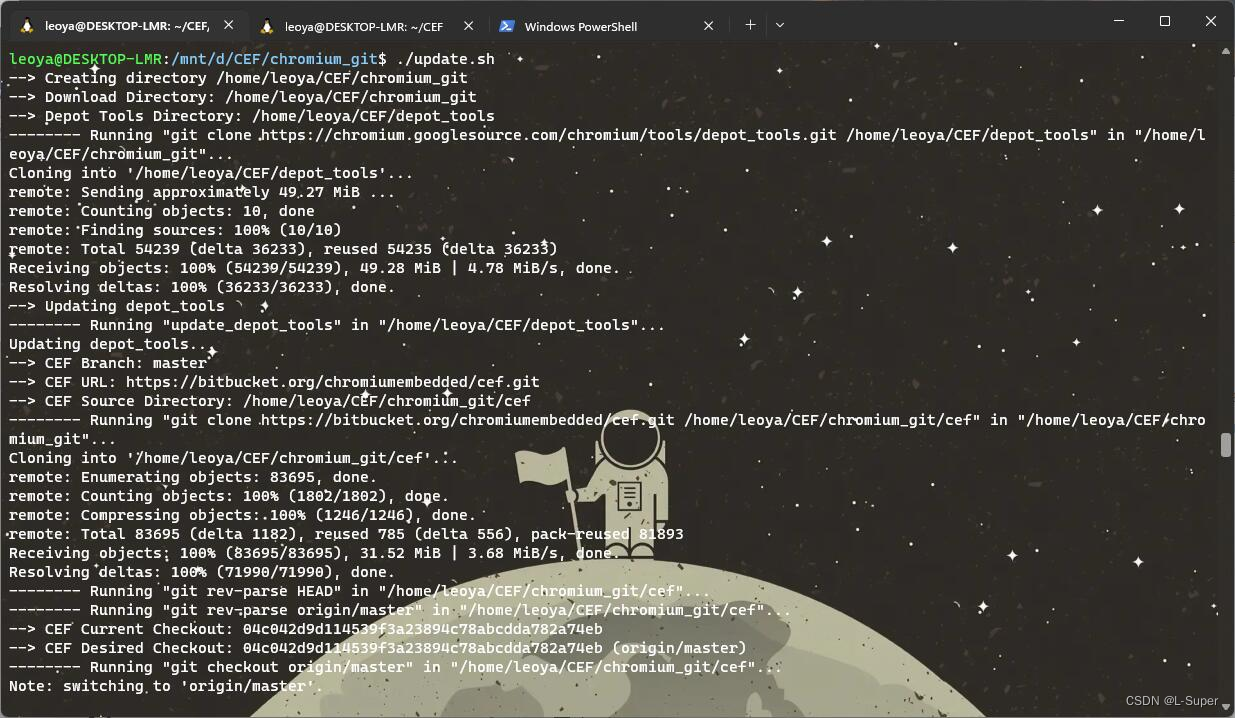
这里要特别注意depot_tools的更新进度,每次执行脚本的时候,它都会先更新depot_tools,如果更新状态过慢,可能网络有问题。
下载cef仓库的时候一般是没什么问题的。
这里最关键的是下载chromium源码的环节,因为脚本执行中断往往就是在这个环节。因为网络稳定性、下载速率等问题,导致出错。
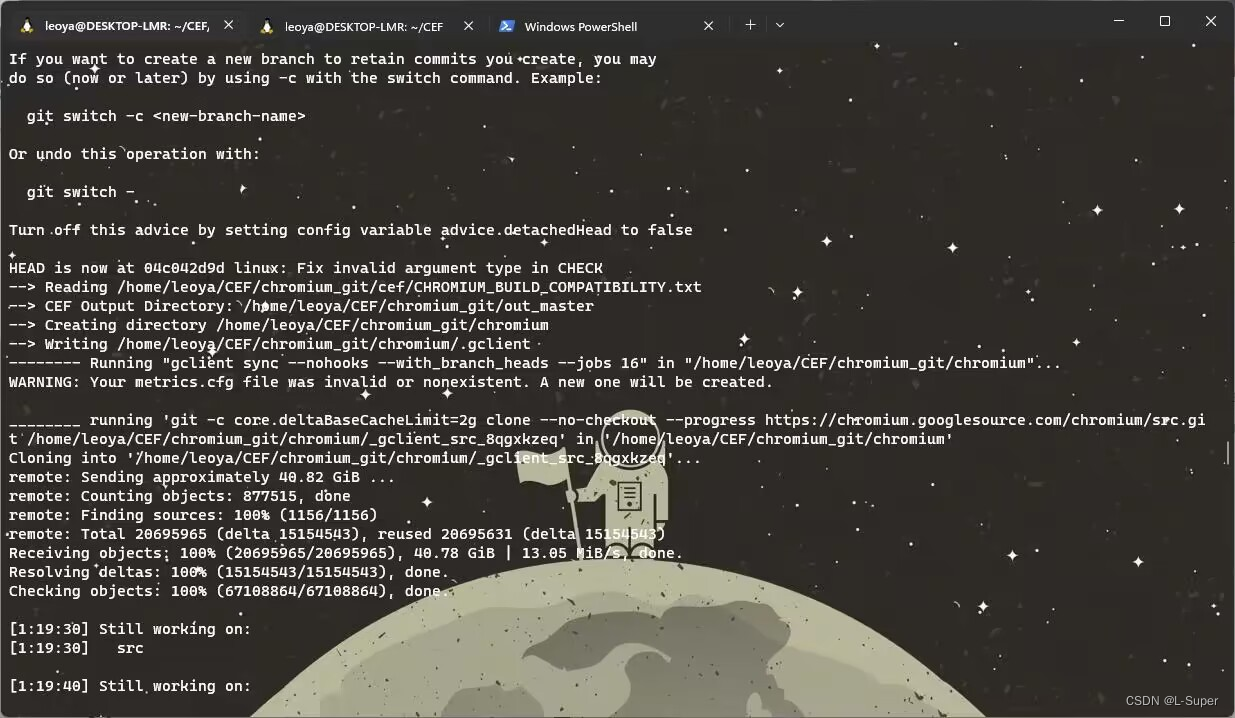
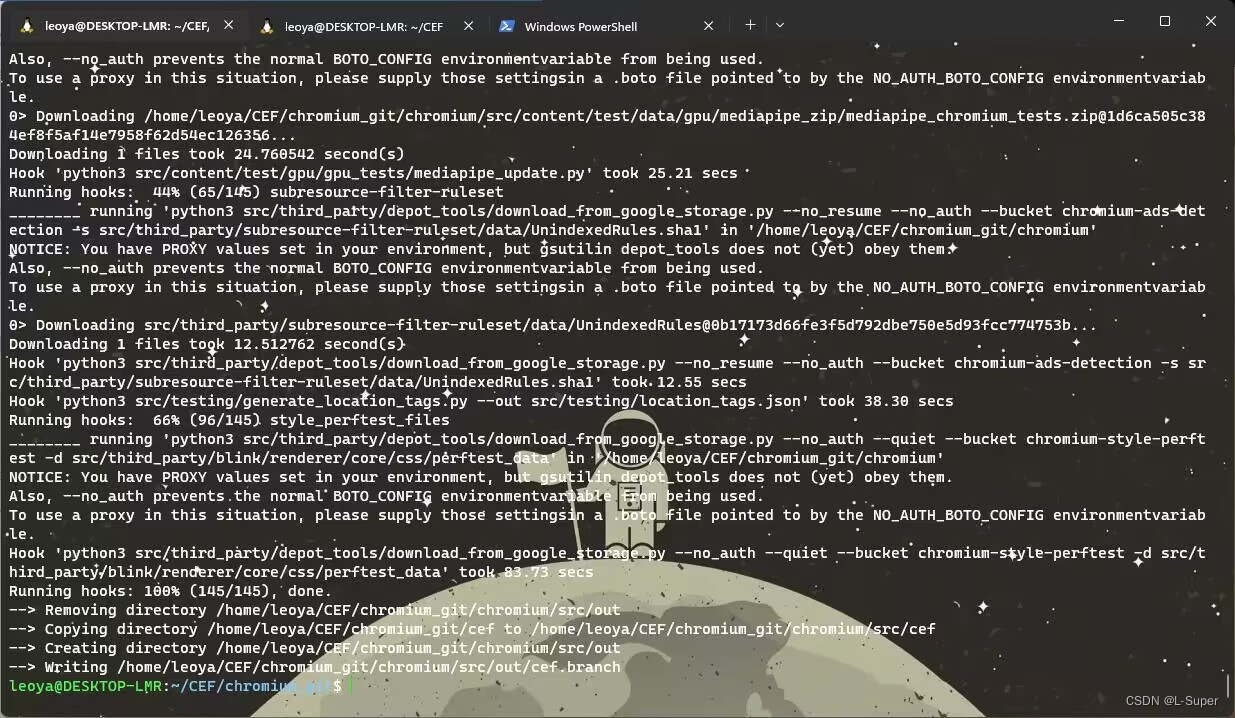
当你看到Still working on字样的时候,恭喜你,你已经迈过了最艰难的环节,接下来就是下载终端,重试的成本也比较低,因为不用重新下载chromium源码。
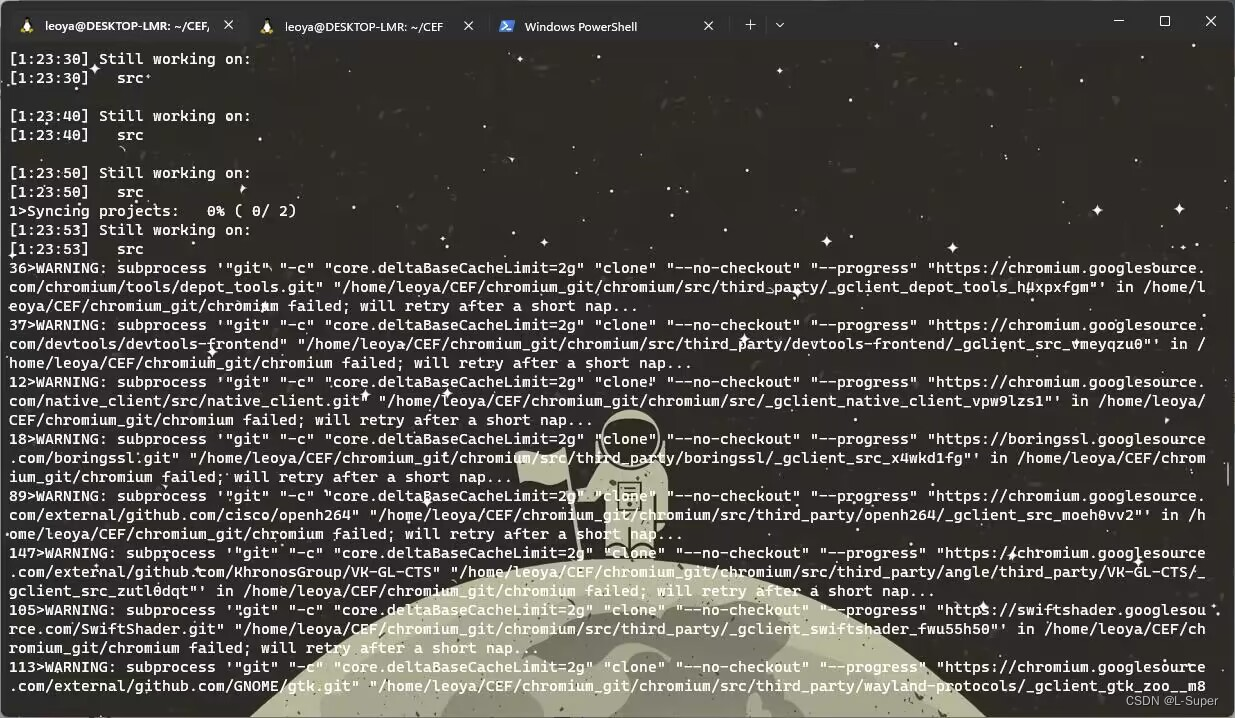
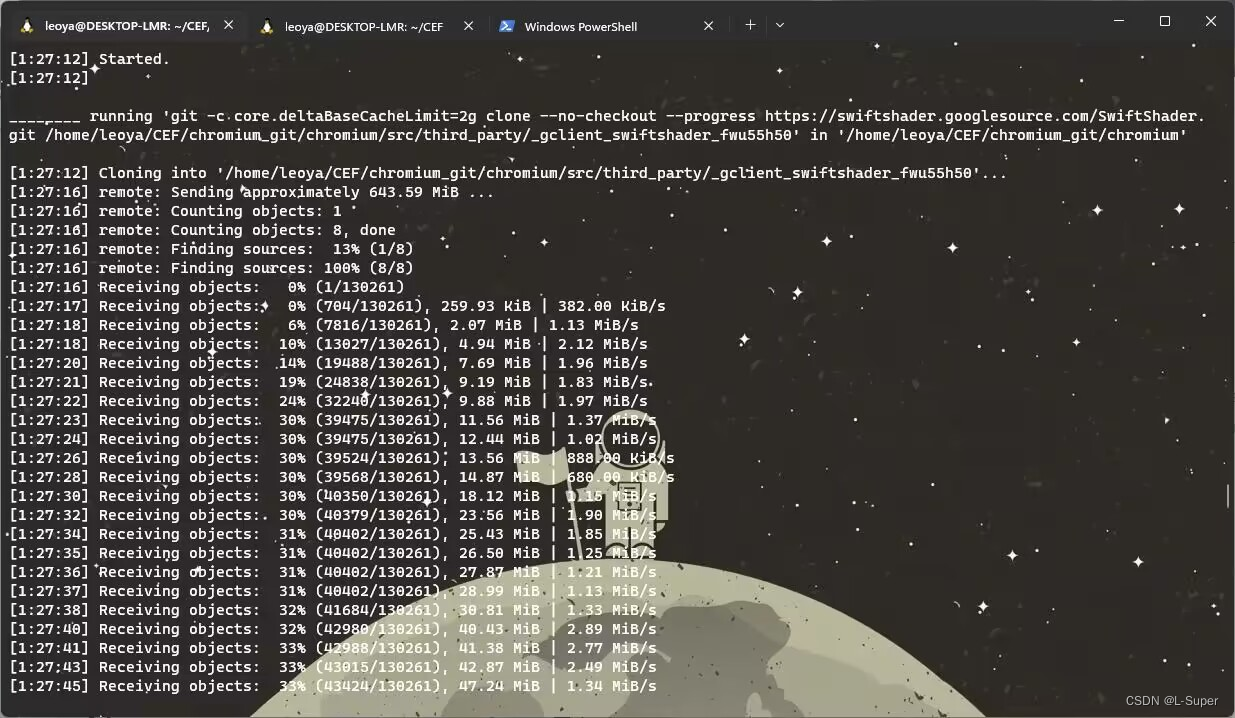
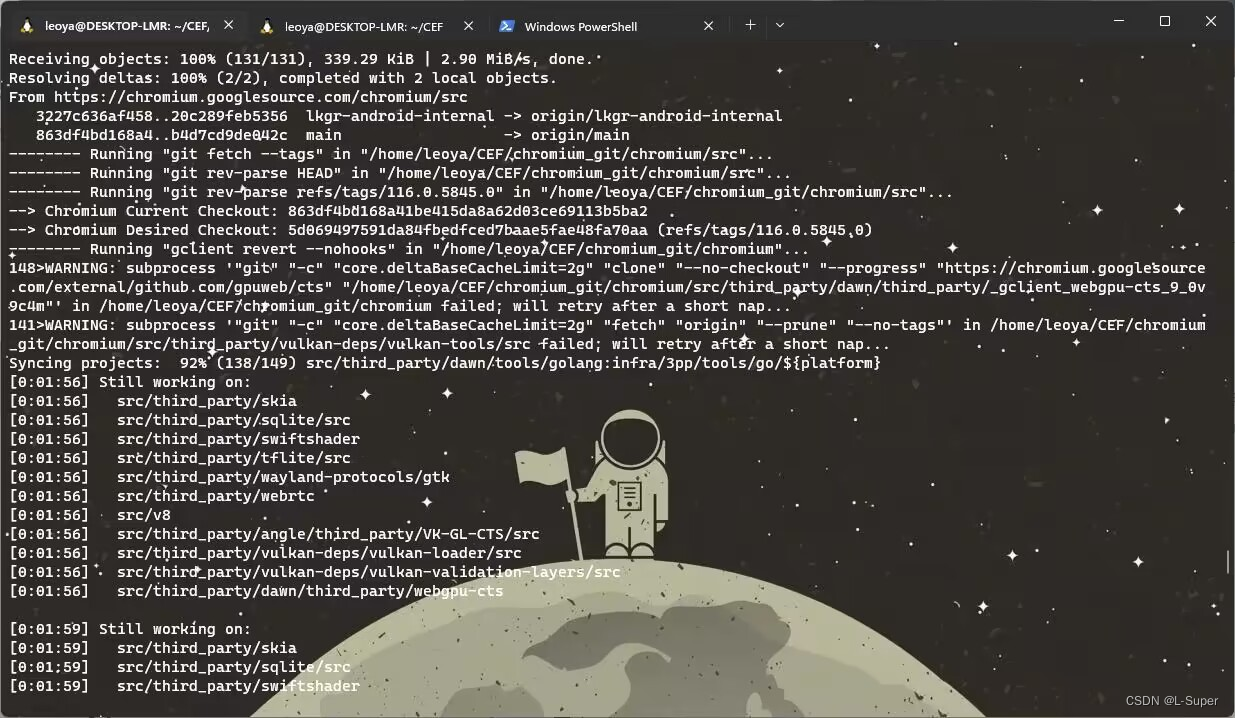
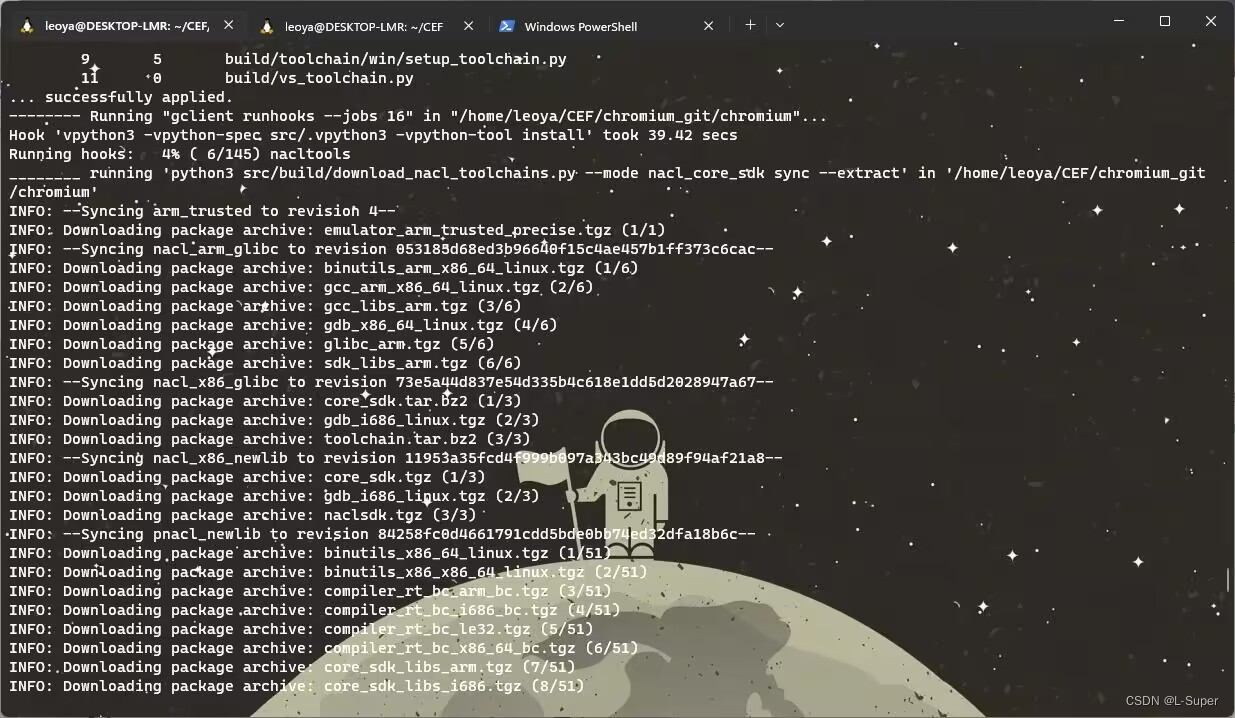
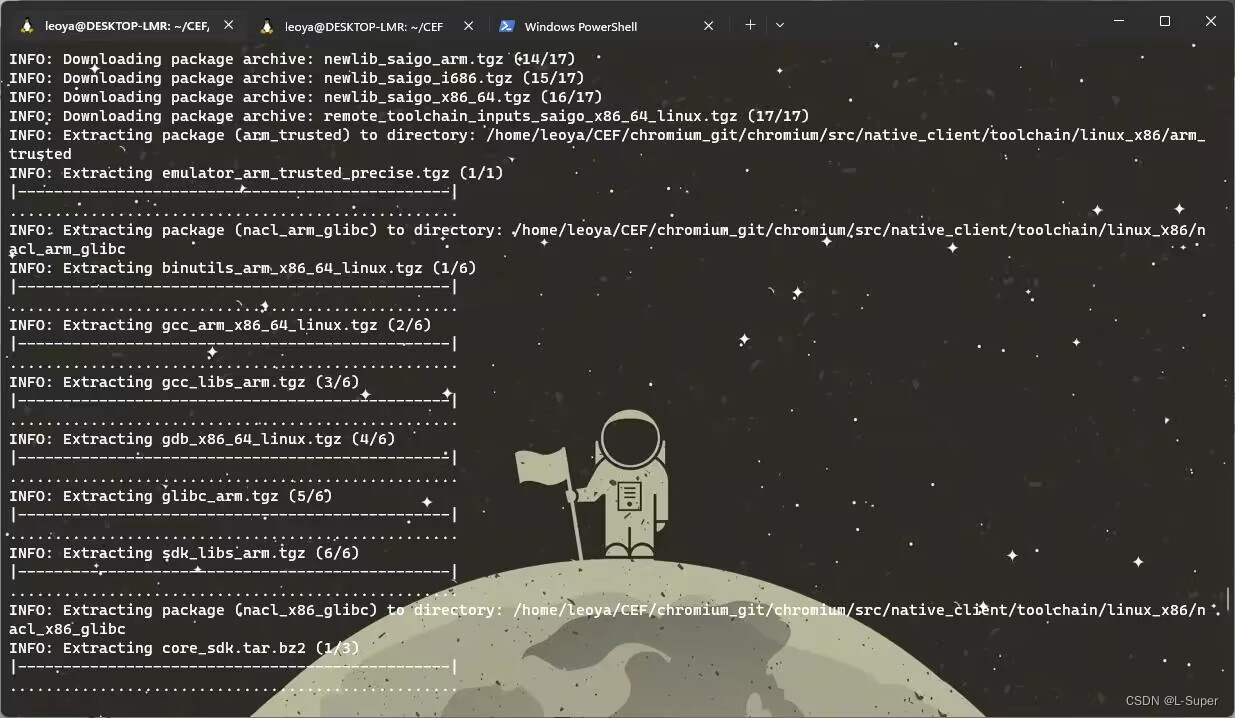
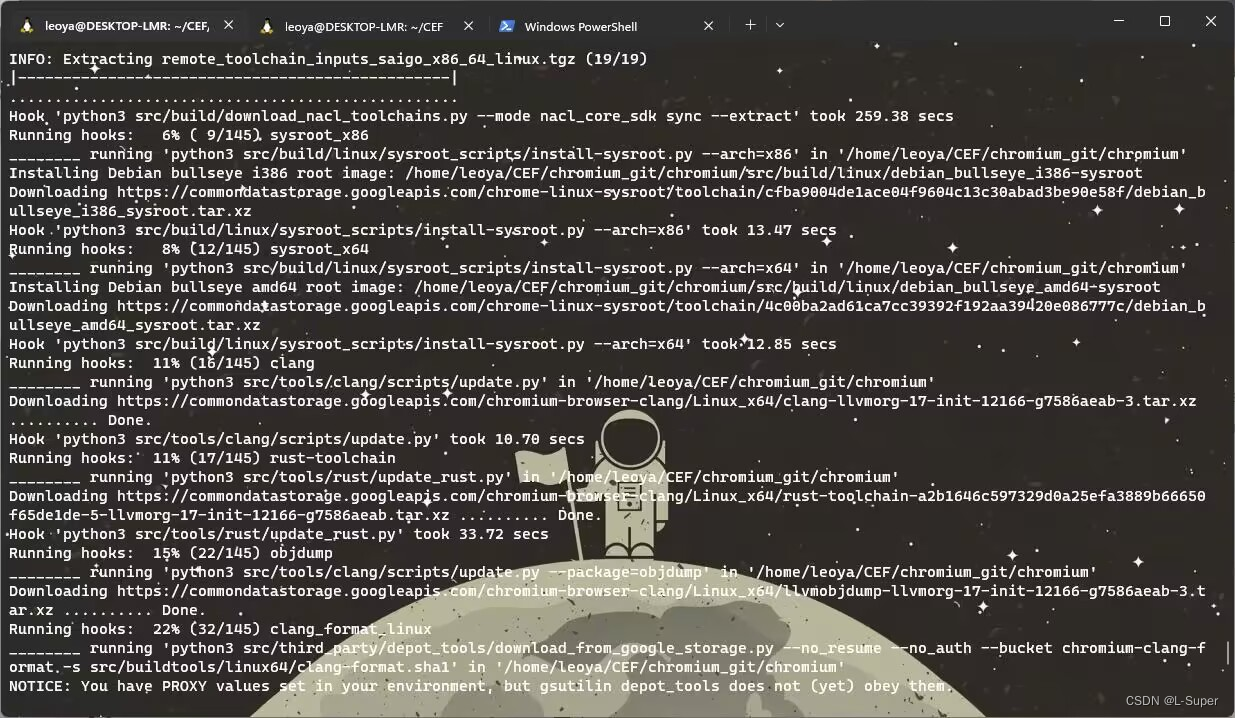
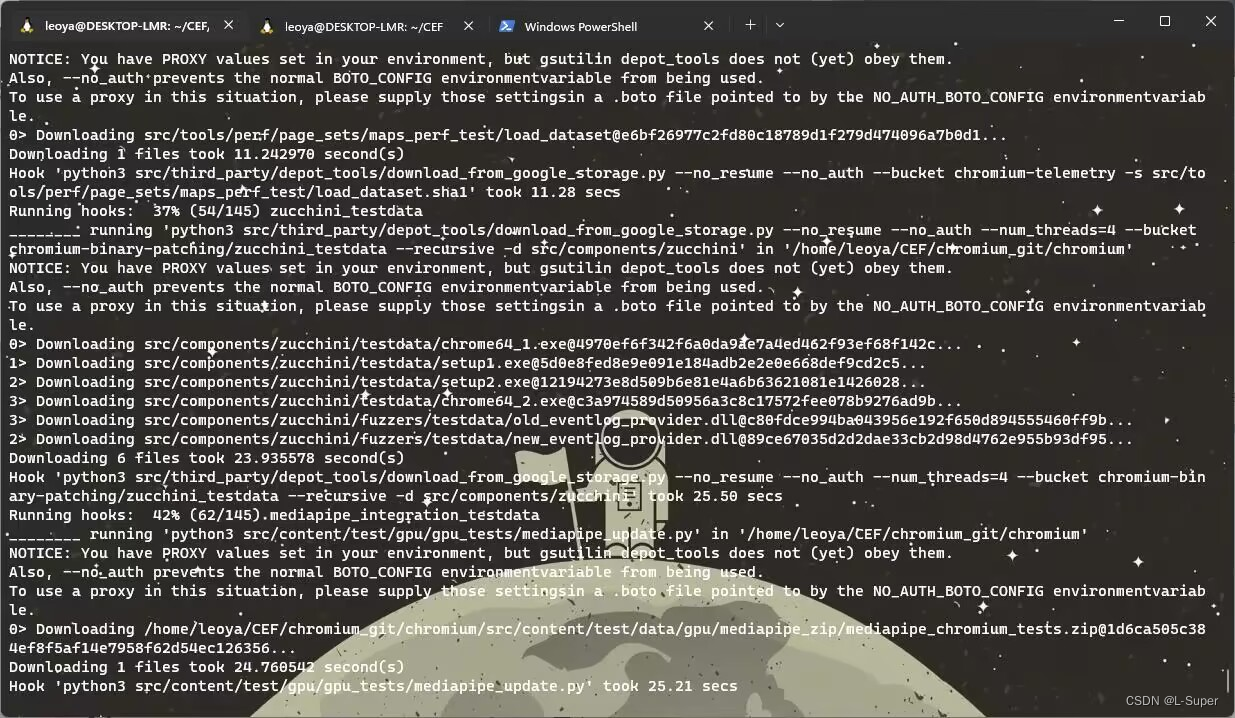
接下来见证下载成功的时刻!!!
报错信息总结
以下原因解释不一定正确,仅供参考
1.
[1:38:14] error: RPC failed; curl 56 GnuTLS recv error (-9):Error decoding the received TLS packet.[1:30:14] fatal:the remote end hung up unexpectedly
[1:30:14] fatail:"early EOF
[1:30:14] fatat: index-pack failed1:30:16]
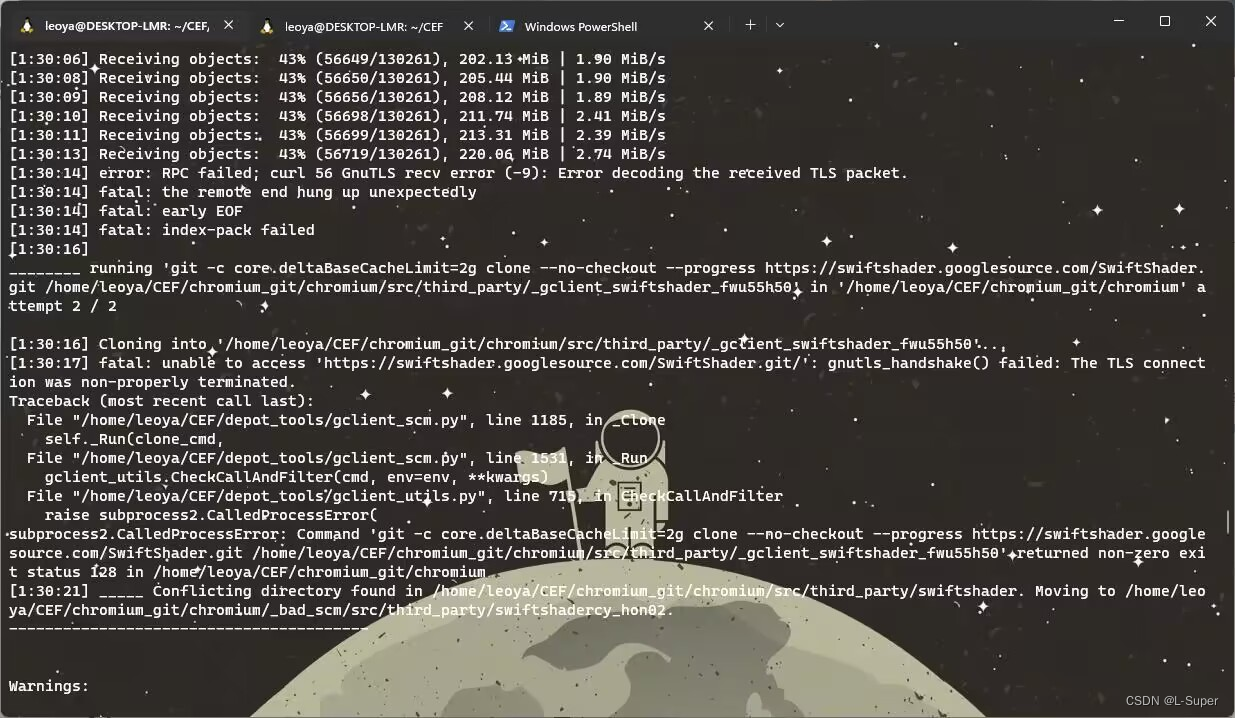
这里大概率是网络不稳定导致下载中断
error: RPC failed; curl 18 transfer closed with outstanding read data remaining
fatal: 远端意外挂断了
fatal: 过早的文件结束符(EOF)
fatal: index-pack 失败
这个就是因为下载速率太慢,导致长时间占用连接,服务端就主动关闭了连接。
编译 CEF
接下来即可修改ffmpeg文件以添加音视频的支持了
设置ffmpeg
chromium_git/chromium/src/third_party/ffmpeg/chromium/config/Chromium/linux/x64/config_components.h文件的宏#define CONFIG_SIPR_PARSER 1由0设置为1,即启用。
生成工程
终端输入
export GN_DEFINES="use_sysroot=true symbol_level=1 is_cfi=false use_thin_lto=false use_vaapi=false ffmpeg_branding=Chrome proprietary_codecs=true is_official_build=true use_gnome_keyring=false chrome_pgo_phase=0"
- ffmpeg_branding和proprietary_codecs 表示开启多媒体编解码支持,但默认仅支持一小部分,想要支持更多可修改上面 ffmpeg 配置文件。
- is_official_build 决定了是否是编译正式版本,指定该参数为 true 基本上都是为了产品发布使用,同时也会在创建解决方案的时候生成带有 sandbox 的解决方案,而不指定这个参数是没有的。
- use_jumbo_build 官方资料默认指定,表示是否启用试验性的 jumbo 编译,编译过程会加快很多(至少快 1 小时),但是占用 CPU 和内存(尤其是内存)会剧增。
- is_component_build 官方资料默认指定,但我们没有开启,这个参数表示是否启用组件化编译,设置为 true 以后,base、ffmpeg 等等都会被编译为动态库,使用时也是动态链接,编译出来的 cef_sandbox 只有几兆大小,并且你需要复制很多 dll 文件到项目目录下才能运行。
这里需要注意几个参数use_vaapi如果未设置为false,即使安装了vaapi,也会出现头文件的一些错误信息。
chrome_pgo_phase=0 禁用pgo文件。
use_gnome_keyring设置为false
进入code/chromium_git/chromium/src/cef路径,执行脚本,生成工程文件
./cef_create_projects.sh
问题处理
在生成工程的过程中,我这里遇到了很多错误,大多是缺失库。
printing:printing_unittests
ERROR at dynamically parsed input that //printing/BUILD.gn:464:16 loaded :1:1: Invalid token in literal value
-------------------------------------
^
See //BUILD.gn:287:15: which caused the file to be included.                                                  deps += [ "//printing:printing_unittests" ]^------------------------------
Traceback (most recent call last):                                                                            File "tools/gclient_hook.py", line 149, in <module>RunAction(src_dir, cmd)File "/media/Leou/53e0f2ac-c225-409c-ad9d-0cf8392c641f/code/chromium_git/chromium/src/cef/tools/gclient_util.py", line 36, in RunActioncommand, cwd=dir, always_show_header=True, print_stdout=True)File "/media/Leou/53e0f2ac-c225-409c-ad9d-0cf8392c641f/code/depot_tools/gclient_utils.py", line 716, in CheckCallAndFilterrv, args, kwargs.get('cwd', None), command_output.getvalue(), None)
subprocess2.CalledProcessError: Command 'gn gen out/Debug_GN_x64' returned non-zero exit status 1 in /media/Leou/53e0f2ac-c225-409c-ad9d-0cf8392c641f/code/chromium_git/chromium/src
ERROR at dynamically parsed input that //printing/BUILD.gn:464:16 loaded :1:1: Invalid token in literal value
-------------------------------------
^
See //BUILD.gn:287:15: which caused the file to be included.                                                  deps += [ "//printing:printing_unittests" ]^------------------------------
缺失库,安装libcups2-dev库即可
sudo apt install libcups2-dev
Package glib-2.0 was not found in the pkg-config search path
ERROR at //build/config/linux/pkg_config.gni:104:17: Script returned non-zero exit code.pkgresult = exec_script(pkg_config_script, args, "value")^----------
Current dir: /media/Leou/53e0f2ac-c225-409c-ad9d-0cf8392c641f/code/chromium_git/chromium/src/out/Debug_GN_x64/
Command: python3 /media/Leou/53e0f2ac-c225-409c-ad9d-0cf8392c641f/code/chromium_git/chromium/src/build/config/linux/pkg-config.py glib-2.0
Returned 1.
stderr:Package glib-2.0 was not found in the pkg-config search path.
Perhaps you should add the directory containing `glib-2.0.pc'
to the PKG_CONFIG_PATH environment variable
No package 'glib-2.0' found
Could not run pkg-config.See //cef/BUILD.gn:2090:5: whence it was called.pkg_config("glib") {^-------------------
See //BUILD.gn:283:15: which caused the file to be included.                                                  deps += [ "//cef" ]^------
Traceback (most recent call last):                                                                            File "tools/gclient_hook.py", line 149, in <module>RunAction(src_dir, cmd)File "/media/Leou/53e0f2ac-c225-409c-ad9d-0cf8392c641f/code/chromium_git/chromium/src/cef/tools/gclient_util.py", line 36, in RunActioncommand, cwd=dir, always_show_header=True, print_stdout=True)File "/media/Leou/53e0f2ac-c225-409c-ad9d-0cf8392c641f/code/depot_tools/gclient_utils.py", line 716, in CheckCallAndFilterrv, args, kwargs.get('cwd', None), command_output.getvalue(), None)
subprocess2.CalledProcessError: Command 'gn gen out/Debug_GN_x64' returned non-zero exit status 1 in /media/Leou/53e0f2ac-c225-409c-ad9d-0cf8392c641f/code/chromium_git/chromium/src
ERROR at //build/config/linux/pkg_config.gni:104:17: Script returned non-zero exit code.pkgresult = exec_script(pkg_config_script, args, "value")^----------
Current dir: /media/Leou/53e0f2ac-c225-409c-ad9d-0cf8392c641f/code/chromium_git/chromium/src/out/Debug_GN_x64/
Command: python3 /media/Leou/53e0f2ac-c225-409c-ad9d-0cf8392c641f/code/chromium_git/chromium/src/build/config/linux/pkg-config.py glib-2.0
Returned 1.
stderr:Package glib-2.0 was not found in the pkg-config search path.
Perhaps you should add the directory containing `glib-2.0.pc'
to the PKG_CONFIG_PATH environment variable
No package 'glib-2.0' found
Could not run pkg-config.See //cef/BUILD.gn:2090:5: whence it was called.pkg_config("glib") {^-------------------
See //BUILD.gn:283:15: which caused the file to be included.                                                  deps += [ "//cef" ]
安装
sudo apt install libglib2.0-dev
Package gnome-keyring-1 was not found in the pkg-config search path.
ERROR at //build/config/linux/pkg_config.gni:104:17: Script returned non-zero exit code.pkgresult = exec_script(pkg_config_script, args, "value")^----------
Current dir: /media/Leou/53e0f2ac-c225-409c-ad9d-0cf8392c641f/code/chromium_git/chromium/src/out/Debug_GN_x64/
Command: python3 /media/Leou/53e0f2ac-c225-409c-ad9d-0cf8392c641f/code/chromium_git/chromium/src/build/config/linux/pkg-config.py gnome-keyring-1
Returned 1.
stderr:Package gnome-keyring-1 was not found in the pkg-config search path.
Perhaps you should add the directory containing `gnome-keyring-1.pc'
to the PKG_CONFIG_PATH environment variable
No package 'gnome-keyring-1' found
Could not run pkg-config.
这里就是前面提到的需要将use_gnome_keyring设置为false禁用掉。
终端输入,将其禁用
export GN_DEFINES="use_sysroot=true symbol_level=1 is_cfi=false use_thin_lto=false use_vaapi=false ffmpeg_branding=Chrome proprietary_codecs=true is_official_build=true use_gnome_keyring=false chrome_pgo_phase=0"
Package dbus-1 was not found in the pkg-config search path
ERROR at //build/config/linux/pkg_config.gni:104:17: Script returned non-zero exit code.pkgresult = exec_script(pkg_config_script, args, "value")^----------
Current dir: /media/Leou/53e0f2ac-c225-409c-ad9d-0cf8392c641f/code/chromium_git/chromium/src/out/Debug_GN_x64/
Command: python3 /media/Leou/53e0f2ac-c225-409c-ad9d-0cf8392c641f/code/chromium_git/chromium/src/build/config/linux/pkg-config.py dbus-1
Returned 1.
stderr:Package dbus-1 was not found in the pkg-config search path.
Perhaps you should add the directory containing `dbus-1.pc'
to the PKG_CONFIG_PATH environment variable
No package 'dbus-1' found
Could not run pkg-config.
安装
sudo apt install libdbus-1-dev
Package nss was not found in the pkg-config search path
ERROR at //build/config/linux/pkg_config.gni:104:17: Script returned non-zero exit code.pkgresult = exec_script(pkg_config_script, args, "value")^----------
Current dir: /media/Leou/53e0f2ac-c225-409c-ad9d-0cf8392c641f/code/chromium_git/chromium/src/out/Debug_GN_x64/
Command: python3 /media/Leou/53e0f2ac-c225-409c-ad9d-0cf8392c641f/code/chromium_git/chromium/src/build/config/linux/pkg-config.py nss -v -lssl3
Returned 1.
stderr:Package nss was not found in the pkg-config search path.
Perhaps you should add the directory containing `nss.pc'
to the PKG_CONFIG_PATH environment variable
No package 'nss' found
Could not run pkg-config.
安装
sudo apt install libnss3-dev
Package libva was not found in the pkg-config search path
ERROR at //build/config/linux/pkg_config.gni:104:17: Script returned non-zero exit code.pkgresult = exec_script(pkg_config_script, args, "value")^----------
Current dir: /media/Leou/53e0f2ac-c225-409c-ad9d-0cf8392c641f/code/chromium_git/chromium/src/out/Debug_GN_x64/
Command: python3 /media/Leou/53e0f2ac-c225-409c-ad9d-0cf8392c641f/code/chromium_git/chromium/src/build/config/linux/pkg-config.py libva
Returned 1.
stderr:Package libva was not found in the pkg-config search path.
Perhaps you should add the directory containing `libva.pc'
to the PKG_CONFIG_PATH environment variable
No package 'libva' found
Could not run pkg-config.
安装
sudo apt install libva-dev
Package gbm was not found in the pkg-config search path
ERROR at //build/config/linux/pkg_config.gni:104:17: Script returned non-zero exit code.pkgresult = exec_script(pkg_config_script, args, "value")^----------
Current dir: /media/Leou/53e0f2ac-c225-409c-ad9d-0cf8392c641f/code/chromium_git/chromium/src/out/Debug_GN_x64/
Command: python3 /media/Leou/53e0f2ac-c225-409c-ad9d-0cf8392c641f/code/chromium_git/chromium/src/build/config/linux/pkg-config.py gbm
Returned 1.
stderr:Package gbm was not found in the pkg-config search path.
Perhaps you should add the directory containing `gbm.pc'
to the PKG_CONFIG_PATH environment variable
No package 'gbm' found
Could not run pkg-config.
sudo apt install libgbm-dev
run “gclient runhooks” to download it. You can also simply disable the PGO optimizations by setting |chrome_pgo_phase = 0| in your GN arguments
即pgo文件问题
ERROR at //build/config/compiler/pgo/BUILD.gn:81:23: Script returned non-zero exit code.pgo_data_path = exec_script("//tools/update_pgo_profiles.py",^----------
Current dir: /media/Leou/53e0f2ac-c225-409c-ad9d-0cf8392c641f/code/chromium_git/chromium/src/out/Release_GN_x64/
Command: python3 /media/Leou/53e0f2ac-c225-409c-ad9d-0cf8392c641f/code/chromium_git/chromium/src/tools/update_pgo_profiles.py --target linux get_profile_path
Returned 1.
stderr:Traceback (most recent call last):File "/media/Leou/53e0f2ac-c225-409c-ad9d-0cf8392c641f/code/chromium_git/chromium/src/tools/update_pgo_profiles.py", line 154, in <module>sys.exit(main())File "/media/Leou/53e0f2ac-c225-409c-ad9d-0cf8392c641f/code/chromium_git/chromium/src/tools/update_pgo_profiles.py", line 150, in mainreturn args.func(args)File "/media/Leou/53e0f2ac-c225-409c-ad9d-0cf8392c641f/code/chromium_git/chromium/src/tools/update_pgo_profiles.py", line 122, in _get_profile_pathprofile_path)
RuntimeError: requested profile "/media/Leou/53e0f2ac-c225-409c-ad9d-0cf8392c641f/code/chromium_git/chromium/src/chrome/build/pgo_profiles/chrome-linux-5672-1683023364-b47f9a07c616c94cac9f564aa6b00a8aaaec191a.profdata" doesn't exist, please make sure "checkout_pgo_profiles" is set to True in the "custom_vars" section of your .gclient file, e.g.:
solutions = [ { "name": "src", # ...  "custom_vars": { "checkout_pgo_profiles": True, }, },
],
and then run "gclient runhooks" to download it. You can also simply disable the PGO optimizations by setting |chrome_pgo_phase = 0| in your GN arguments.See //build/config/BUILDCONFIG.gn:352:3: which caused the file to be included."//build/config/compiler/pgo:default_pgo_flags",
尝试了下载pgo文件,但失败,于是将其chrome_pgo_phase禁用
export GN_DEFINES="use_sysroot=false symbol_level=1 is_cfi=false use_thin_lto=false use_vaapi=false ffmpeg_branding=Chrome proprietary_codecs=true is_official_build=true use_gnome_keyring=false chrome_pgo_phase=0"
若还是提示此错误,则可修改chromium_git/chromium/src/build/config/compiler/pgo/pgo.gni文件,最后的位置处加上chrome_pgo_phase = 0
  chrome_pgo_phase = 0if (!dcheck_always_on && is_official_build &&# TODO(crbug.com/1052397): Remove chromeos_is_browser_only once# target_os switch for lacros-chrome is completed.# TODO(crbug.com/1336055): Update this now-outdated condition with regard# to chromecast and determine whether chromeos_is_browser_only is# obsolete.(is_high_end_android || is_win || is_mac || is_fuchsia ||(is_linux && !is_castos && !chromeos_is_browser_only))) {chrome_pgo_phase = 2}
# 手动添加chrome_pgo_phase = 0# When using chrome_pgo_phase = 2, read profile data from this path.pgo_data_path = ""
}
当问题都解决后,就可以开始编译源码了。
开始编译
到code/chromium_git/chromium/src路径下
# debug lib
ninja -C out/Debug_GN_x64 cefclient cefsimple ceftests chrome_sandbox
# release lib
ninja -C out/Release_GN_x64 cefclient cefsimple ceftests chrome_sandbox
这里直接执行的第二条命令
在编译过程中,也会出现错误,不过好在是增量编译,报错不会影响已经编译好的产物。
问题处理
gperf错误
sudo apt install gperf
No module named ‘importlib_metadata’
Traceback (most recent call last):File "../../third_party/blink/renderer/bindings/scripts/generate_bindings.py", line 12, in <module>import bind_genFile "/media/Leou/53e0f2ac-c225-409c-ad9d-0cf8392c641f/code/chromium_git/chromium/src/third_party/blink/renderer/bindings/scripts/bind_gen/__init__.py", line 36, in <module>from .callback_function import generate_callback_functionsFile "/media/Leou/53e0f2ac-c225-409c-ad9d-0cf8392c641f/code/chromium_git/chromium/src/third_party/blink/renderer/bindings/scripts/bind_gen/callback_function.py", line 8, in <module>from .blink_v8_bridge import blink_class_nameFile "/media/Leou/53e0f2ac-c225-409c-ad9d-0cf8392c641f/code/chromium_git/chromium/src/third_party/blink/renderer/bindings/scripts/bind_gen/blink_v8_bridge.py", line 8, in <module>from .code_node import FormatNodeFile "/media/Leou/53e0f2ac-c225-409c-ad9d-0cf8392c641f/code/chromium_git/chromium/src/third_party/blink/renderer/bindings/scripts/bind_gen/code_node.py", line 13, in <module>from .mako_renderer import MakoRendererFile "/media/Leou/53e0f2ac-c225-409c-ad9d-0cf8392c641f/code/chromium_git/chromium/src/third_party/blink/renderer/bindings/scripts/bind_gen/mako_renderer.py", line 7, in <module>import mako.runtimeFile "/media/Leou/53e0f2ac-c225-409c-ad9d-0cf8392c641f/code/chromium_git/chromium/src/third_party/mako/mako/mako/runtime.py", line 14, in <module>from mako import compatFile "/media/Leou/53e0f2ac-c225-409c-ad9d-0cf8392c641f/code/chromium_git/chromium/src/third_party/mako/mako/mako/compat.py", line 68, in <module>import importlib_metadata  # noqa
ModuleNotFoundError: No module named 'importlib_metadata'
[559/47120] CXX obj/v8/cppgc_base/heap-consistency.o
ninja: build stopped: subcommand failed.
这个错误提示是最明显的了,安装python的importlib_metadata库即可
pip3 install importlib_metadata
如果pip命令未找到,那么先安装pip再执行上面的命令
sudo apt install python3-pip
fatal error: ‘pulse/pulseaudio.h’ file not found
gen/media/audio/pulse/pulse_stubs.cc:17:10: fatal error: 'pulse/pulseaudio.h' file not found
#include <pulse/pulseaudio.h>^~~~~~~~~~~~~~~~~~~~
1 error generated.
[6644/46562] CXX obj/extensions/common/api/generated_api_types/networking_private.o
ninja: build stopped: subcommand failed.
sudo apt install libpulse-dev
fatal error: ‘curl/curl.h’ file not found
../../third_party/crashpad/crashpad/util/net/http_transport_libcurl.cc:17:10: fatal error: 'curl/curl.h' file not found
#include <curl/curl.h>^~~~~~~~~~~~~
1 error generated.
[845/39891] CXX obj/third_party/crashpad/crashpad/util/util/metrics.o
ninja: build stopped: subcommand failed.
sudo apt install libcurl4-openssl-dev
fatal error: ‘pci/pci.h’ file not found
../../third_party/angle/src/gpu_info_util/SystemInfo_libpci.cpp:12:10: fatal error: 'pci/pci.h' file not found
#include <pci/pci.h>^~~~~~~~~~~
1 error generated.
[3735/39047] CXX obj/third_party/vulkan-deps/vulkan-validation-layers/src/VkLayer_khronos_validation/chassis.o
ninja: build stopped: subcommand failed.
sudo apt install libpci-dev
fatal error: ‘alsa/asoundlib.h’ file not found
../../media/midi/midi_manager_alsa.h:8:10: fatal error: 'alsa/asoundlib.h' file not found
#include <alsa/asoundlib.h>^~~~~~~~~~~~~~~~~~
1 error generated.
[4066/35313] CXX obj/media/mojo/mojom/speech_recognition/speech_recognition.mojom.o
ninja: build stopped: subcommand failed.
sudo apt install libasound2-dev
fatal error: ‘gssapi.h’ file not found
../../net/http/http_auth_gssapi_posix.h:26:10: fatal error: 'gssapi.h' file not found
#include <gssapi.h>^~~~~~~~~~
1 error generated.
[483/31248] CXX obj/net/net/http_cache_transaction.o
ninja: build stopped: subcommand failed.
sudo apt install libkrb5-dev
当编译完成时,终端显示内容:
Leou@Leou-PC:/media/Leou/53e0f2ac-c225-409c-ad9d-0cf8392c641f/code/chromium_git/chromium/src$ ninja -C out/Debug_GN_x64 cefclient cefsimple ceftests chrome_sandbox
ninja: Entering directory `out/Debug_GN_x64'
[57156/57156] LINK ./ceftests
生成CEF二进制分发包
记得选上--x64-build,否则默认为x86,会提示找不到头文件。生成的路径为/code/chromium_git/chromium/src/cef/binary_districhromium/src/cef/binary_distrib,会默认打包为zip压缩包
code/chromium_git/chromium/src/cef/tools$
# 打包Release
./make_distrib.sh --ninja-build --minimal --x64-build
生成的包名:
cef_binary_113.3.5+g0b33855+chromium-113.0.5672.129_linux64_minimal
# 同时打包Debug和Release
./make_distrib.sh --ninja-build --x64-build
生成的包名:
cef_binary_113.3.5+g0b33855+chromium-113.0.5672.129_linux64
ERROR: Please install Doxygen
ERROR: No docs generated.
Traceback (most recent call last):File "make_distrib.py", line 1251, in <module>copy_files_list(build_dir, dst_dir, binaries)File "make_distrib.py", line 325, in copy_files_listraise Exception('Missing required path: %s' % source_path)
Exception: Missing required path: /media/Leou/53e0f2ac-c225-409c-ad9d-0cf8392c641f/code/chromium_git/chromium/src/out/Release_GN_x64/chrome_sandbox
sudo apt install doxygen
当然也可以禁用生成doc文档,就不需要安装了。
总结
由于是事后记录,出错的问题未记录解决方案难免有疏漏。我在下载、编译、生成的阶段中,都会出现很多问题,但总体而言,Linux平台的CEF源码编译还算比较顺畅。
https://bitbucket.org/chromiumembedded/cef/wiki/BranchesAndBuilding
https://bitbucket.org/chromiumembedded/cef/wiki/MasterBuildQuickStart.md
https://zhuanlan.zhihu.com/p/133675543
https://keqingrong.cn/blog/2021-12-20-building-chromium-on-windows/
https://www.mycode.net.cn/language/cpp/2784.html
相关文章:
Linux CEF(Chromium Embedded Framework)源码下载编译详细记录
Linux CEF(Chromium Embedded Framework)源码下载编译 背景 由于CEF默认的二进制分发包不支持音视频播放,需要自行编译源码,将ffmpeg开关打开才能支持。这里介绍的是Linux平台下的CEF源码下载编译过程。 前置条件 下载的过程非…...

Adaptive AUTOSAR—— Communication Management 3.1
9 Communication Management 9.1 What is Communication Management? 通信管理是自适应平台架构中的一个功能集群。 作为一个功能集群,通信管理向应用程序提供了一个C++ API,实现了面向服务的通信。服务是一个由应用程序提供的功能单元,可以在运行时被另一个应用程序动态…...
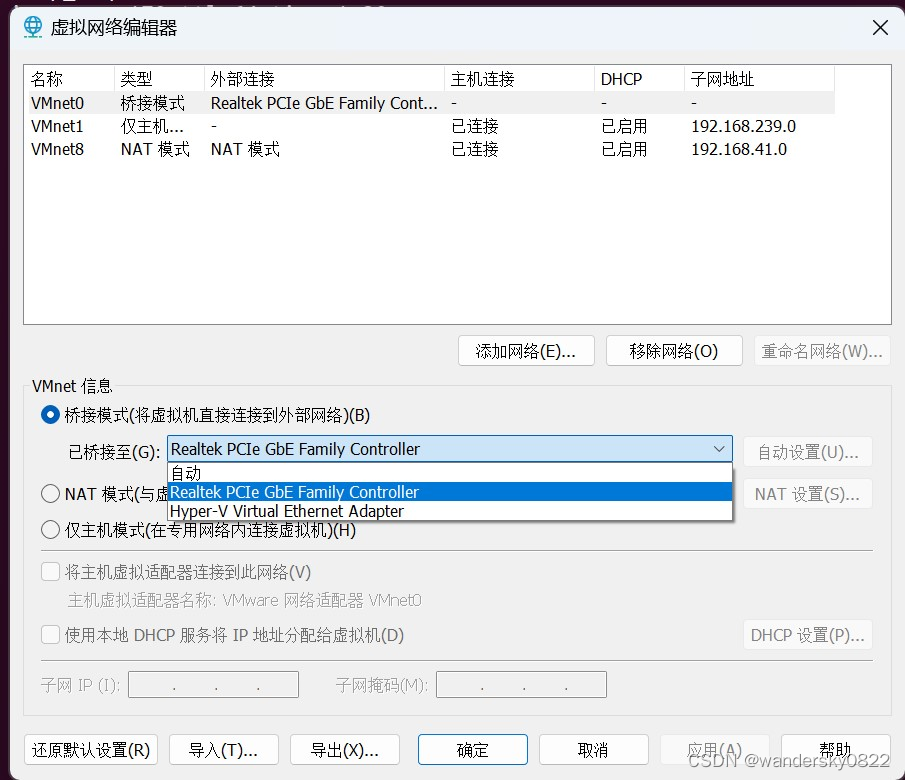
VMnet0 桥接设置
VMnet0 一定要设置为你的硬件物理网卡,不能设置自动,不然后,网线一断,就再也连不上了。必须重启电脑才能连上,这个问题找了很久才找到。 下面有个hyper-V虚拟网卡,如果选自动的话,物理网卡一掉…...

Sublime Text 4 Build 4151 4152 发布及注册方法
Sublime Text 是一个商业代码编辑器。它原生支持许多编程语言和标记语言,用户可以通过插件来扩展它的功能,这些插件通常是由社区建立的,并以自由软件许可证的形式维护。为了方便插件,Sublime Text 有一个 Python API。 Sublime T…...
第八篇: K8S Prometheus Operator实现Ceph集群企业微信机器人告警
Prometheus Operator实现Ceph集群企业微信告警 实现方案 我们的k8s集群与ceph集群是部署在不同的服务器上,因此实现方案如下: (1) ceph集群开启mgr内置的exporter服务,用于获取ceph集群的metrics (2) k8s集群通过 Service Endponit Ser…...

软件单元测试
单元测试目的和意义 对于非正式的软件(其特点是功能比较少,后续也不有新特性加入,不用负责维护),我们可以使用debug单步执行,内存修改,检查对应的观测点是否符合要求来进行单元测试,…...

Redis | 集群模式
Redis | 集群模式 随着互联网应用规模的不断扩大,单一节点的数据库性能已经无法满足大规模应用的需求。为了提高数据库的性能和可扩展性,分布式数据库成为了解决方案之一。Redis 作为一个高性能的内存数据库,自然也有了自己的分布式部署方式…...
8.3day04git+数据结构
文章目录 git版本控制学习高性能的单机管理主机的心跳服务算法题 git版本控制学习 一个免费开源,分布式的代码版本控制系统,帮助开发团队维护代码 作用:记录代码内容,切换代码版本,多人开发时高效合并代码内容 安装g…...
04-5_Qt 5.9 C++开发指南_QComboBox和QPlainTextEdit
文章目录 1. 实例功能概述2. 源码2.1 可视化UI设计2.2 widget.h2.3 widget.cpp 1. 实例功能概述 QComboBox 是下拉列表框组件类,它提供一个下拉列表供用户选择,也可以直接当作一个QLineEdit 用作输入。OComboBox 除了显示可见下拉列表外,每个…...

Sqlserver_Oracle_Mysql_Postgresql不同关系型数据库之主从延迟的理解和实验
关系型数据库主从节点的延迟是否和隔离级别有关联,个人认为两者没有直接关系,主从延迟在关系型数据库中一般和这两个时间有关:事务日志从主节点传输到从节点的时间事务日志在从节点的应用时间 事务日志从主节点传输到从节点的时间࿰…...
Clickhouse学习系列——一条SQL完成gourp by分组与不分组数值计算
笔者在近一两年接触了Clickhouse数据库,在项目中也进行了一些实践,但一直都没有一些技术文章的沉淀,近期打算做个系列,通过一些具体的场景将Clickhouse的用法进行沉淀和分享,供大家参考。 首先我们假设一个Clickhouse数…...
做好“关键基础设施提供商”角色,亚马逊云科技加快生成式AI落地
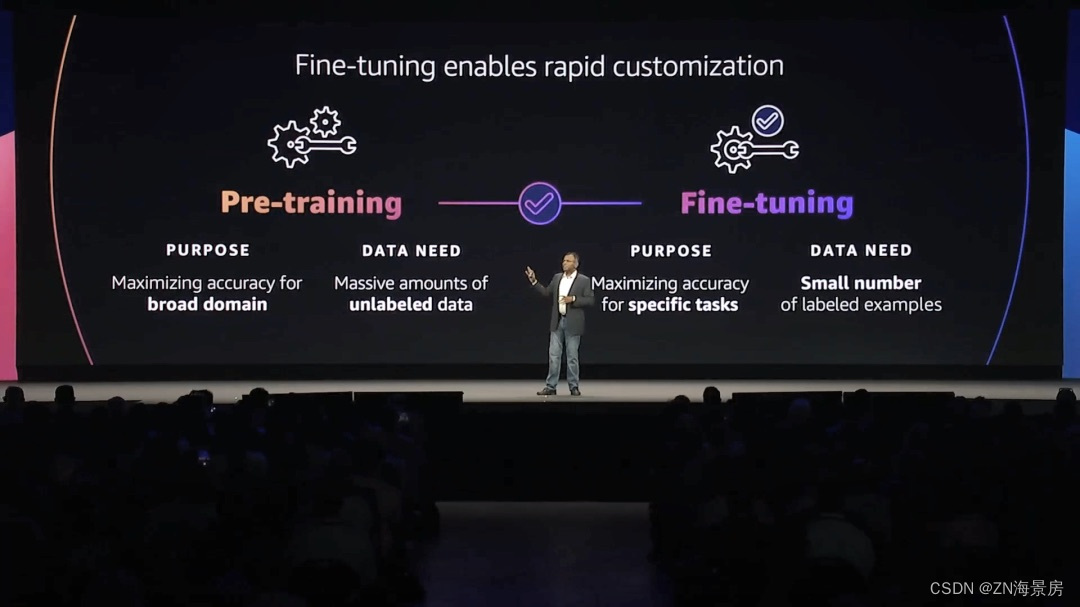
一场关于生产力的革命已在酝酿之中。全球管理咨询公司麦肯锡在最近的报告《生成式人工智能的经济潜力:下一波生产力浪潮》中指出,生成式AI每年可能为全球经济增加2.6万亿到4.4万亿美元的价值。在几天前的亚马逊云科技纽约峰会中,「生成式AI」…...
如何使用 ChatGPT 规划家居装修
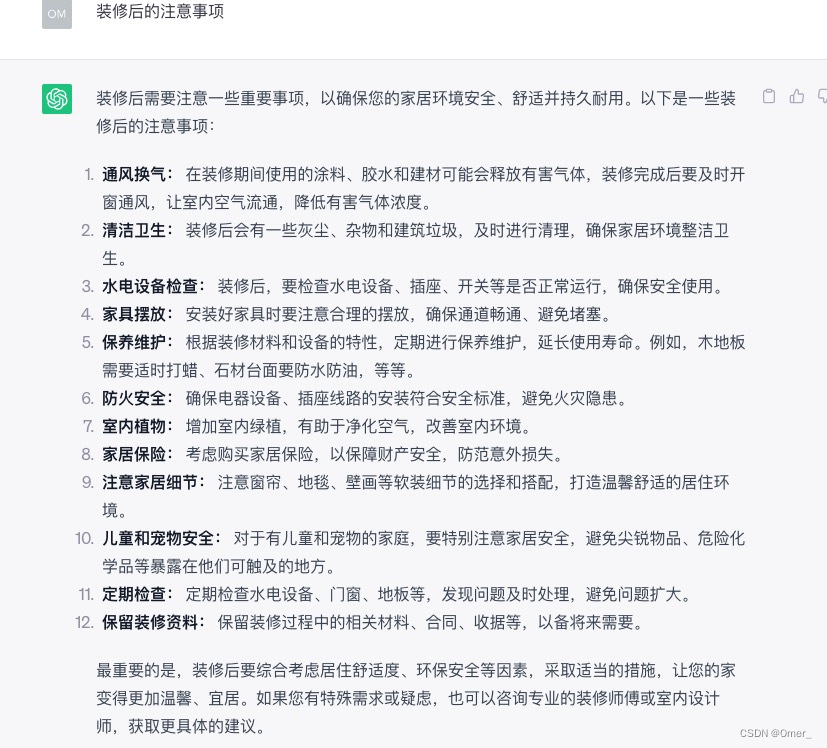
你正在计划家庭装修项目,但不确定从哪里开始?ChatGPT 随时为你提供帮助。从集思广益的设计理念到估算成本,ChatGPT 可以简化你的家居装修规划流程。在本文中,我们将讨论如何使用 ChatGPT 有效地规划家居装修,以便你的项…...

题解 | #1002.Random Nim Game# 2023杭电暑期多校7
1002.Random Nim Game 诈骗博弈题 题目大意 Nim是一种双人数学策略游戏,玩家轮流从不同的堆中移除棋子。在每一轮游戏中,玩家必须至少取出一个棋子,并且可以取出任意数量的棋子,条件是这些棋子都来自同一个棋子堆。走最后一步棋…...

篇九:组合模式:树形结构的力量
篇九:“组合模式:树形结构的力量” 开始本篇文章之前先推荐一个好用的学习工具,AIRIght,借助于AI助手工具,学习事半功倍。欢迎访问:http://airight.fun/。 另外有2本不错的关于设计模式的资料,…...
【注册表】windows系统注册表常用修改方案
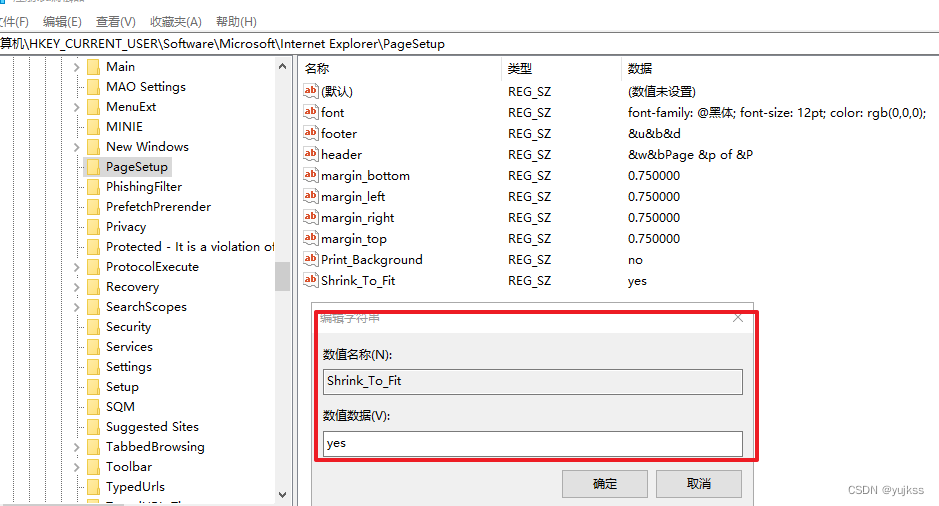
文章目录 ◆ 修改IE浏览器打印页面参数设置◆气泡屏幕保护◆彩带屏幕保护程序◆过滤IP(适用于WIN2000)◆禁止显示IE的地址栏◆禁止更改IE默认的检查(winnt适用)◆允许DHCP(winnt适用)◆局域网自动断开的时间(winnt适用)◆禁止使用“重置WEB设置”◆禁止更…...

ant-design-vue 4.x升级问题-样式丢失问题
[vue] ant-design-vue 4.x升级问题-样式丢失问题 项目环境问题场景解决方案 该文档是在升级ant-design-vue到4.x版本的时候遇到的问题 项目环境 "vue": "^3.3.4", "ant-design-vue": "^4.0.0", "vite": "^4.4.4&quo…...
【果树农药喷洒机器人】Part3:变量喷药系统工作原理介绍
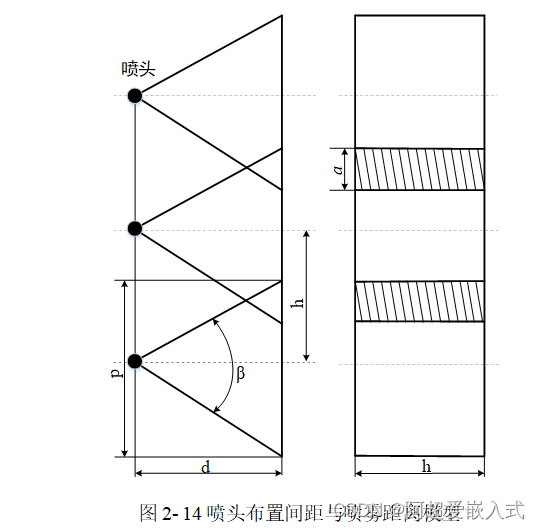
本专栏介绍:免费专栏,持续更新机器人实战项目,欢迎各位订阅关注。 关注我,带你了解更多关于机器人、嵌入式、人工智能等方面的优质文章! 文章目录 一、变量喷药系统工作原理二、液压通路设计与控制系统封装2.1液压通路…...

GoogLeNet创新点总结
GoogLeNet是一种深度卷积神经网络架构,于2014年由Google团队提出,是ILSVRC(ImageNet Large Scale Visual Recognition Challenge)比赛的冠军模型,其创新点主要集中在以下几个方面: Inception模块&#…...
)
不同路径1、2、3合集(980. 不同路径 III)
不同路径一 矩形格,左上角 到 右下角。 class Solution {int [] directX new int[]{-1,1,0,0};int [] directY new int[]{0,0,-1,1};int rows;int cols;public int uniquePathsIII(int[][] grid) {if (grid null || grid.length 0 || grid[0].length 0) {ret…...

子网掩码实战:从原理到网络规划的深度解析
1. 子网掩码的核心原理 第一次接触子网掩码时,我也被那一串数字搞得晕头转向。直到有次公司网络改造,亲眼看到老工程师用子网划分解决了IP地址不足的问题,才真正明白它的价值。简单来说,子网掩码就像邮局的邮政编码系统 - 它告诉网…...

WindowsCleaner完整解析:如何用开源工具彻底解决Windows系统卡顿和C盘爆红问题
WindowsCleaner完整解析:如何用开源工具彻底解决Windows系统卡顿和C盘爆红问题 【免费下载链接】WindowsCleaner Windows Cleaner——专治C盘爆红及各种不服! 项目地址: https://gitcode.com/gh_mirrors/wi/WindowsCleaner 你是否曾经在关键时刻被…...

Arduino智能小车避障与拟人化设计:从传感器到行为逻辑
1. 项目概述与核心思路最近在整理工作室的物料,翻出了几个闲置的360度舵机和超声波模块,手痒之下决定做个智能小车玩玩。这个项目本身不新鲜,网上教程一抓一大把,但我想做点不一样的:不仅要能实现基础的自动避障&#…...

基于CPX与LSM303的电子罗盘制作:从I2C通信到传感器校准全解析
1. 项目概述与核心价值如果你玩过嵌入式开发,尤其是涉及姿态感知或导航的项目,大概率会碰到一个经典问题:如何让设备“知道”自己面朝哪个方向?加速度计能告诉你设备是平放还是倾斜,陀螺仪能告诉你转得多快,…...

超大规模云服务外计算资源交易:虽有风险但概念已验证,或成新资源获取选项
经济合理性这一趋势积极面易理解。一是价格,有多余计算能力的非超大规模云服务提供商成本结构等与主要供应商不同,闲置资源或低价出售,对控制成本企业重要。二是效率,利用已有计算能力满足需求,无需新建数据中心等&…...

嵌入式Linux SBC硬件接口实战:I2C/SPI/UART配置与Adafruit Blinka集成指南
1. 项目概述与核心价值在嵌入式Linux单板计算机(SBC)的开发世界里,GPIO、I2C、SPI、UART这些接口就像是开发者的“瑞士军刀”。无论你是想读取一个温湿度传感器的数据,还是驱动一块显示屏,或者与另一个微控制器“对话”…...

基于CircuitPython与BLE的NeoPixel智能穿戴灯光项目实战
1. 项目概述:打造你的第一顶可编程发光帽 几年前,当我第一次在Maker Faire上看到有人戴着一顶能随着音乐节奏变换色彩的帽子时,我就被深深吸引了。那不仅仅是一个电子项目,更像是一件充满个性的可穿戴艺术品。从那时起࿰…...

OpenFold实战指南:在Linux系统部署蛋白质结构预测模型
1. 从仰望到上手:OpenFold如何让蛋白质结构预测走进寻常实验室去年AlphaFold2横空出世,几乎以一己之力解决了困扰生物学界半个世纪的“蛋白质折叠问题”,其意义不亚于在生命科学领域投下了一颗重磅炸弹。一时间,无论是结构生物学家…...

基于Claude API构建本地化智能对话应用栈:从架构设计到生产部署
1. 项目概述与核心价值最近在尝试构建一个基于Claude API的本地化应用栈时,我发现了dtannen的claude-stacks项目。这本质上不是一个单一的应用程序,而是一个精心设计的、模块化的技术栈蓝图。它旨在为开发者提供一个快速启动和运行Claude API应用的完整解…...

思源宋体TTF终极指南:7种字重解决中文排版所有难题
思源宋体TTF终极指南:7种字重解决中文排版所有难题 【免费下载链接】source-han-serif-ttf Source Han Serif TTF 项目地址: https://gitcode.com/gh_mirrors/so/source-han-serif-ttf 你是否在为中文项目寻找完美的开源字体而烦恼?商业字体价格昂…...