
Go语言基础: 有参函数Func、Map、Strings详细案例教程
目录标题
- 一、Variadic Functions
- 1.Syntax
- 2.Examples and understanding how variadic functions work
- 3.Slice arguments vs Variadic arguments 仅改变可变参数
- 4.Gotcha
- 二、Map
- 1.Create a Map
- 2.Retrieving value for a key from a map
- 3.Checking if a key exists
- 4.Iterate over all elements in a map
- 5. Deleting items from a map
- 6.Map of structs
- 7.Length of the map
- 8.Maps are reference types
- 9.Maps equality
- 三、Strings
- 1.Accessing individual bytes of a string
- 2.Accessing individual characters of a string
- 3.String length
- 4.String comparison
- 5.String concatenation
- 6.Strings are immutable
- 四、Printf的%格式化字符串
一、Variadic Functions
1.Syntax
package mainimport ("fmt")func Hello(a int, b ...int) {fmt.Println(a, b) // 666 [22 333 555]}func main() {Hello(666, 22, 333, 555)}
2.Examples and understanding how variadic functions work
func find(num int, nums ...int) { // 设置一个目标数字与一个 Arrays 查看当前目标数字是否在arrays里面fmt.Printf("type of nums is %T\n", nums)found := falsefor i, v := range nums { // 循环 Arraysif v == num { // 如果值等于 numfmt.Println(num, "found at index", i, "in", nums)found = true}}if !found {fmt.Println(num, "not find in ", nums)}fmt.Printf("\n")}func main() {find(89, 87, 90, 88, 89) find(45, 56, 67, 45, 90, 109)find(78, 38, 56, 98)find(87)}// type of nums is []int// 89 found at index 3 in [87 90 88 89]// 还可以这样调用nums := []int{89, 90, 95}find(89, nums) // 如果这样调用则报错 无法运行 需要添加 ... .\variadic functions. go:33:11: cannot use nums (variable of type []int) as int value in argument to findfind(89, nums...) // 89 found at index 0 in [89 90 95]
3.Slice arguments vs Variadic arguments 仅改变可变参数
func find(num int, nums []int) { // 设置一个目标数字与一个 Arrays 查看当前目标数字是否在arrays里面fmt.Printf("type of nums is %T\n", nums)found := falsefor i, v := range nums { // 循环 Arraysif v == num { // 如果值等于 numfmt.Println(num, "found at index", i, "in", nums)found = true}}if !found {fmt.Println(num, "not find in ", nums)}fmt.Printf("\n")}func main() {find(89, []int{87, 90, 88, 89})find(45, []int{56, 67, 45, 90, 109})find(78, []int{38, 56, 98})find(87, []int{})}
4.Gotcha
package mainimport ( "fmt")func change(s ...string) {s[0] = "Go"s = append(s, "playground") // append会创建一个新的切片fmt.Println(s) // [Go world playground]}func main() {welcome := []string{"hello", "world"}change(welcome...) // change没有受到添加playground的影响 所以它的容量还是2(change操作的是原始的切片, 如果原始切片满了则会创建一个新的切片)fmt.Println(welcome) // 所以输出的是 Go world}// [Go world playground]// [Go world]// Go中的append原始切片如果没有满 则会使用原始切片不会创建新的切片 如果满了则会创建一个新的切片
二、Map
1.Create a Map
package mainimport "fmt"// create a mapfunc main() {// example 1employeeSalary := make(map[string]int)fmt.Println(employeeSalary)// example 2Department := map[string]string{"Designer": "设计部","Research": "研发部",}fmt.Println(Department)// add items to mapemployeeSalary["Like"] = 15000employeeSalary["Jack"] = 9000employeeSalary["Lisa"] = 10000fmt.Println("employeeSalary map contents:", employeeSalary)var employeeSalary map[string]intfmt.Println(employeeSalary)employeeSalary["Like"] = 15000 // 不可行 panic: assignment to entry in nil map}
2.Retrieving value for a key from a map
employeeSalary := map[string]int{"steve": 12000,"jamie": 15000,"mike": 9000,}employee := "jamie"salary := employeeSalary[employee]fmt.Println("Salary of", employee, "is", salary) // Salary of jamie is 15000fmt.Println("Salary of mike is", employeeSalary["mike"]) // Salary of mike is 9000fmt.Println("Salary of joe is", employeeSalary["joe"]) // Salary of joe is 0 没有则为0
3.Checking if a key exists
employeeSalary := map[string]int{"steve": 12000,"jamie": 15000,"mike": 9000,}newEmp := "jamie"value, ok := employeeSalary[newEmp] // 0 falsefmt.Println(value, ok)if ok == true {fmt.Println(ok) // truefmt.Println("Salary of", newEmp, "is", value) // Salary of jamie is 15000return}fmt.Println(newEmp, "not Found")
4.Iterate over all elements in a map
employeeSalary := map[string]int{"steve": 12000,"jamie": 15000,"mike": 9000,}fmt.Println("Contents of the map")for key, value := range employeeSalary {fmt.Printf("employessSalary[%s] = %d\n", key, value)}// 输出// Contents of the map//employessSalary[steve] = 12000//employessSalary[jamie] = 15000//employessSalary[mike] = 90005. Deleting items from a map
employeeSalary := map[string]int{"steve": 12000,"jamie": 15000,"mike": 9000,}fmt.Println("Contents of the map")for key, value := range employeeSalary {fmt.Printf("employessSalary[%s] = %d\n", key, value)}// 输出// Contents of the map//employessSalary[steve] = 12000//employessSalary[jamie] = 15000//employessSalary[mike] = 90006.Map of structs
package mainimport ( "fmt")type employee struct { salary intcountry string}func main() { emp1 := employee{salary: 6666, country: "Usa"}emp2 := employee{salary: 7777, country: "Canada"}emp3 := employee{salary: 8888, country: "China"}employeeInfo := map[string]employee{"Steve": emp1,"Lisa": emp2,"Like": emp3,}for name, info := range employeeInfo {fmt.Printf("Employee: %s Salary:$%d Country: %s\n", name, info.salary, info.country)}}// Employee: Lisa Salary:$7777 Country: Canada// Employee: Like Salary:$8888 Country: China// Employee: Steve Salary:$6666 Country: Usa7.Length of the map
emp1 := employee{salary: 6666, country: "Usa"}emp2 := employee{salary: 7777, country: "Canada"}emp3 := employee{salary: 8888, country: "China"}employeeInfo := map[string]employee{"Steve": emp1,"Lisa": emp2,"Like": emp3,}fmt.Println("length is", len(employeeInfo))// length is 3
8.Maps are reference types
employeeSalary := map[string]int{"steve": 12000,"jamie": 15000,"mike": 9000,}fmt.Println("Original employee salary", employeeSalary)modified := employeeSalarymodified["mike"] = 18000fmt.Println("Employee salary changed", employeeSalary)// Original employee salary map[jamie:15000 mike:9000 steve:12000]// Employee salary changed map[jamie:15000 mike:18000 steve:12000]
9.Maps equality
package mainfunc main() { map1 := map[string]int{"one": 1,"two": 2,}map2 := map1if map1 == map2 {}}// 不能使用 == 比较 只能判断是否为空
三、Strings
1.Accessing individual bytes of a string
package mainimport "fmt"func printBytes(s string) {fmt.Printf("Bytes:") // 注意go语言不会自动换行for i := 0; i < len(s); i++ {fmt.Printf("%x ", s[i])}}func main() {name := "Hello World"fmt.Printf("String: %s\n", name)printBytes(name)}// String: Hello World// Bytes:48 65 6c 6c 6f 20 57 6f 72 6c 64
2.Accessing individual characters of a string
package mainimport "fmt"func printBytes(s string) {fmt.Printf("Bytes:") // 注意go语言不会自动换行for i := 0; i < len(s); i++ {fmt.Printf("%x ", s[i])}}func printChars(s string) {fmt.Printf("Characters: ")runes := []rune(s) // 字符串被转换为一片符文for i := 0; i < len(runes); i++ {fmt.Printf("%c", runes[i]) // Characters: Hello World}}func main() {name := "Hello World"fmt.Printf("String: %s\n", name)printChars(name)fmt.Printf("\n")printBytes(name)fmt.Printf("\n\n")name = "Señor" // 特殊字符 如果不转换 则不一致 S e à ± o rfmt.Printf("String: %s\n", name)printChars(name)fmt.Printf("\n")printBytes(name)}// String: Hello World// Characters: Hello World// Bytes:48 65 6c 6c 6f 20 57 6f 72 6c 64// String: Señor// Characters: Señor// Bytes:53 65 c3 b1 6f 72
3.String length
word1 := "Señor"fmt.Printf("String: %s\n", word1)fmt.Printf("Length: %d\n", utf8.RuneCountInString(word1)) // 返回字符数量fmt.Printf("Number of bytes: %d\n", len(word1)) // 获取当前字符串长度 ñ 表示两个fmt.Printf("\n")word2 := "Pets"fmt.Printf("String: %s\n", word2)fmt.Printf("Length: %d\n", utf8.RuneCountInString(word2))fmt.Printf("Number of bytes: %d\n", len(word2))
4.String comparison
func compareStrings(str1 string, str2 string) {if str1 == str2 {fmt.Printf("%s and %s are equal\n", str1, str2)return}fmt.Printf("%s and %s are not equal\n", str1, str2)}string1 := "Go"string2 := "Go"compareStrings(string1, string2)string3 := "hello"string4 := "world"compareStrings(string3, string4)// Go and Go are equal// hello and world are not equal
5.String concatenation
string1 := "Go"string2 := "is awesome"//result := string1 + " " + string2result := fmt.Sprintf("%s %s", string1, string2)fmt.Println(result)// Go is awesome
6.Strings are immutable
func mutate(s string)string { s[0] = 'a' //any valid unicode character within single quote is a rune return s}func main() { h := "hello"fmt.Println(mutate(h)) }// 输出 cannot assign to s[0] (value of type byte)// 优化func mutate(s []rune) string { // mutate函数接受一个[]rune类型的切片作为参数,并返回一个字符串。s[0] = 'a' // []rune是一个Unicode字符的切片类型。它将字符串转换为Unicode字符切片,以便我们可以修改字符串中的字符。return string(s)}func main() { h := "hello"fmt.Println(mutate([]rune(h))) // mutate函数修改了切片中的第一个字符,将其替换为'a'。}
四、Printf的%格式化字符串
%d: 表示有符号十进制整数(int类型)%f: 表示浮点数(float32或float64类型)%s: 表示字符串%t: 表示布尔值(true或false)%c: 表示字符(按Unicode码点输出)%p: 表示指针地址%v: 表示通用的值(以默认方式格式化)%+v: 表示结构体值(包含字段名)%#v: 表示值的Go语法表示形式%x: 表示以十六进制格式输出整数或字节切片%b: 表示以二进制格式输出整数%o: 表示以八进制格式输出整数%e 或 %E: 表示科学计数法表示的浮点数%t: 表示以字符串形式输出时间(time.Time类型)%T: 表示值的类型(类型的完全规格)%10d: 表示输出宽度为10的有符号十进制整数%.2f: 表示输出带有两位小数的浮点数%05d: 表示输出宽度为5的有符号十进制整数,左侧用零填充
相关文章:

Go语言基础: 有参函数Func、Map、Strings详细案例教程
目录标题 一、Variadic Functions1.Syntax2.Examples and understanding how variadic functions work3.Slice arguments vs Variadic arguments 仅改变可变参数4.Gotcha 二、Map1.Create a Map2.Retrieving value for a key from a map3.Checking if a key exists4.Iterate ov…...

JDBC连接数据库如何实现你会吗???
1.首先建立一个maven项目。。。详细过程来了哇 还没有安装maven的童鞋可以看这里:maven的下载安装与配置环境变量!!!(全网最详细)_明天更新的博客-CSDN博客 有很多小伙伴就有疑问啦,难道我直接…...
C#与C++交互(2)——ANSI、UTF8、Unicode文本编码
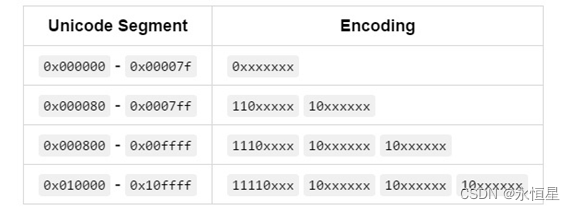
【前言】 我们知道计算机上只会存储二进制的数据,无论文本、图片、音频、视频等,当我们将其保存在计算机上时,都会被转成二进制的。我们打开查看的时候,二进制数据又被转成我们看得懂的信息。如何将计算机上的二进制数据转为我们…...

SQLSTATE[42000]: this is incompatible with sql_mode=only_full_group_by in
执行 SELECT *FROM test WHERE id>1 GROUP BY name having AVG(age)>10 ORDER BY id desc limit 1 提示错误 Fatal error: Uncaught PDOException: SQLSTATE[42000]: Syntax error or access violation: 1055 Expression #1 of SELECT list is not in GROUP BY clause…...

企业权限管理(五)-订单分页
订单分页查询 PageHelper介绍 PageHelper是国内非常优秀的一款开源的mybatis分页插件,它支持基本主流与常用的数据库,例如mysql、oracle、mariaDB、DB2、SQLite、Hsqldb等。 PageHelper使用 集成 引入分页插件有下面2种方式,推荐使用 Maven …...
Blender如何给fbx模型添加材质贴图并导出带有材质贴图的模型
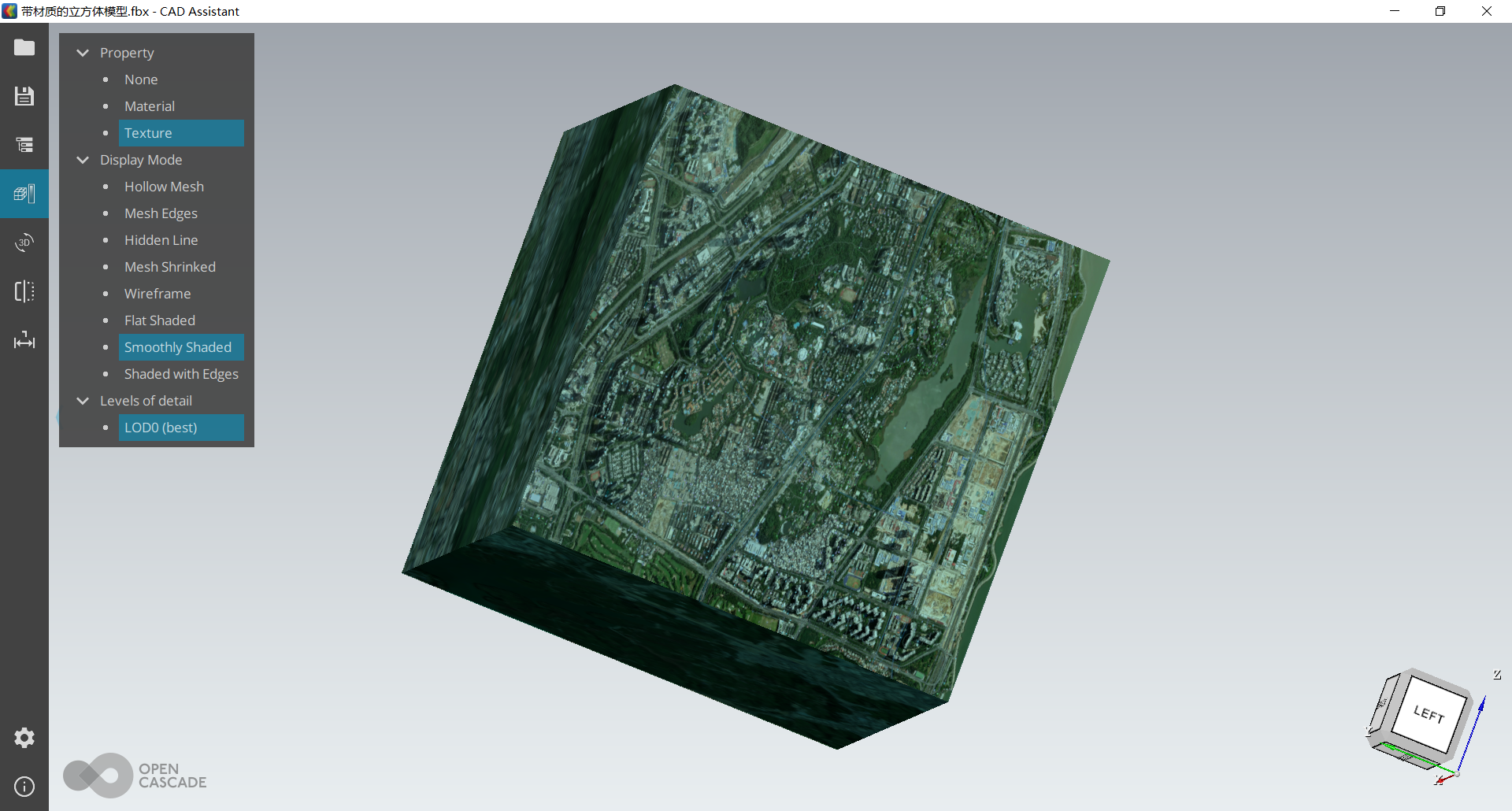
推荐:使用 NSDT场景编辑器快速助你搭建可二次编辑的3D应用场景 此教程适合新手用户,专业人士直接可直接绕路。 本教程中介绍了利用Blender建模软件,只需要简单几步就可以为模型添加材质贴,图,并且导出带有材质的模型文…...
MySQL不走索引的情况分析
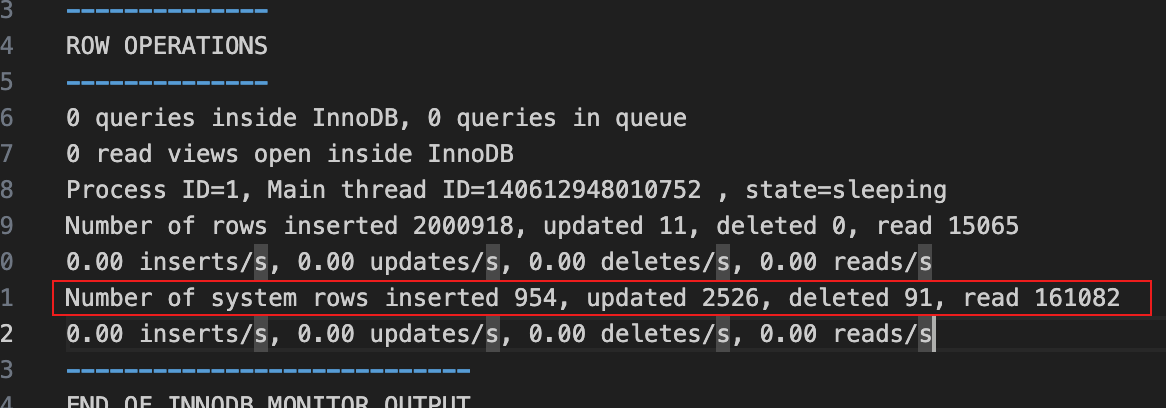
未建立索引 当数据表没有设计相关索引时,查询会扫描全表。 create table test_temp (test_id int auto_incrementprimary key,field_1 varchar(20) null,field_2 varchar(20) null,field_3 bigint null,create_date date null );expl…...
安装ubuntu22.04系统,配置国内源以及ssh远程登录
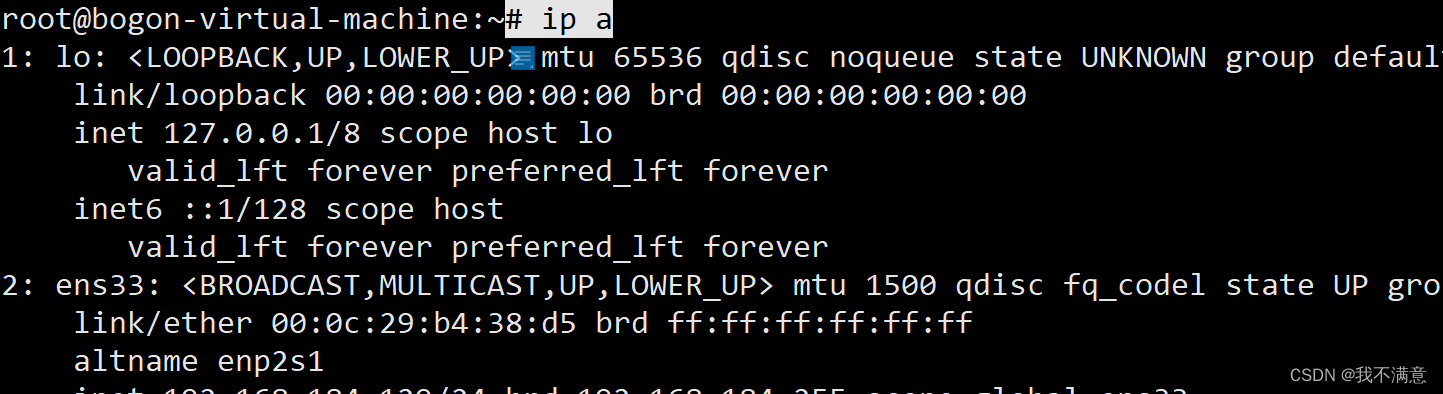
一、安装ubuntu22.04系统 原文连接:Ubuntu操作系统22.04版本安装教程-VMware虚拟机_wx63f86e949a470的技术博客_51CTO博客 1.点击界面左侧的开启此虚拟机,即可进入Ubuntu操作系统安装界面,点击Try or Install Ubuntu 即可开始安装 …...
win10 安装ubuntu子系统并安装宝塔
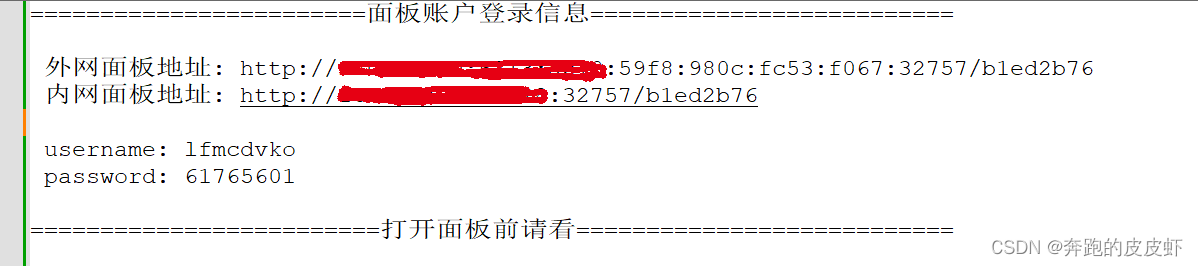
1、安装子系统 2、ubuntu 中安装宝塔 这里需要注意的: 大部分文章上写的是“面板账户登录信息”不能直接访问,要改成127.0.0.1:8888去访问。 这种情况适合“面板账户登录信息”端口就是8888。 想我的就是32757 这时你就要用 http://127.0.0…...
gazebo 导入从blender导出的dae等文件
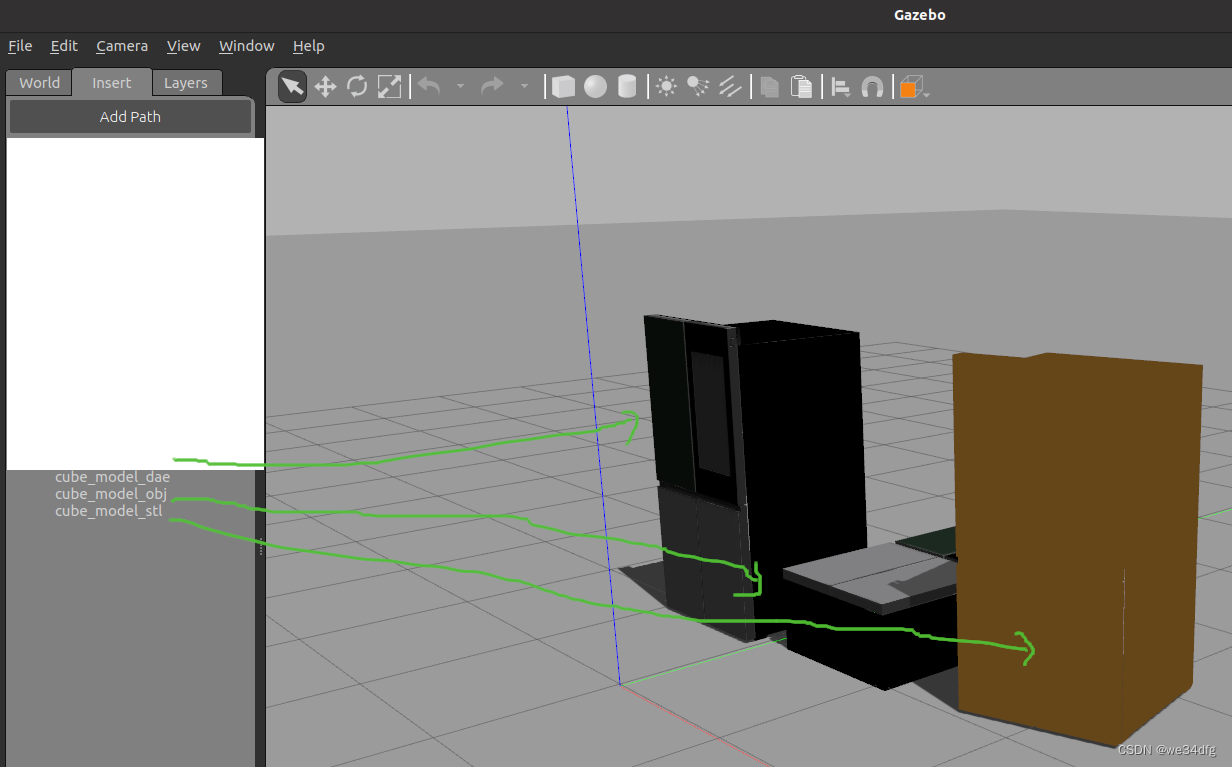
背景: gazebo 模型库里的模型在我需要完成的任务中不够用,还是得从 solidworks、3DMax, blender这种建模软件里面在手动画一些,或者去他们的库里面在挖一挖。 目录 1 blender 1-1 blender 相关links 1-2 install 2 gazebo导入模型 2-1 g…...
目标检测YOLOv3基于DarkNet53模型测试-笔记
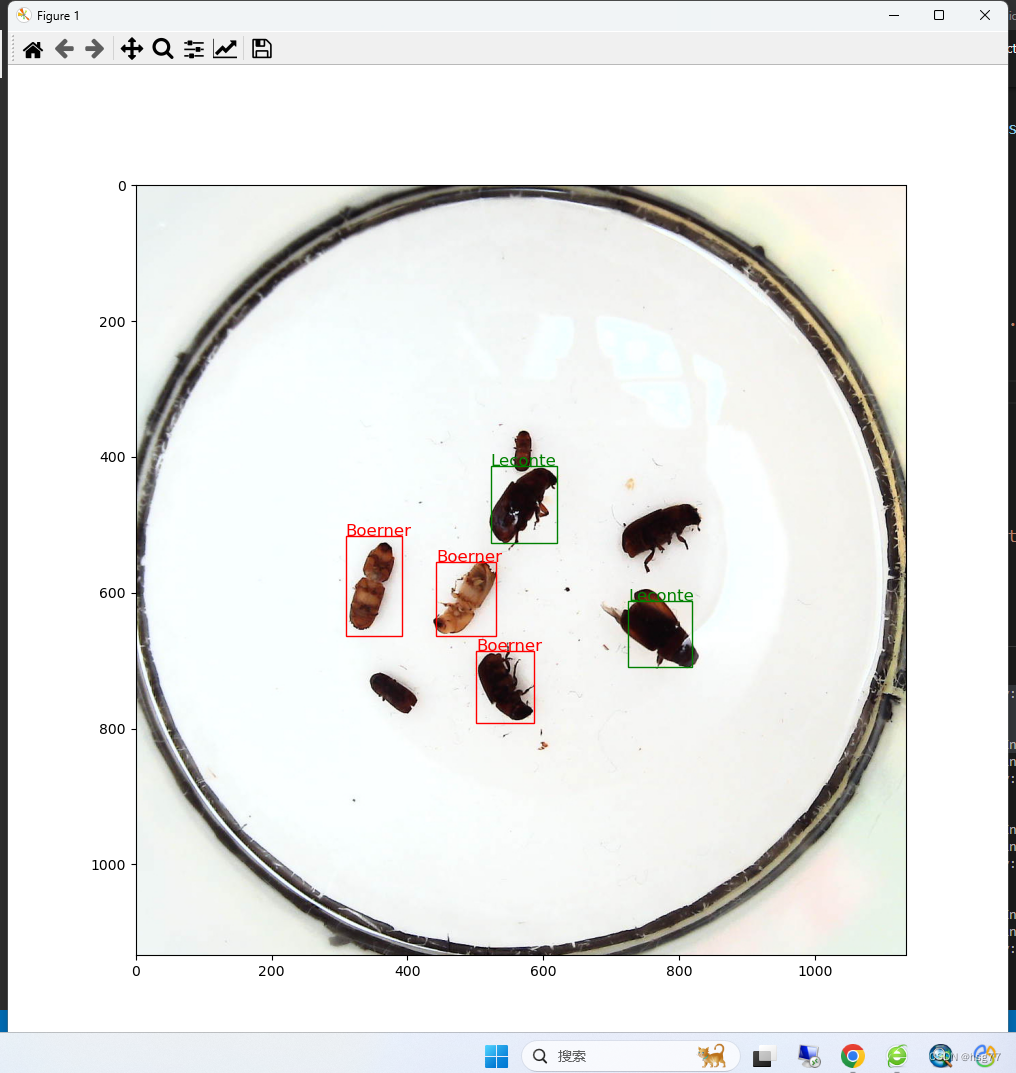
目标检测YOLOv3基于DarkNet53模型测试-笔记 预测和试测结果: 预测代码如下所示: testInsects.py #YOLOv3网模型测试-单图片文件测试并显示测试结果 import time import os import paddle import numpy as np import cv2 import random from PIL impor…...

Unity项目中查找所有使用某一张图片的材质球,再查找所有使用材质球的预设
废话少说,直接上代码。 using UnityEditor; using UnityEngine;public class FindDependencies : MonoBehaviour {static bool m_bIsSaveFile false;static TextWriteHelper m_szMaterialList new TextWriteHelper();static TextWriteHelper m_szPrefabList new…...

postman接口测试中文汉化教程
想必同学们对于接口测试工具postman的使用并不陌生,以及最近大为流行的国产工具apifox。对于使用过的同学来说,两者区别以及优缺点很容易别展示出来,postman相比apifox来说更加轻量,但是apifox更加符合国人的使用习惯....中国人给…...

java.lang.ClassNotFoundException: com.mysql.cj.jdbc.Driver的解决办法
springcloudAlibaba项目连接mysql时(mysql版本8.0.31,Springboot2.2.2,spring cloud Hoxton.SR1,spring cloud alibaba 2.1.0.RELEASE),驱动名称报红,配置如下: 原因:引入的jdbc驱动包和使用的m…...
认识所有权
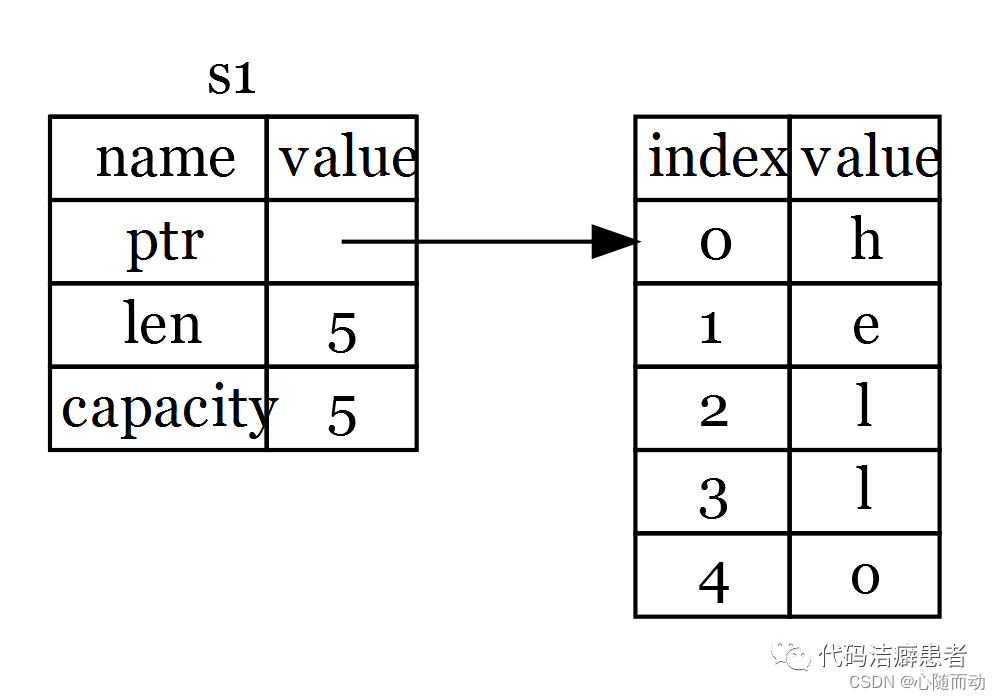
专栏简介:本专栏作为Rust语言的入门级的文章,目的是为了分享关于Rust语言的编程技巧和知识。对于Rust语言,虽然历史没有C、和python历史悠远,但是它的优点可以说是非常的多,既继承了C运行速度,还拥有了Java…...

恒盛策略:怎样看k线图实图详解如何看懂k线图?
K线图是股票剖析中常用的一种图表,它能够反映一段时间内股票价格的变化状况,对于股票投资者来说非常重要。但是,由于k线图并不是很好理解,很多投资者并不知道怎样看懂它。那么,咱们就从多个视点来看看怎样看k线图实图&…...
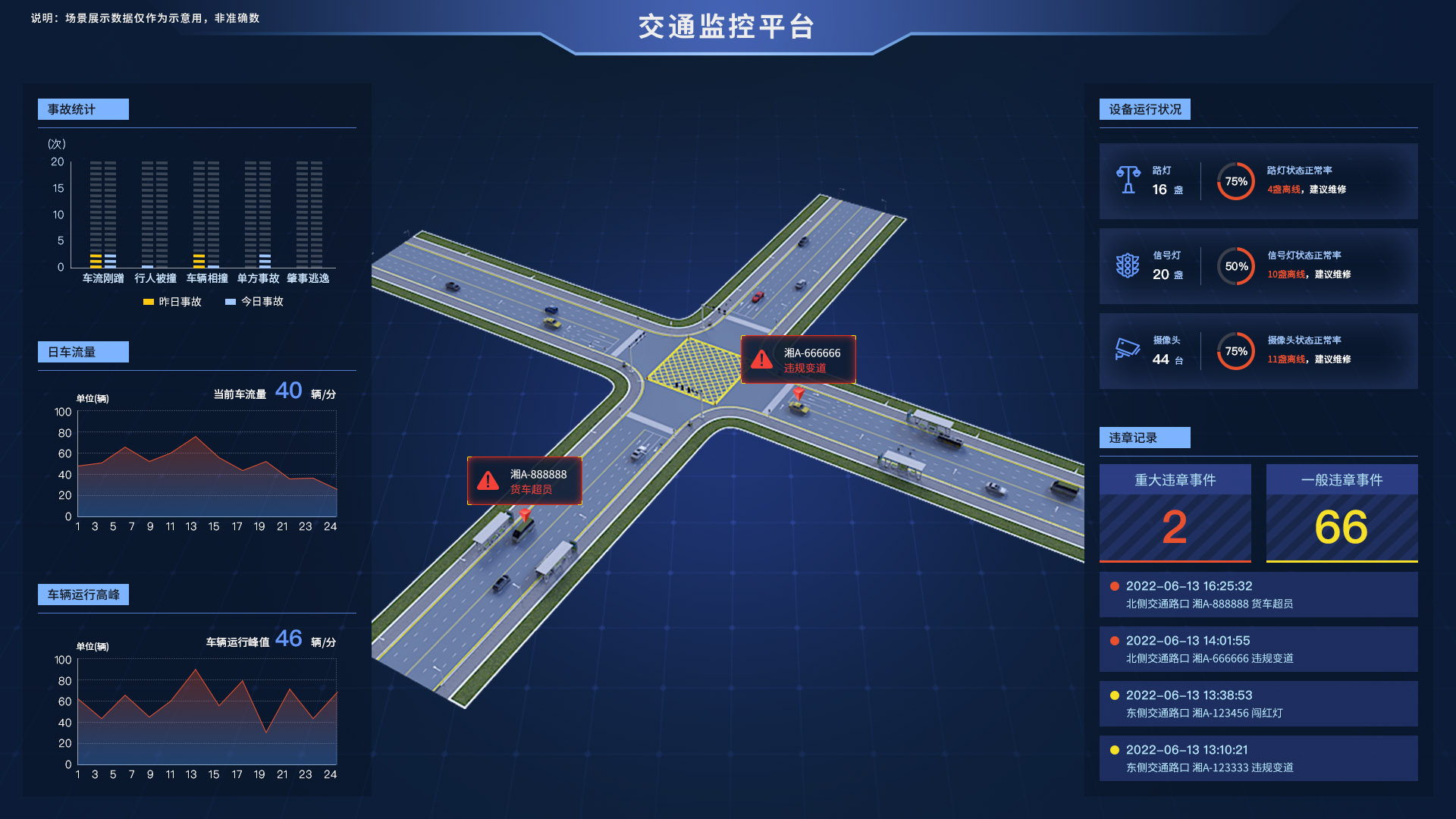
物联网的定义、原理、示例、未来
什么是物联网? 物联网 (IoT) 是指由嵌入传感器、软件和网络连接的物理设备、车辆、电器和其他物理对象组成的网络,允许它们收集和共享数据。这些设备(也称为“智能对象”)的范围可以从简单的“智能家居”设备(如智能恒温器)到可穿戴设备(如智能手表和支持RFID的服…...
Vue 整合 Element UI 、路由嵌套和参数传递(五)
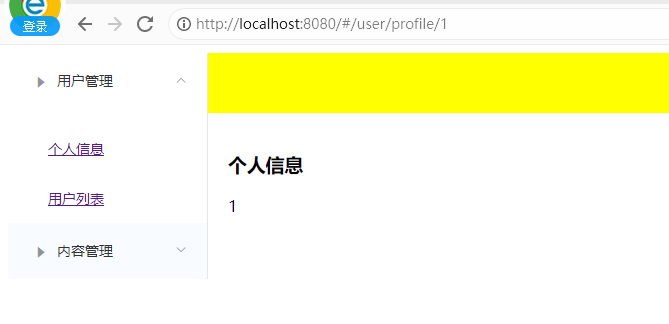
一、整合 Element UI 1.1 工程初始化 使用管理员的模式进入 cmd 的命令行模式,创建一个名为 hello-vue 的工程,命令为: # 1、目录切换 cd F:\idea_home\vue# 2、项目的初始化,记得一路的 no vue init webpack hello-vue 1.2 安装…...
Git全栈体系(四)
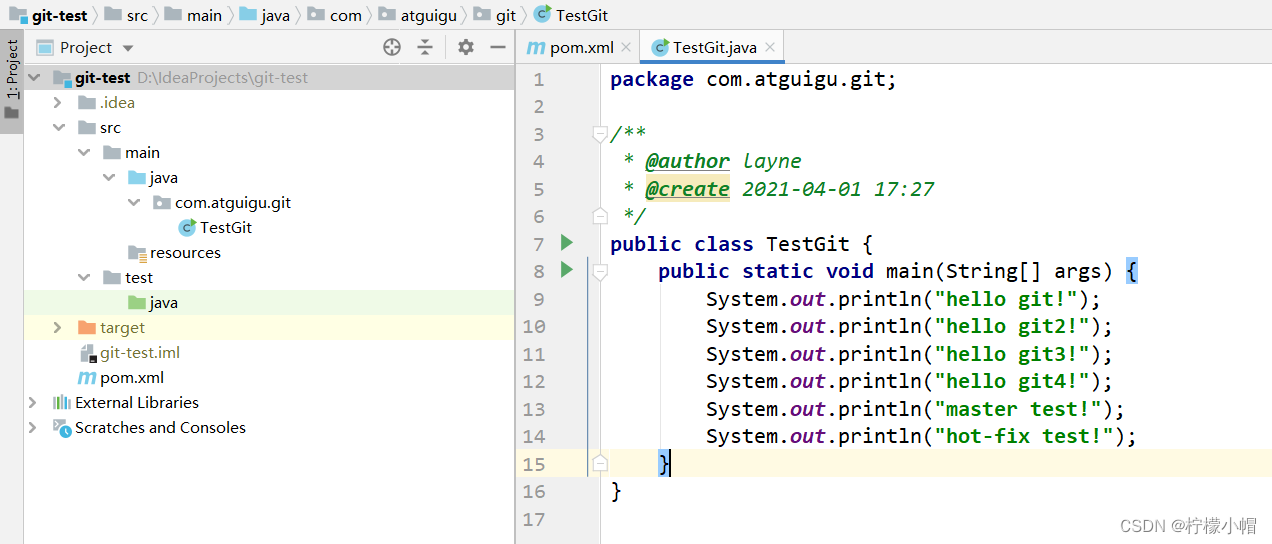
第七章 IDEA 集成 Git 一、配置 Git 忽略文件 1. Eclipse 特定文件 2. IDEA 特定文件 3. Maven 工程的 target 目录 4. 问题 4.1 为什么要忽略他们? 与项目的实际功能无关,不参与服务器上部署运行。把它们忽略掉能够屏蔽 IDE 工具之间的差异。 4.2 …...
数据结构初阶--二叉树的链式结构
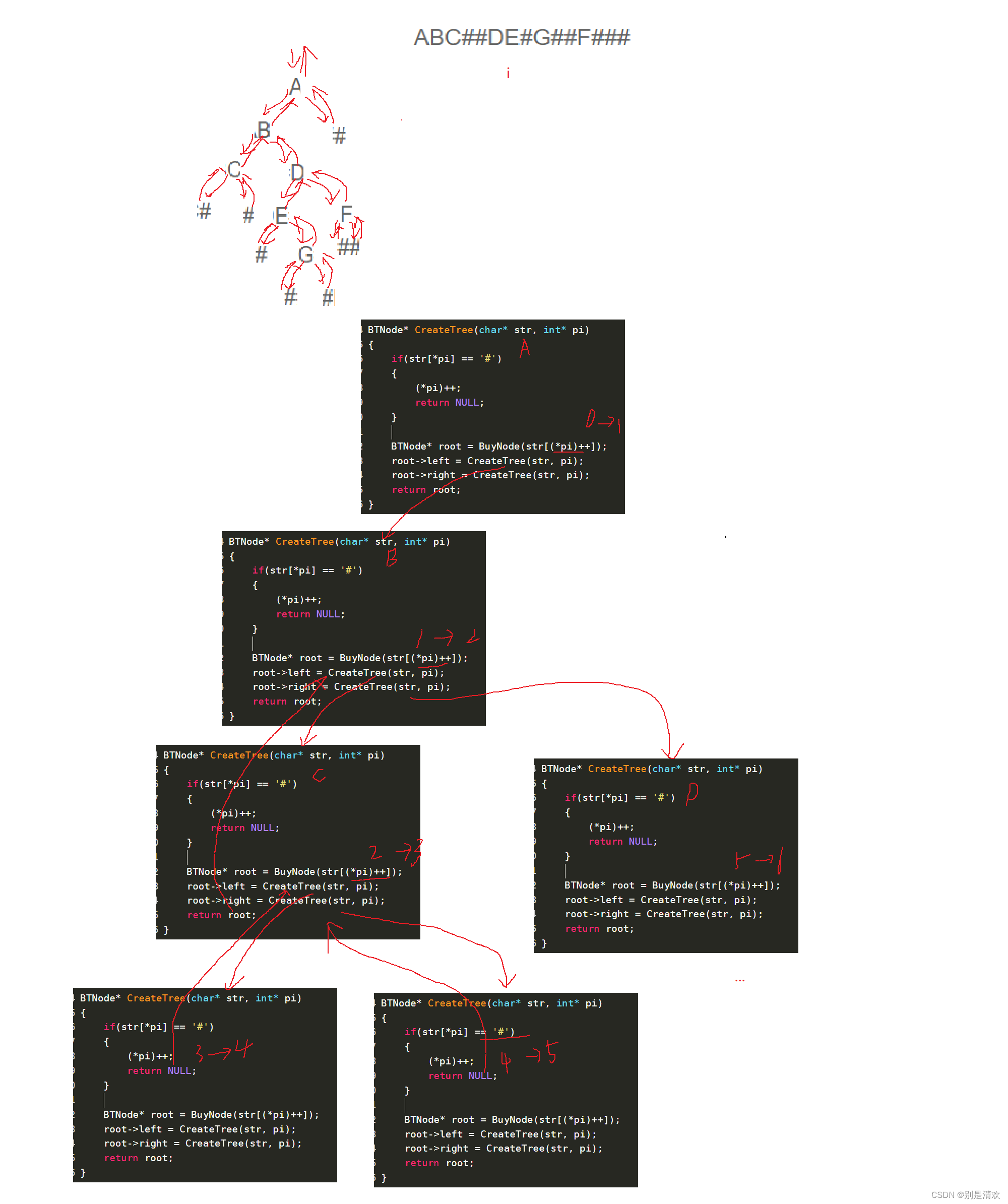
目录 一.二叉树链式结构的概念 二.二叉树链式结构的功能实现 2.1.链式二叉树的定义 2.2.链式二叉树的构建 2.3.链式二叉树的遍历 2.3.1.先序遍历 2.3.2.中序遍历 2.3.3.后序遍历 2.3.4.层序遍历 2.4.链式二叉树的求二叉树的结点数量 法一:计数法 法二&a…...

3步搞定网易云音乐NCM文件解密:ncmdumpGUI完整使用指南
3步搞定网易云音乐NCM文件解密:ncmdumpGUI完整使用指南 【免费下载链接】ncmdumpGUI C#版本网易云音乐ncm文件格式转换,Windows图形界面版本 项目地址: https://gitcode.com/gh_mirrors/nc/ncmdumpGUI 你是否遇到过这样的困扰?在网易…...

CodeMirror库是做什么用的?
CodeMirror库是做什么用的? 中文手册:User manual in Chinese中文用户手册 - discuss.CodeMirror CodeMirror 是一个专为网页设计的代码编辑器组件库,主要用于在 Web 页面中嵌入功能丰富的代码编辑功能。 它由 JavaScript 编写ÿ…...

Pearcleaner:macOS应用清理的终极解决方案,彻底告别数字残留
Pearcleaner:macOS应用清理的终极解决方案,彻底告别数字残留 【免费下载链接】Pearcleaner A free, source-available and fair-code licensed mac app cleaner 项目地址: https://gitcode.com/gh_mirrors/pe/Pearcleaner 你是否曾在macOS上删除应…...

Fluent材料库管理避坑指南:自定义材料的导入、导出与团队共享的正确姿势
Fluent材料库管理避坑指南:自定义材料的导入、导出与团队共享的正确姿势 在工程仿真领域,材料属性的准确性直接影响计算结果的可靠性。当团队协作进行复杂流体分析时,自定义材料库的管理往往成为被忽视的关键环节。一位资深CAE工程师曾分享过…...

如何用3步掌握Wallpaper Engine资源提取工具实现高效创意素材管理?
如何用3步掌握Wallpaper Engine资源提取工具实现高效创意素材管理? 【免费下载链接】repkg Wallpaper engine PKG extractor/TEX to image converter 项目地址: https://gitcode.com/gh_mirrors/re/repkg 你是否曾经被Wallpaper Engine中精美的动态壁纸所吸引…...

Xinference-v1.17.1与Latex集成:AI辅助的学术论文写作系统
Xinference-v1.17.1与Latex集成:AI辅助的学术论文写作系统 1. 引言 写学术论文这事儿,估计每个研究生和学者都头疼过。光是找文献、整理思路、写内容、调整格式,一套流程下来就得花上好几天甚至几周时间。特别是到了深夜,对着空…...

Stable Yogi Leather-Dress-Collection 模型文件管理与版本控制实践
Stable Yogi Leather-Dress-Collection 模型文件管理与版本控制实践 你是不是也遇到过这种情况:好不容易下载了一堆模型文件,有主模型、VAE、LoRA,还有各种配置文件,全都堆在下载文件夹里。过两天想用某个特定版本的模型…...

基于DTC直接转矩控制的异步电机调速系统Simulink建模与仿真
目录 ✨1.课题概述 📊2.系统仿真结果 ✅3.核心程序或模型 🚀4.系统原理简介 4.1 三相定子电压、电流信号采集与坐标变换 4.2 定子磁链实时观测与幅值计算 4.3 电磁转矩实时估算 💢5.完整工程文件 ✨1.课题概述 直接转矩控制ÿ…...

PR曲线绘制超简单
💓 博客主页:瑕疵的CSDN主页 📝 Gitee主页:瑕疵的gitee主页 ⏩ 文章专栏:《热点资讯》 PR曲线绘制超简单:从入门到自动化实战指南 目录 PR曲线绘制超简单:从入门到自动化实战指南 引言ÿ…...

C++并查集常用操作
并查集 是一种树型的数据结构,用于处理一些不相加集合的合并和查询问题。在使用中常常以森林来表示。 并查集也是用来维护集合的,和前面学习的set不同之处在于,并查集能很方便地同时维护很多集合。如果用set来维护会非常的麻烦。并查集的核心思想是记录每个结点的父亲结点是哪个…...