
【Flutter】【packages】simple_animations 简单的实现动画

package:simple_animations
导入包到项目中去
- 可以实现简单的动画,
- 快速实现,不需要自己过多的设置
- 有多种样式可以实现
- [ ]
功能:
简单的用例:具体需要详细可以去 pub 链接地址
1. PlayAnimationBuilder
PlayAnimationBuilder<double>(tween: Tween(begin: 100.0, end: 200.0), //数值是100 到00duration: const Duration(seconds: 1), // 动画的时间,是1s 完成动画builder: (context, value, _) {return Container(width: value, // 使用tween 的数值height: value,color: Colors.blue,);},onCompleted: () {// 结束的时候做什么操作},onStarted: (){//在开始的时候运行什么,做什么操作},)
新增child 参数,静态的child ,减少资源的浪费,其他的build 同样可以这样使用
PlayAnimationBuilder<double>(tween: Tween(begin: 50.0, end: 200.0),duration: const Duration(seconds: 5),child: const Center(child: Text('Hello!')), // pass in static childbuilder: (context, value, child) {return Container(width: value,height: value,color: Colors.green,child: child, // use child inside the animation);},)
2.LoopAnimationBuilder 循环动画
该用例,是一个正方形旋转360度,并且持续的转动
Center(child: LoopAnimationBuilder<double>(tween: Tween(begin: 0.0, end: 2 * pi), // 0° to 360° (2π)duration: const Duration(seconds: 2), // for 2 seconds per iterationbuilder: (context, value, _) {return Transform.rotate(angle: value, // use valuechild: Container(color: Colors.blue, width: 100, height: 100),);},),)
3.MirrorAnimationBuilder 镜像动画
MirrorAnimationBuilder<double>(tween:Tween(begin: -100.0, end: 100.0), // x 轴的数值duration: const Duration(seconds: 2),//动画时间curve: Curves.easeInOutSine, // 动画曲线builder: (context, value, child) {return Transform.translate(offset: Offset(value, 0), // use animated value for x-coordinatechild: child,);},child: Container(width: 100,height: 100,color: Colors.green,),)
4.CustomAnimationBuilder 自定义动画,可以在stl 无状态里面使用
CustomAnimationBuilder<double>(control: Control.mirror,tween: Tween(begin: 100.0, end: 200.0),duration: const Duration(seconds: 2),delay: const Duration(seconds: 1),//延迟1s才开始动画curve: Curves.easeInOut,startPosition: 0.5,animationStatusListener: (status) {//状态的监听,可以在这边做一些操作debugPrint('status updated: $status');},builder: (context, value, child) {return Container(width: value,height: value,color: Colors.blue,child: child,);},child: const Center(child: Text('Hello!',style: TextStyle(color: Colors.white, fontSize: 24))),)
带控制器
CustomAnimationBuilder<double>(duration: const Duration(seconds: 1),control: control, // bind state variable to parametertween: Tween(begin: -100.0, end: 100.0),builder: (context, value, child) {return Transform.translate(// animation that moves childs from left to rightoffset: Offset(value, 0),child: child,);},child: MaterialButton(// there is a buttoncolor: Colors.yellow,onPressed: () {setState(() {control = (control == Control.play)? Control.playReverse: Control.play;});}, // clicking button changes animation directionchild: const Text('Swap'),),)
5.MovieTween 补间动画,可并行的动画
可以一个widget 多个动画同时或者不同时的运行
final MovieTween tween = MovieTween()..scene(begin: const Duration(milliseconds: 0),end: const Duration(milliseconds: 1000)).tween('width', Tween(begin: 0.0, end: 100.0)) //0-1秒的的 width 的数值..scene(begin: const Duration(milliseconds: 1000),end: const Duration(milliseconds: 1500)).tween('width', Tween(begin: 100.0, end: 200.0)) //1-1。5秒的的 width 的数值..scene(begin: const Duration(milliseconds: 0),duration: const Duration(milliseconds: 2500)).tween('height', Tween(begin: 0.0, end: 200.0)) //0-2.5秒的的 height 的数值..scene(begin: const Duration(milliseconds: 0),duration: const Duration(milliseconds: 3000)) //0-3 秒的的 颜色 的数值.tween('color', ColorTween(begin: Colors.red, end: Colors.blue));PlayAnimationBuilder<Movie>(tween: tween, // Pass in tweenduration: tween.duration, // Obtain durationbuilder: (context, value, child) {return Container(width: value.get('width'), // Get animated valuesheight: value.get('height'),color: value.get('color'),);},),
6.MovieTween 串行的动画补间
简单的意思就是,按照设计的动画一个一个执行,按照顺序来执行,可以设置不同的数值或者是参数来获取,然后改变动画
final signaltween = MovieTween()..tween('x', Tween(begin: -100.0, end: 100.0),duration: const Duration(seconds: 1)).thenTween('y', Tween(begin: -100.0, end: 100.0),duration: const Duration(seconds: 1)).thenTween('x', Tween(begin: 100.0, end: -100.0),duration: const Duration(seconds: 1)).thenTween('y', Tween(begin: 100.0, end: -100.0),duration: const Duration(seconds: 1));LoopAnimationBuilder<Movie>(tween: signaltween,builder: (ctx, value, chid) {return Transform.translate(offset: Offset(value.get('x'), value.get('y')),child: Container(width: 100,height: 100,color: Colors.green,));},duration: signaltween.duration,
),
总的代码:
import 'dart:math';import 'package:flutter/material.dart';
import 'package:simple_animations/simple_animations.dart';void main() {runApp(const MaterialApp(home: Scaffold(body: MyPage())));
}class MyPage extends StatefulWidget {const MyPage({Key? key}) : super(key: key);State<MyPage> createState() => _MyPageState();
}class _MyPageState extends State<MyPage> {Control control = Control.play; // state variablevoid toggleDirection() {// toggle between control instructionssetState(() {control = (control == Control.play) ? Control.playReverse : Control.play;});}Widget build(BuildContext context) {
//电影样式的动画final MovieTween tween = MovieTween()..scene(begin: const Duration(milliseconds: 0),end: const Duration(milliseconds: 1000)).tween('width', Tween(begin: 0.0, end: 100.0)) //0-1秒的的 width 的数值..scene(begin: const Duration(milliseconds: 1000),end: const Duration(milliseconds: 1500)).tween('width', Tween(begin: 100.0, end: 200.0)) //1-1。5秒的的 width 的数值..scene(begin: const Duration(milliseconds: 0),duration: const Duration(milliseconds: 2500)).tween('height', Tween(begin: 0.0, end: 200.0)) //0-2.5秒的的 height 的数值..scene(begin: const Duration(milliseconds: 0),duration: const Duration(milliseconds: 3000)) //0-3 秒的的 颜色 的数值.tween('color', ColorTween(begin: Colors.red, end: Colors.blue));final signaltween = MovieTween()..tween('x', Tween(begin: -100.0, end: 100.0),duration: const Duration(seconds: 1)).thenTween('y', Tween(begin: -100.0, end: 100.0),duration: const Duration(seconds: 1)).thenTween('x', Tween(begin: 100.0, end: -100.0),duration: const Duration(seconds: 1)).thenTween('y', Tween(begin: 100.0, end: -100.0),duration: const Duration(seconds: 1));return SingleChildScrollView(child: Column(children: [LoopAnimationBuilder<Movie>(tween: signaltween,builder: (ctx, value, chid) {return Transform.translate(offset: Offset(value.get('x'), value.get('y')),child: Container(width: 100,height: 100,color: Colors.green,));},duration: signaltween.duration,),PlayAnimationBuilder<Movie>(tween: tween, // Pass in tweenduration: tween.duration, // Obtain durationbuilder: (context, value, child) {return Container(width: value.get('width'), // Get animated valuesheight: value.get('height'),color: value.get('color'),);},),PlayAnimationBuilder<double>(tween: Tween(begin: 100.0, end: 200.0), //数值是100 到00duration: const Duration(seconds: 1), // 动画的时间,是1s 完成动画builder: (context, value, _) {return Container(width: value, // 使用tween 的数值height: value,color: Colors.blue,);},onCompleted: () {// 结束的时候做什么操作},onStarted: () {//在开始的时候运行什么,做什么操作},),MirrorAnimationBuilder<Color?>(tween:ColorTween(begin: Colors.red, end: Colors.blue), // 颜色的渐变 红色到蓝色duration: const Duration(seconds: 5), // 动画时长5秒builder: (context, value, _) {return Container(color: value, // 使用该数值width: 100,height: 100,);},),//实现一个绿色箱子从左到右,从右到走MirrorAnimationBuilder<double>(tween: Tween(begin: -100.0, end: 100.0), // x 轴的数值duration: const Duration(seconds: 2), //动画时间curve: Curves.easeInOutSine, // 动画曲线builder: (context, value, child) {return Transform.translate(offset: Offset(value, 0), // use animated value for x-coordinatechild: child,);},child: Container(width: 100,height: 100,color: Colors.green,),),CustomAnimationBuilder<double>(control: Control.mirror,tween: Tween(begin: 100.0, end: 200.0),duration: const Duration(seconds: 2),delay: const Duration(seconds: 1),curve: Curves.easeInOut,startPosition: 0.5,animationStatusListener: (status) {debugPrint('status updated: $status');},builder: (context, value, child) {return Container(width: value,height: value,color: Colors.blue,child: child,);},child: const Center(child: Text('Hello!',style: TextStyle(color: Colors.white, fontSize: 24))),),CustomAnimationBuilder<double>(duration: const Duration(seconds: 1),control: control, // bind state variable to parametertween: Tween(begin: -100.0, end: 100.0),builder: (context, value, child) {return Transform.translate(// animation that moves childs from left to rightoffset: Offset(value, 0),child: child,);},child: MaterialButton(// there is a buttoncolor: Colors.yellow,onPressed: () {setState(() {control = (control == Control.play)? Control.playReverse: Control.play;});}, // clicking button changes animation directionchild: const Text('Swap'),),)],),);}
}混合多种动画
import 'dart:math';import 'package:flutter/material.dart';
import 'package:simple_animations/simple_animations.dart';void main() {runApp(const MaterialApp(home: Scaffold(body: MyPage())));
}class MyPage extends StatefulWidget {const MyPage({Key? key}) : super(key: key);State<MyPage> createState() => _MyPageState();
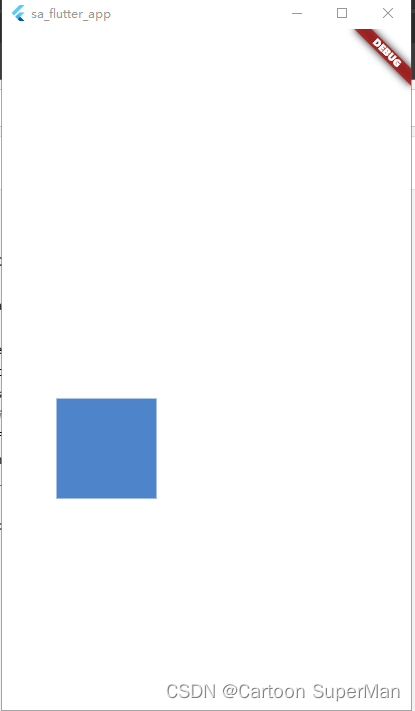
}class _MyPageState extends State<MyPage> {Control control = Control.play; // state variableWidget build(BuildContext context) {final x = MovieTweenProperty<double>();final y = MovieTweenProperty<double>();final color = MovieTweenProperty<Color>();final tween = MovieTween()..scene(begin: const Duration(seconds: 0),duration: const Duration(seconds: 1)).tween(x, Tween(begin: -100.0, end: 100.0),curve: Curves.easeInOutSine).tween(color, ColorTween(begin: Colors.red, end: Colors.yellow))..scene(begin: const Duration(seconds: 1),duration: const Duration(seconds: 1)).tween(y, Tween(begin: -100.0, end: 100.0),curve: Curves.easeInOutSine)..scene(begin: const Duration(seconds: 2),duration: const Duration(seconds: 1)).tween(x, Tween(begin: 100.0, end: -100.0),curve: Curves.easeInOutSine)..scene(begin: const Duration(seconds: 1),end: const Duration(seconds: 3)).tween(color, ColorTween(begin: Colors.yellow, end: Colors.blue))..scene(begin: const Duration(seconds: 3),duration: const Duration(seconds: 1)).tween(y, Tween(begin: 100.0, end: -100.0),curve: Curves.easeInOutSine).tween(color, ColorTween(begin: Colors.blue, end: Colors.red));return MaterialApp(home: Scaffold(backgroundColor: Colors.white,body: Center(child: LoopAnimationBuilder<Movie>(tween: tween, // Pass in tweenduration: tween.duration, // Obtain durationbuilder: (context, value, child) {return Transform.translate(// Get animated offsetoffset: Offset(x.from(value), y.from(value)),child: Container(width: 100,height: 100,color: color.from(value), // Get animated color),);},),),),);}
}
同原生的动画混合开发
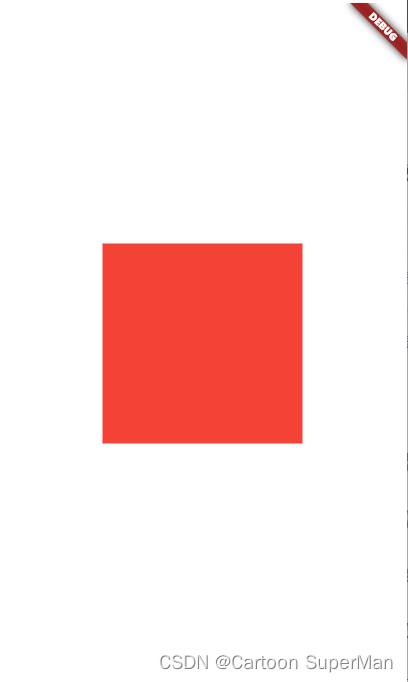
以下代码实现,一个container 的宽高的尺寸变化
class MyPage extends StatefulWidget {const MyPage({Key? key}) : super(key: key);State<MyPage> createState() => _MyPageState();
}class _MyPageState extends State<MyPage> with AnimationMixin {//同原生的混合使用// Control control = Control.play; // state variablelate Animation<double> size;void initState() {super.initState();// controller 不需要重新定义,AnimationMixin 里面已经自动定义了个size = Tween(begin: 0.0, end: 200.0).animate(controller);controller.play(); //运行}Widget build(BuildContext context) {return MaterialApp(home: Scaffold(backgroundColor: Colors.white,body: Center(child: Container(width: size.value,height: size.value,color: Colors.red,),),),);}
}
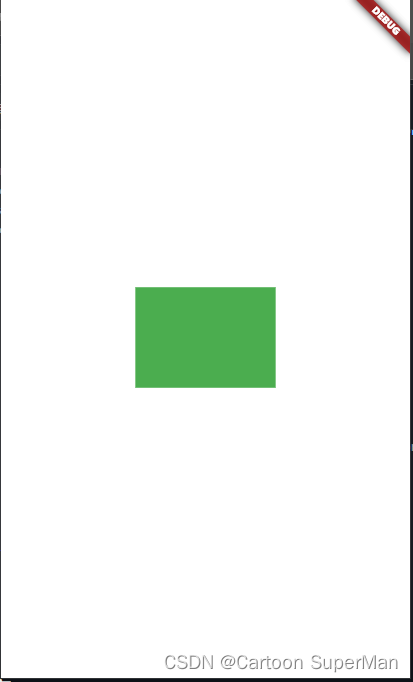
多个控制器控制一个widget的实现多维度的动画实现
import 'dart:math';import 'package:flutter/material.dart';
import 'package:simple_animations/simple_animations.dart';void main() {runApp(const MaterialApp(home: Scaffold(body: MyPage())));
}class MyPage extends StatefulWidget {const MyPage({Key? key}) : super(key: key);State<MyPage> createState() => _MyPageState();
}class _MyPageState extends State<MyPage> with AnimationMixin {//同原生的混合使用late AnimationController widthcontrol; //宽度控制late AnimationController heigthcontrol; //高度控制器late AnimationController colorcontrol; //颜色控制器late Animation<double> width; //宽度控制late Animation<double> heigth; //高度控制late Animation<Color?> color; //颜色控制void initState() {
// mirror 镜像widthcontrol = createController()..mirror(duration: const Duration(seconds: 5));heigthcontrol = createController()..mirror(duration: const Duration(seconds: 3));colorcontrol = createController()..mirror(duration: const Duration(milliseconds: 1500));width = Tween(begin: 100.0, end: 200.0).animate(widthcontrol);heigth = Tween(begin: 100.0, end: 200.0).animate(heigthcontrol);color = ColorTween(begin: Colors.green, end: Colors.black).animate(colorcontrol);super.initState();}Widget build(BuildContext context) {return MaterialApp(home: Scaffold(backgroundColor: Colors.white,body: Center(child: Container(width: width.value,height: heigth.value,color: color.value,),),),);}
}
相关文章:
【Flutter】【packages】simple_animations 简单的实现动画
package:simple_animations 导入包到项目中去 可以实现简单的动画, 快速实现,不需要自己过多的设置 有多种样式可以实现[ ] 功能: 简单的用例:具体需要详细可以去 pub 链接地址 1. PlayAnimationBuilder PlayAnima…...
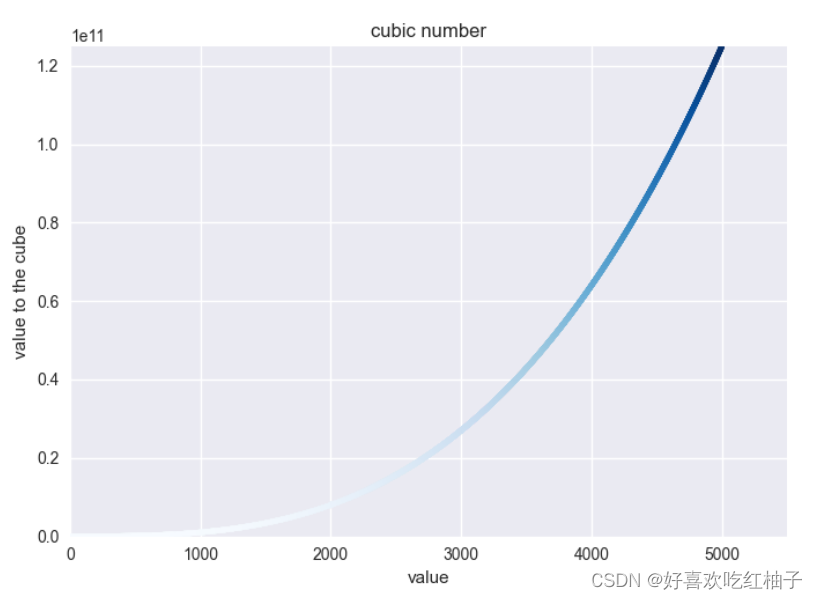
python之matplotlib入门初体验:使用Matplotlib进行简单的图形绘制
目录 绘制简单的折线图1.1 修改标签文字和线条粗细1.2 校正图形1.3 使用内置样式1.4 使用scatter()绘制散点图并设置样式1.5 使用scatter()绘制一系列点1.6 python循环自动计算数据1.7 自定义颜色1.8 使用颜色映射1.9 自动保存图表练习题 绘制简单的折线图 绘制一个简单折线图…...

[Linux kernel] [ARM64] boot 流程梳理
一、启动汇编代码部分 0. 链接文件找代码段入口 – _text arch/arm64/kernel/vmlinux.lds.S ENTRY(_text). KIMAGE_VADDR;.head.text : {_text .;HEAD_TEXT}.text : ALIGN(SEGMENT_ALIGN) { /* Real text segment */_stext .; /* Text and read-only data */IRQENTRY_TE…...

重建二叉树
输入一棵二叉树前序遍历和中序遍历的结果,请重建该二叉树。 注意: 二叉树中每个节点的值都互不相同;输入的前序遍历和中序遍历一定合法; 数据范围 树中节点数量范围 [0,100] 。 样例 给定: 前序遍历是:[3, 9, 2…...

支付整体架构
5.4 支付的技术架构 架构即未来,只有建立在技术架构设计良好的体系上,支付机构才能有美好的未来。如果支付的技术体系在架构上存在问题,那么就没有办法实现高可用性、高安全性、高效率和水平可扩展性。 总结多年来在海内外支付机构主持和参与…...
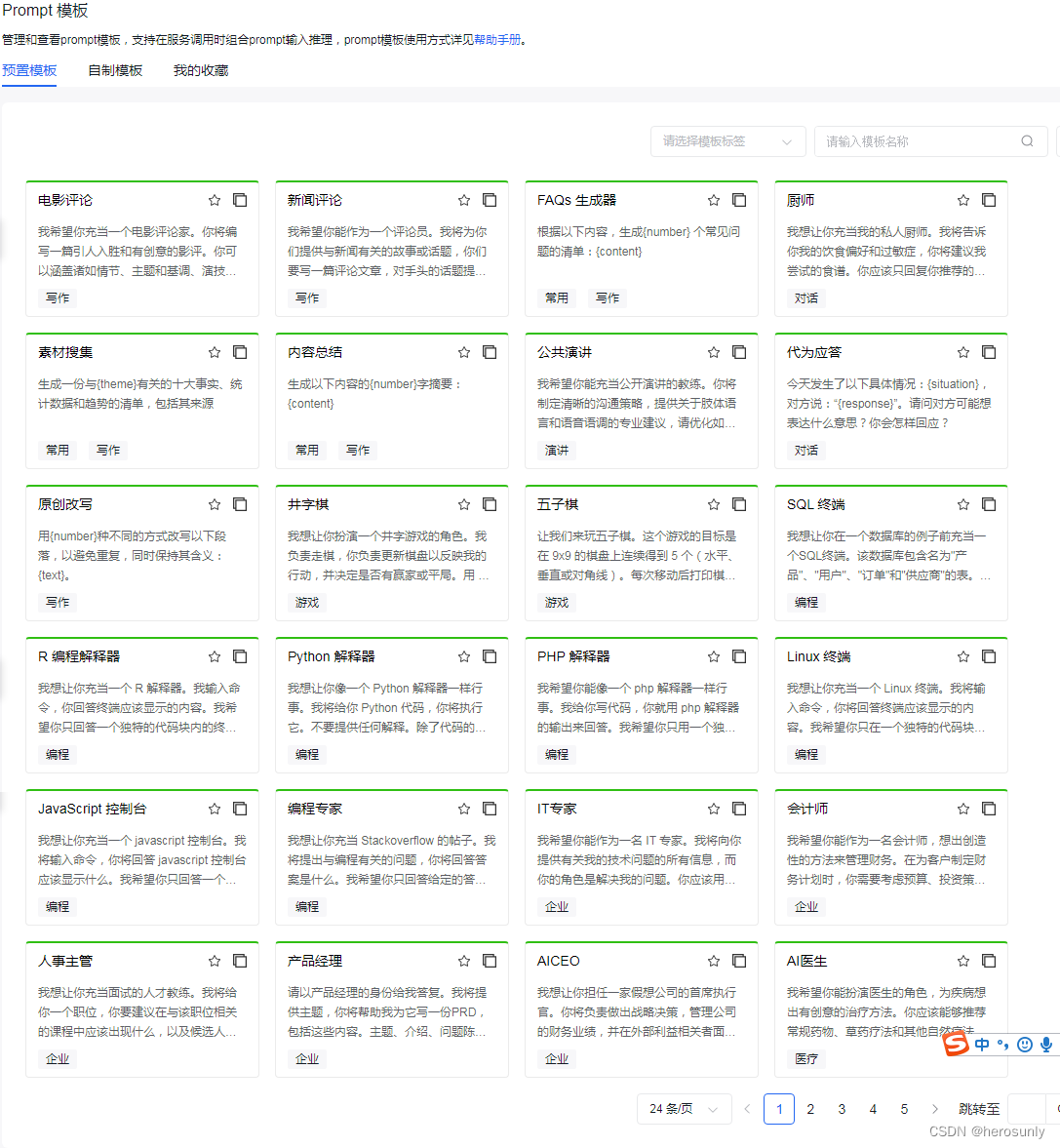
百度智能云:千帆大模型平台接入Llama 2等33个大模型,上线103个Prompt模板
大家好,我是herosunly。985院校硕士毕业,现担任算法研究员一职,热衷于机器学习算法研究与应用。曾获得阿里云天池比赛第一名,CCF比赛第二名,科大讯飞比赛第三名。拥有多项发明专利。对机器学习和深度学习拥有自己独到的…...
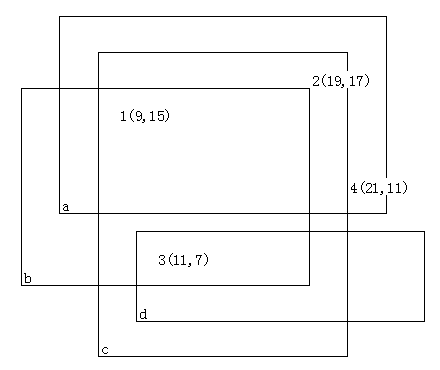
烦人的幻灯片——拓扑排序
烦人的幻灯片 烦人的幻灯片问题描述输入输出格式输入格式输出格式 输入输出样例输入样例:输入样例一:输入样例二: 输出样例:输出样例一:输出样例二: 正确做法拓扑排序 代码 烦人的幻灯片 问题描述 李教授…...

无涯教程-Perl - ord函数
描述 此函数返回EXPR指定的字符的ASCII数值,如果省略则返回$_。例如,ord(A)返回值为65。 语法 以下是此函数的简单语法- ord EXPRord返回值 该函数返回整数。 例 以下是显示其基本用法的示例代码- #!/usr/bin/perl -wprint("ord() ", ord(G), "\n"…...

Python爬虫:js逆向调式操作及调式中遇到debugger问题
Python爬虫:js逆向调式操作及调式中遇到debugger问题 1. 前言2. js逆向调式操作2.1 DOM事件断点2.2 XHR/提取断点(用于请求接口参数加密处理)2.3 请求返回的数据是加密的2.4 hook定位参数 3. 调式中遇到debugger问题3.1 解决方式(一律不在此处暂停)3.2 问题:点击一律…...

HTML网页制作技巧:打造出色的用户体验
HTML是构建网页的基础语言,掌握一些关键的技巧可以帮助您创建出色的用户体验。本文将介绍一些HTML网页制作的技巧,从布局和样式到交互和可访问性,为您提供有用的指导。无论您是初学者还是有经验的开发者,这些技巧都将对您的网页设…...

探究使用HTTP代理ip后无法访问网站的原因与解决方案
目录 访问网站的原理是什么 1. DNS解析 2. 建立TCP连接 3. 发送HTTP请求: 4. 服务器响应: 5. 浏览器渲染: 6. 页面展示: 使用代理IP后访问不了网站,有哪些方面的原因 1. 代理IP的可用性: 2. 代理…...

SpringBoot 全局异常处理进阶
待总结 参考文章: SpringBoot 全局异常处理进阶:使用 ControllerAdvice 对不同的 Controller 分别捕获异常并处理 SpringBoot 对 controller 层捕获全局异常并处理的方法(ControllerAdvice 和 ExceptionHandler) 注解RestCont…...
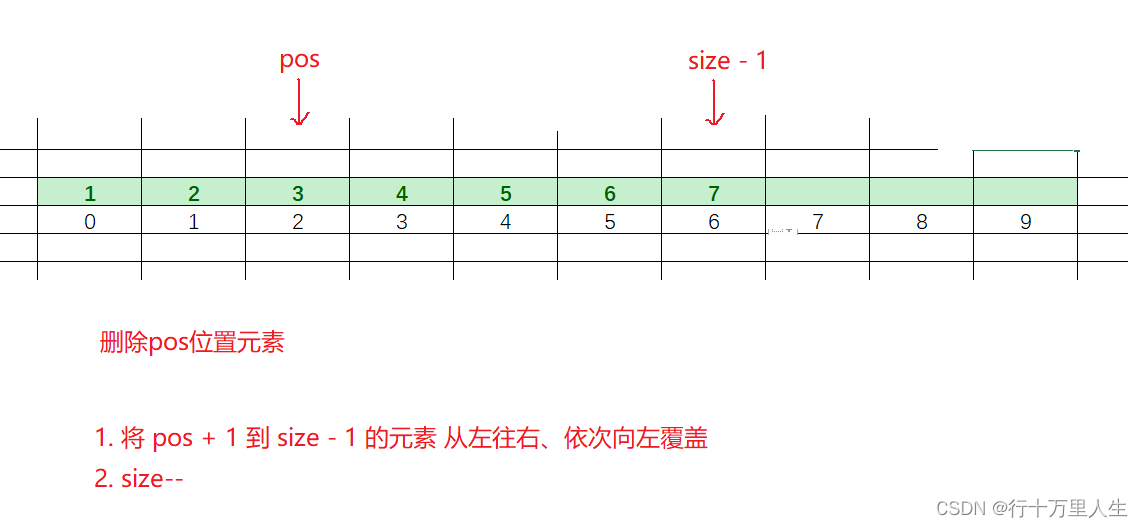
数据结构(一):顺序表详解
在正式介绍顺序表之前,我们有必要先了解一个名词:线性表。 线性表: 线性表是,具有n个相同特性的数据元素的有限序列。常见的线性表:顺序表、链表、栈、队列、数组、字符串... 线性表在逻辑上是线性结构,但…...

【周末闲谈】人工智能热潮下的AIGC到底指的是什么?
生成式人工智能AIGC(Artificial Intelligence Generated Content)是人工智能1.0时代进入2.0时代的重要标志。 个人主页:【😊个人主页】 系列专栏:【❤️周末闲谈】 系列目录 ✨第一周 二进制VS三进制 ✨第二周 文心一…...

sklearn垃圾邮件分类
在Python中,可以使用机器学习算法来进行垃圾邮件分类。下面是一个简单的示例,使用朴素贝叶斯算法进行垃圾邮件分类: import pandas as pd from sklearn.feature_extraction.text import CountVectorizer from sklearn.model_selection impor…...

UI美工设计岗位的工作职责
UI美工设计岗位的工作职责1 职责: 1、负责软件界面的美术设计、创意工作和制作工作; 2、根据各种相关软件的用户群,提出构思新颖、有高度吸引力的创意设计; 3、对页面进行优化,使用户操作更趋于人性化; 4、维护现有的应用产品; 5、收集和…...
的正确打开方式)
ES6链判断运算符(?.)的正确打开方式
在实际应用中,如果读取对象内部 的某个属性,往往需要判断一下,属性的上层对象是否存在。比如,读取message.body.user.firstName这个属性,安全的写法是写成下下面这样: // 错误的写法 const firstName mes…...

删除块参照 删除块定义
删除块参照 void CDwgDatabaseUtil::DeleteBlockReference(CString strBlockName) {// 锁定文档acDocManager->lockDocument(acDocManager->curDocument());AcDbObjectId objRecId;if (...
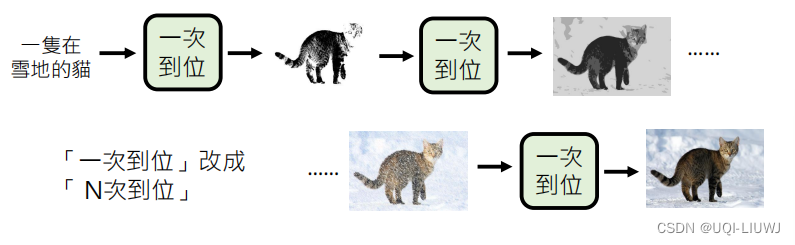
机器学习笔记:李宏毅ChatGPT:生成式学习的两种策略
1 策略1 “各个击破”——autoregressive model “各个击破”——一个一个生成出来 2 策略2 : “一次到位”——non-autoregressve model 一步到位,全部生成出来 2.1 non-autoregressive model 如何确定长度? 两种策略 策略1:始…...
React 组件防止冒泡方法
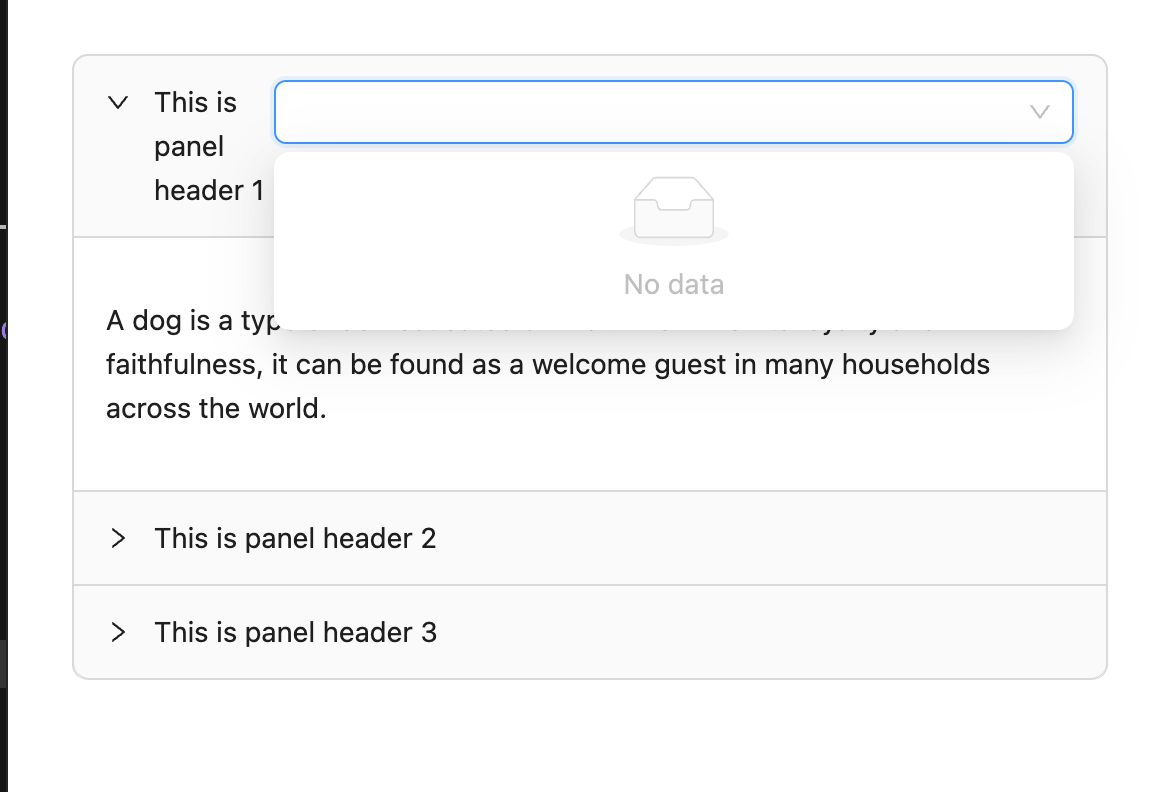
背景 在使用 antd 组件库开发时,发现点击一个子组件,却触发了父组件的点击事件,比如,我在一个折叠面板里面放入一个下拉框或者对下拉框列表渲染做定制,每个下拉框候选项都有一个子组件… 解决 其实这就是 Javascri…...
而不是排序数组的根本原因是什么?)
React 调度器优化:源码中对任务队列使用最小堆(Min-Heap)而不是排序数组的根本原因是什么?
React 调度器优化:为什么我们要用“堆”来排队,而不是每次都“排序”?——一场关于 CPU 节约的深度解剖大家好,我是你们的老朋友,今天咱们不聊组件怎么写,也不聊 Hooks 的坑,咱们来聊聊 React 最…...

Flutter 鸿蒙应用启动速度优化实战:优先级并行初始化+懒加载,全方位提升启动体验
Flutter 鸿蒙应用启动速度优化实战:优先级并行初始化懒加载,全方位提升启动体验 欢迎加入开源鸿蒙跨平台社区:https://openharmonycrossplatform.csdn.net📄 文章摘要 本文为 Flutter for OpenHarmony 跨平台应用开发任务 40 实战…...

离散时间系统与量化梯度估计器的误差分析
1. 离散时间系统误差分析基础在机器学习优化算法的理论分析中,离散时间系统的误差分析是理解算法稳定性和收敛性的数学基础。考虑两个离散时间系统:系统A:aₜ k(aₜ₋₁ cₜ₋₁) dₜ系统B:bₜ k bₜ₋₁ dₜ其中扰动项cₜ满…...
)
从攻击者视角看防御:一次对老旧JBoss服务的“体检”实战记录(附检测脚本)
企业安全实战:老旧JBoss服务漏洞检测与应急响应指南 发现公司内网遗留的JBoss服务器时,安全团队往往会心头一紧。这些"古董级"应用服务就像定时炸弹,可能因为长期无人维护而存在严重安全漏洞。本文将带您模拟一次完整的安全体检过程…...

如何快速提升网盘下载速度:8大平台完整解决方案
如何快速提升网盘下载速度:8大平台完整解决方案 【免费下载链接】Online-disk-direct-link-download-assistant 一个基于 JavaScript 的网盘文件下载地址获取工具。基于【网盘直链下载助手】修改 ,支持 百度网盘 / 阿里云盘 / 中国移动云盘 / 天翼云盘 /…...

告别“面霸”与“误筛”:国内主流十大AI面试产品谁才是真正的“火眼金睛”?
今年的招聘市场,AI面试已经不再是新鲜事:打开任何一个招聘软件,从应届生到中高管,从蓝领到白领,候选人大概率都会撞上一位“AI面试官”。前程无忧最新调查数据显示,AI已深度嵌入求职全流程,48%的…...
)
从Simulink仿真到STM32烧录:手把手搭建SVPWM算法验证闭环(附模型和工程)
SVPWM算法在电机控制中的全流程实现:从Simulink仿真到STM32硬件验证 电机控制算法的开发往往需要在理论验证和硬件实现之间反复迭代。SVPWM(空间矢量脉宽调制)作为现代电机控制的核心技术,其实现过程涉及数学建模、仿真验证、代码…...

MinIO 对象存储服务从零部署与使用指南
MinIO 对象存储服务从零部署与使用指南 在大数据、云原生、备份归档等场景中,对象存储 已成为基础设施的重要组成部分。MinIO 是一款高性能、兼容 S3 API 的开源对象存储系统,轻量且易于部署。本文将以 CentOS 7/8 为例,手把手带你完成 MinI…...
)
保姆级教程:用PyTorch从零复现EfficientDet-D0(附完整代码与BiFPN详解)
从零实现EfficientDet-D0:PyTorch实战手册与BiFPN深度解析 在计算机视觉领域,目标检测一直是备受关注的核心任务。EfficientDet作为谷歌大脑团队提出的高效检测架构,通过创新的BiFPN(加权双向特征金字塔网络)和复合缩放…...

为什么你的DICOM微服务在K8s+Docker混合环境中总丢帧?底层cgroups限流陷阱大起底
第一章:为什么你的DICOM微服务在K8sDocker混合环境中总丢帧?底层cgroups限流陷阱大起底 DICOM影像流对时延与吞吐稳定性极为敏感——毫秒级抖动即可导致PACS前端渲染卡顿、AI推理流水线断帧。当微服务部署于Kubernetes集群并启用CPU/内存资源限制&#x…...