
ExcelBDD Python指南
在Python里面支持BDD
Excel BDD Tool Specification By ExcelBDD Method
This tool is to get BDD test data from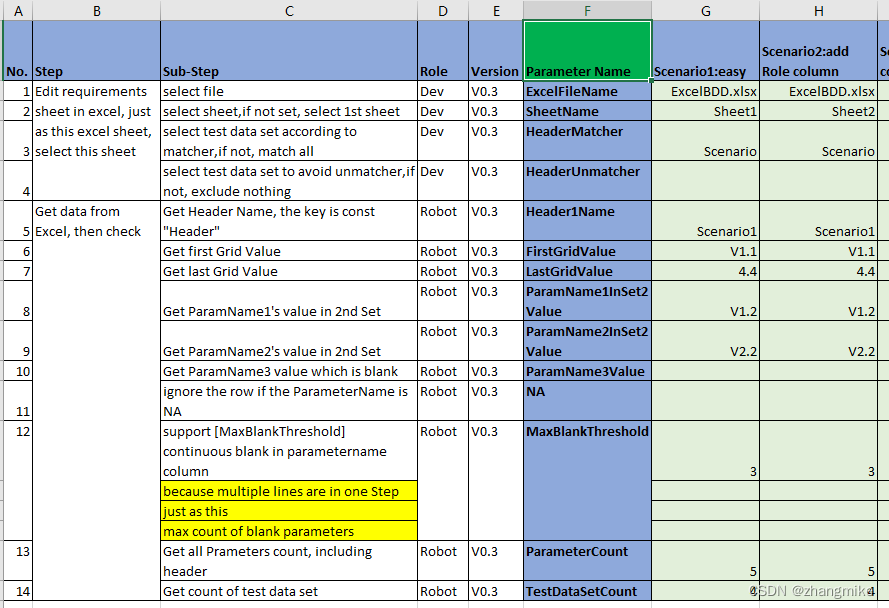 an excel file, its requirement specification is below
The Essential of this approach is obtaining multiple sets of test data, so when combined with Excel's Sheet, the key parameters are:
- ExcelFileName, required, which excel file is used.
- SheetName, optional, which Sheet the requirement writer writes in, if not specified, 1st sheet is chosen. An Excel file supports multiple Sheets, so an Excel is sufficient to support a wide range, such as Epic, Release, or a module.
- HeaderMatcher, filter the header row by this matcher, if matched, this set will be collected in.
- HeaderUnmatcher, filter the header row by this matcher, if matched, this set will be excluded.
Once the header row and parameter name column are determined by 'Parameter Name' grid automatically, the data area is determined, such as the green area in the table above. The gray area of the table above is the story step description, which is the general requirements step.
Install ExcelBDD Python Edition
pip install excelbdd
API
behavior.get_example_list
get_example_list(excelFile, sheetName = None, headerMatcher = None, headerUnmatcher = None)
- excelFile: excel file path and name, relative or absolute
- sheetName: sheet name, optional, default is the first sheet in excel file
- HeaderMatcher: filter the header row by this matcher, if matched, this set will be collected in. optional, default is to select all.
- HeaderUnmatcher: filter the header row by this matcher, if matched, this set will be excluded. optional, default is to exclude none.
behavior.get_example_table
get_example_table(excelFile,sheetName = None,headerRow = 1,startColumn = 'A')
- excelFile: excel file path and name, relative or absolute
- sheetName: sheet name, optional, default is the first sheet in excel file
- headerRow: the number of header row, optional, default is 1
- startColumn: the char of first data area, optional, default is column A in sheet
Simple example code
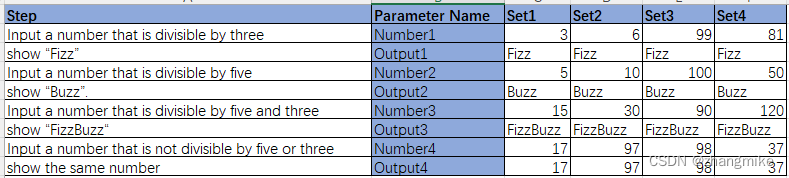
The Famouse FizzBuzz kata is described in excelbdd format, as below.
import pytest
from excelbdd.behavior import get_example_list
import FizzBuzzexcelBDDFile = "path of excel file"
@pytest.mark.parametrize("HeaderName, Number1, Output1, Number2, Output2, Number3, Output3, Number4, Output4",get_example_list(excelBDDFile,"FizzBuzz"))
def test_FizzBuzz(HeaderName, Number1, Output1, Number2, Output2, Number3, Output3, Number4, Output4):assert FizzBuzz.handle(Number1) == Output1assert FizzBuzz.handle(Number2) == Output2assert FizzBuzz.handle(Number3) == Output3assert FizzBuzz.handle(Number4) == Output4
Input vs Expect + Test Result Format - SBT - Specification By Testcase

testcase example is below, which uses headerMatcher to filter the data
@pytest.mark.parametrize("HeaderName, ParamName1, ParamName1Expected, ParamName1TestResult, \ParamName2, ParamName2Expected, ParamName2TestResult, ParamName3, \ParamName3Expected, ParamName3TestResult, ParamName4, ParamName4Expected, \ParamName4TestResult",get_example_list(bddFile1, "SBTSheet1","Scenario"))
def test_excelbdd_sbt(HeaderName, ParamName1, ParamName1Expected, ParamName1TestResult, ParamName2, ParamName2Expected, ParamName2TestResult, ParamName3, ParamName3Expected, ParamName3TestResult, ParamName4, ParamName4Expected, ParamName4TestResult):print(HeaderName, ParamName1, ParamName1Expected, ParamName1TestResult, ParamName2, ParamName2Expected, ParamName2TestResult, ParamName3, ParamName3Expected, ParamName3TestResult, ParamName4, ParamName4Expected, ParamName4TestResult)# add test data are loaded into the above parameters, add test code below
ExcelBDD can detect 3 parameter-header patterns automatically, the last one is below.
Input vs Expected

The demo code is below
@pytest.mark.parametrize("HeaderName, ParamName1, ParamName1Expected,  \ParamName2, ParamName2Expected, ParamName3, \ParamName3Expected, ParamName4, ParamName4Expected"get_example_list(bddFile1, "SBTSheet1","Scenario"))
def test_excelbdd_sbt(HeaderName, ParamName1, ParamName1Expected,  ParamName2, ParamName2Expected, ParamName3, ParamName3Expected, ParamName4, ParamName4Expected):print(HeaderName, ParamName1, ParamName1Expected, ParamName2, ParamName2Expected,  ParamName3, ParamName3Expected, ParamName4, ParamName4Expected)# add test data are loaded into the above parameters, add test code below
Get Table
The test data are organized in normal table, as below.

the below code show how to fetch the test data into testcase
from excelbdd.behavior import get_example_table@pytest.mark.parametrize("Header01, Header02, Header03, Header04, Header05, Header06, Header07, Header08",get_example_table(tableFile, "DataTable4"))
def test_get_example_tableB(Header01, Header02, Header03, Header04, Header05, Header06, Header07, Header08):print(Header01, Header02, Header03, Header04, Header05, Header06, Header07, Header08)   # add test data are loaded into the above parameters, add test code below
ExcelBDD Python指南线上版维护在ExcelBDD Python Guideline
ExcelBDD开源项目位于 ExcelBDD Homepage https://dev.azure.com/simplopen/ExcelBDD
相关文章:
ExcelBDD Python指南
在Python里面支持BDD Excel BDD Tool Specification By ExcelBDD Method This tool is to get BDD test data from an excel file, its requirement specification is below The Essential of this approach is obtaining multiple sets of test data, so when combined with…...

基于深度学习的驾驶员疲劳监测系统的设计与实现
点击以下链接获取源码: https://download.csdn.net/download/qq_64505944/88421622?spm1001.2014.3001.5503 基于深度学习的驾驶员疲劳监测系统的设计与实现 1 绪论 在21世纪,各国的经济飞速发展,人民越来越富裕,道路上的汽车也逐…...
B树、B+树详解
B树 前言 首先,为什么要总结B树、B树的知识呢?最近在学习数据库索引调优相关知识,数据库系统普遍采用B-/Tree作为索引结构(例如mysql的InnoDB引擎使用的B树),理解不透彻B树,则无法理解数据…...
使用hugging face开源库accelerate进行多GPU(单机多卡)训练卡死问题
目录 问题描述及配置网上资料查找1.tqdm问题2.dataloader问题3.model(input)写法问题4.环境变量问题 我的卡死问题解决方法 问题描述及配置 在使用hugging face开源库accelerate进行多GPU训练(单机多卡)的时候,经常出现如下报错 [E Process…...
IDEA 修改插件安装位置
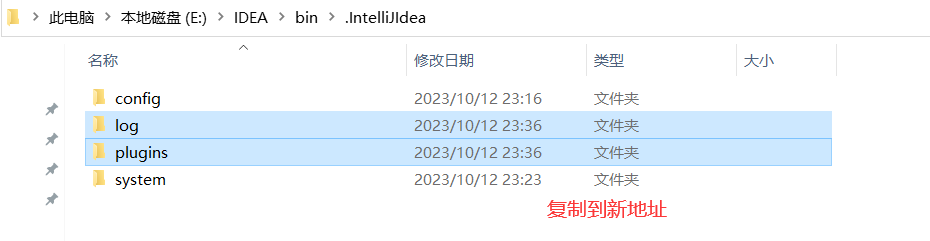
不说假话,一定要看到最后,不然你以为我为什么要自己总结!!! IDEA 修改插件安装位置 前言步骤 前言 IDEA 默认的配置文件均安装在C盘,使用时间长会生成很多文件,这些文件会占用挤兑C盘空间&…...

牛客网SQL160
国庆期间每类视频点赞量和转发量_牛客题霸_牛客网 select * from ( select tag,dt, sum(单日点赞量)over(partition by tag order by dt rows between 6 preceding and 0 following), max(单日转发量)over(partition by tag order by dt rows between 6 preceding and 0 follo…...
HDFS Java API 操作
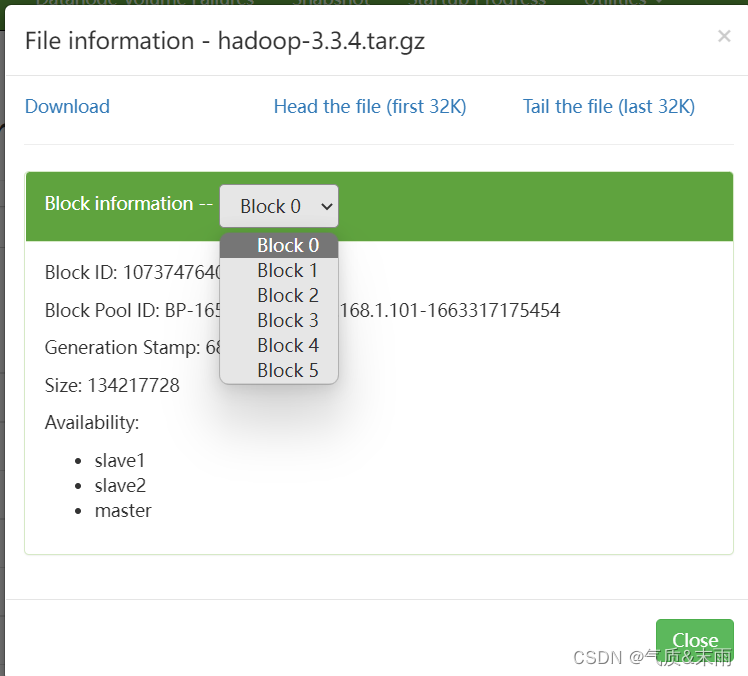
文章目录 HDFS Java API操作零、启动hadoop一、HDFS常见类接口与方法1、hdfs 常见类与接口2、FileSystem 的常用方法 二、Java 创建Hadoop项目1、创建文件夹2、打开Java IDEA1) 新建项目2) 选择Maven 三、配置环境1、添加相关依赖2、创建日志属性文件 四、Java API操作1、在HDF…...
论文阅读之【Is GPT-4 a Good Data Analyst?(GPT-4是否是一位好的数据分析师)】
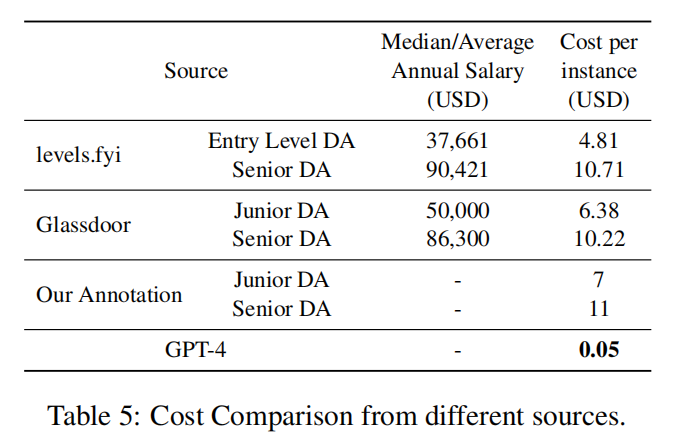
文章目录 论文阅读之【Is GPT-4 a Good Data Analyst?(GPT-4是否是一位好的数据分析师)】背景:数据分析师工作范围基于GPT-4的端到端数据分析框架将GPT-4作为数据分析师的框架的流程图 实验分析评估指标表1:GPT-4性能表现表2&…...
【数据结构】:二叉树与堆排序的实现
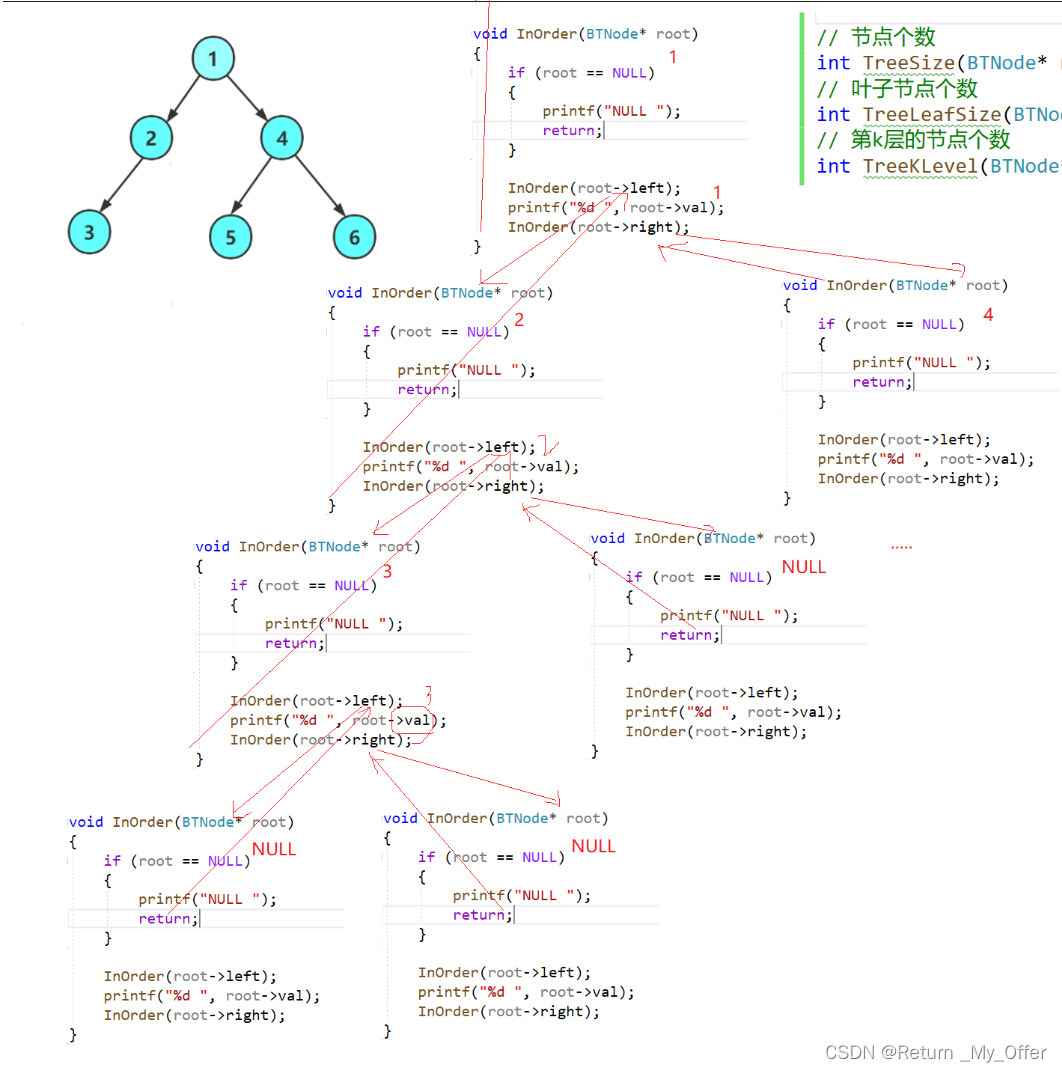
1.树概念及结构(了解) 1.1树的概念 树是一种非线性的数据结构,它是由n(n>0)个有限结点组成一个具有层次关系的集合把它叫做树是因为它看起来像一棵倒挂的树,也就是说它是根朝上,而叶朝下的有一个特殊的结点&#…...

纯css手写switch
CSS 手写switch 纯css手写switchcss变量 纯css手写switch 思路: switch需要的元素有:开关背景、开关按钮。点击按钮后,背景色变化,按钮颜色变化,呈现开关打开状态。 利用typecheckbox,来实现switch效果(修…...
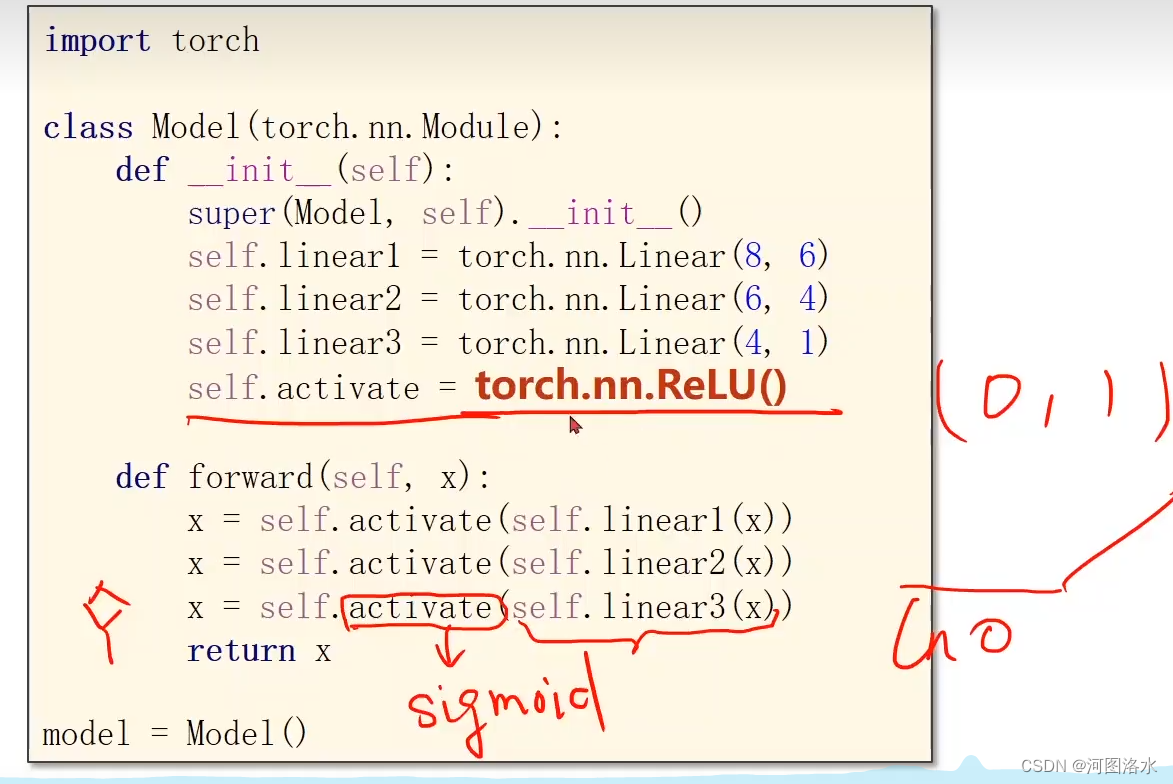
PyTorch 深度学习之处理多维特征的输入Multiple Dimension Input(六)
1.Multiple Dimension Logistic Regression Model 1.1 Mini-Batch (N samples) 8D->1D 8D->2D 8D->6D 1.2 Neural Network 学习能力太好也不行(学习到的是数据集中的噪声),最好的是要泛化能力,超参数尝试 Example, Arti…...
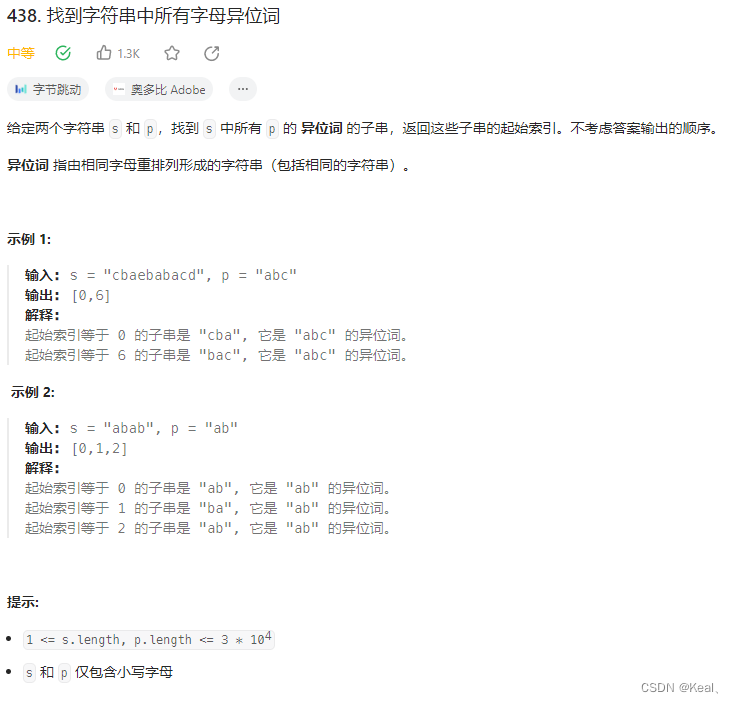
LeetCode【438】找到字符串中所有字母异位词
题目: 注意:下面代码勉强通过,每次都对窗口内字符排序。然后比较字符串。 代码: public List<Integer> findAnagrams(String s, String p) {int start 0, end p.length() - 1;List<Integer> result new ArrayL…...
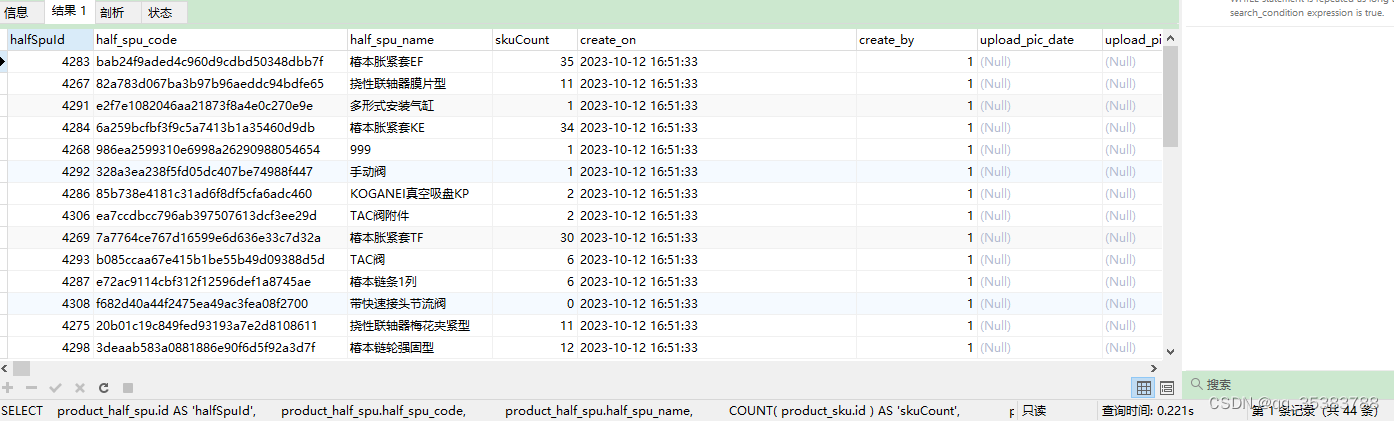
关于LEFT JOIN的一次理解
先看一段例子: SELECTproduct_half_spu.id AS halfSpuId,product_half_spu.half_spu_code,product_half_spu.half_spu_name,COUNT( product_sku.id ) AS skuCount,product_half_spu.create_on,product_half_spu.create_by,product_half_spu.upload_pic_date,produc…...

各报文段格式集合
数据链路层-- MAC帧 前导码8B:数据链路层将封装好的MAC帧交付给物理层进行发送,物理层在发送MAC帧前,还要在前面添加8字节的前导码(分为7字节的前同步码1字节的帧开始定界符)MAC地址长度6B数据长度46~1500B…...
【算法-动态规划】最长公共子序列
💝💝💝欢迎来到我的博客,很高兴能够在这里和您见面!希望您在这里可以感受到一份轻松愉快的氛围,不仅可以获得有趣的内容和知识,也可以畅所欲言、分享您的想法和见解。 推荐:kuan 的首页,持续学…...
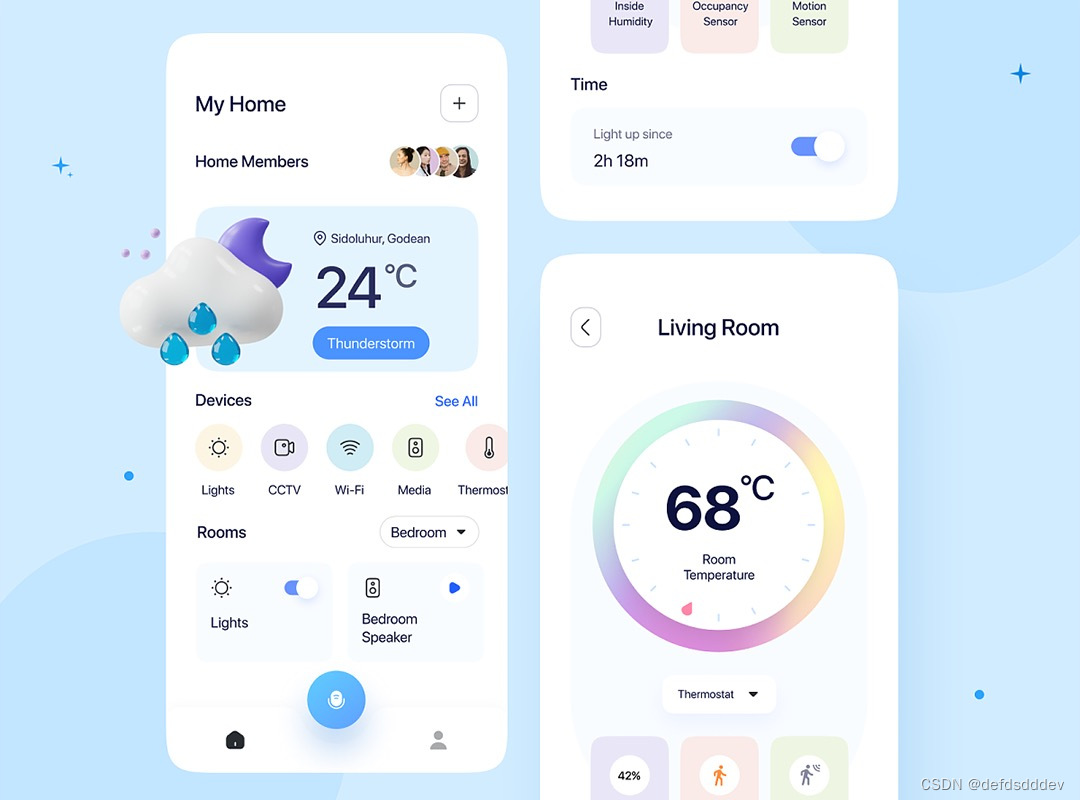
区块链游戏的开发流程
链游(Blockchain Games)的开发流程与传统游戏开发有许多相似之处,但它涉及到区块链技术的集成和智能合约的开发。以下是链游的一般开发流程,希望对大家有所帮助。北京木奇移动技术有限公司,专业的软件外包开发公司&…...

目标检测网络系列——YOLO V2
文章目录 YOLO9000better,更准batch Normalization高分辨率的训练使用anchor锚框尺寸的选择——聚类锚框集成改进——直接预测bounding box细粒度的特征图——passthrough layer多尺度训练数据集比对实验VOC 2007VOC 2012COCOFaster,更快网络模型——Darknet19训练方法Strong…...
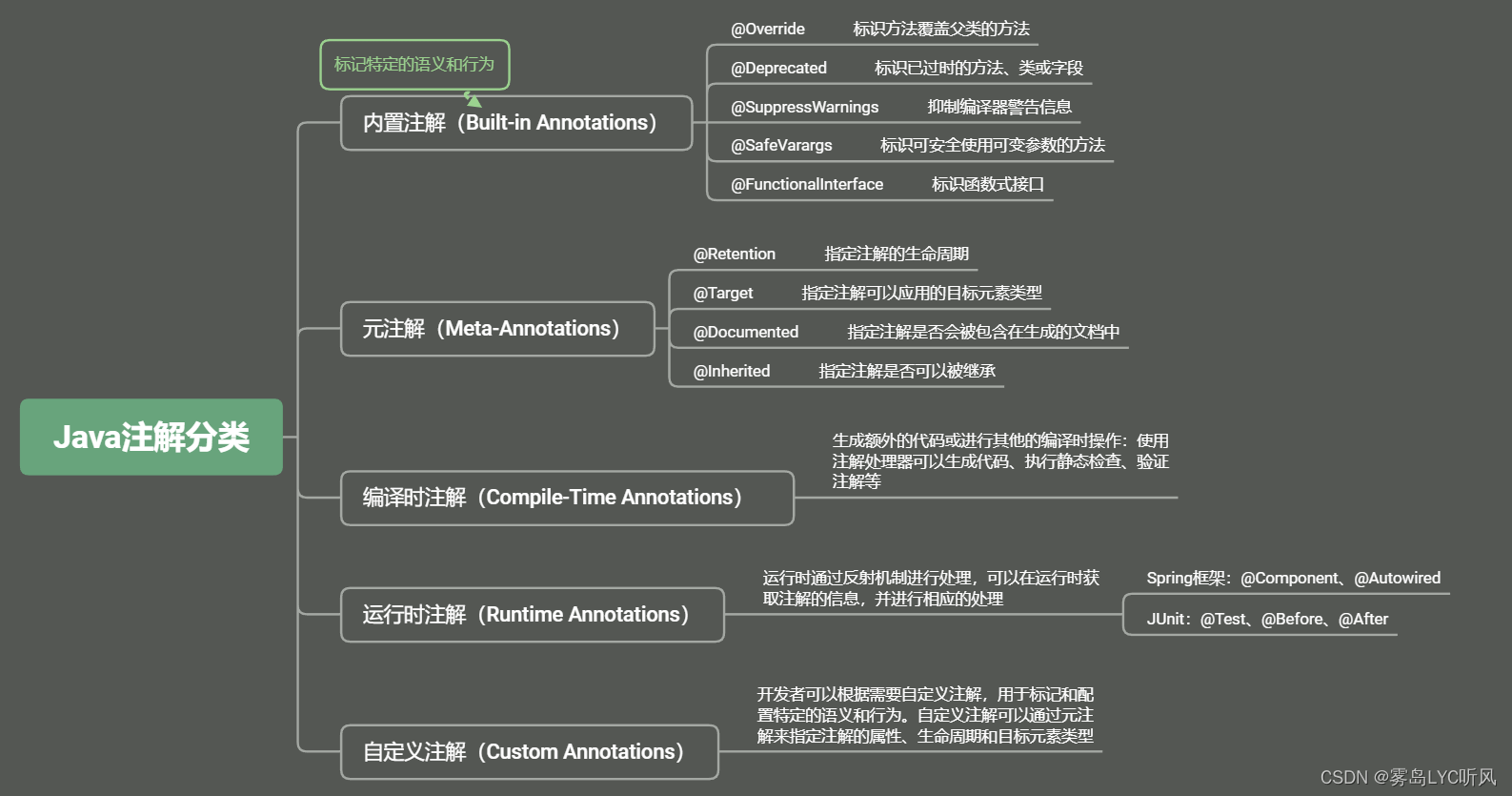
15. Java反射和注解
Java —— 反射和注解 1. 反射2. 注解 1. 反射 动态语言:变量的类型和属性可以在运行时动态确定,而不需要在编译时指定 常见动态语言:Python,JavaScript,Ruby,PHP,Perl;常见静态语言…...
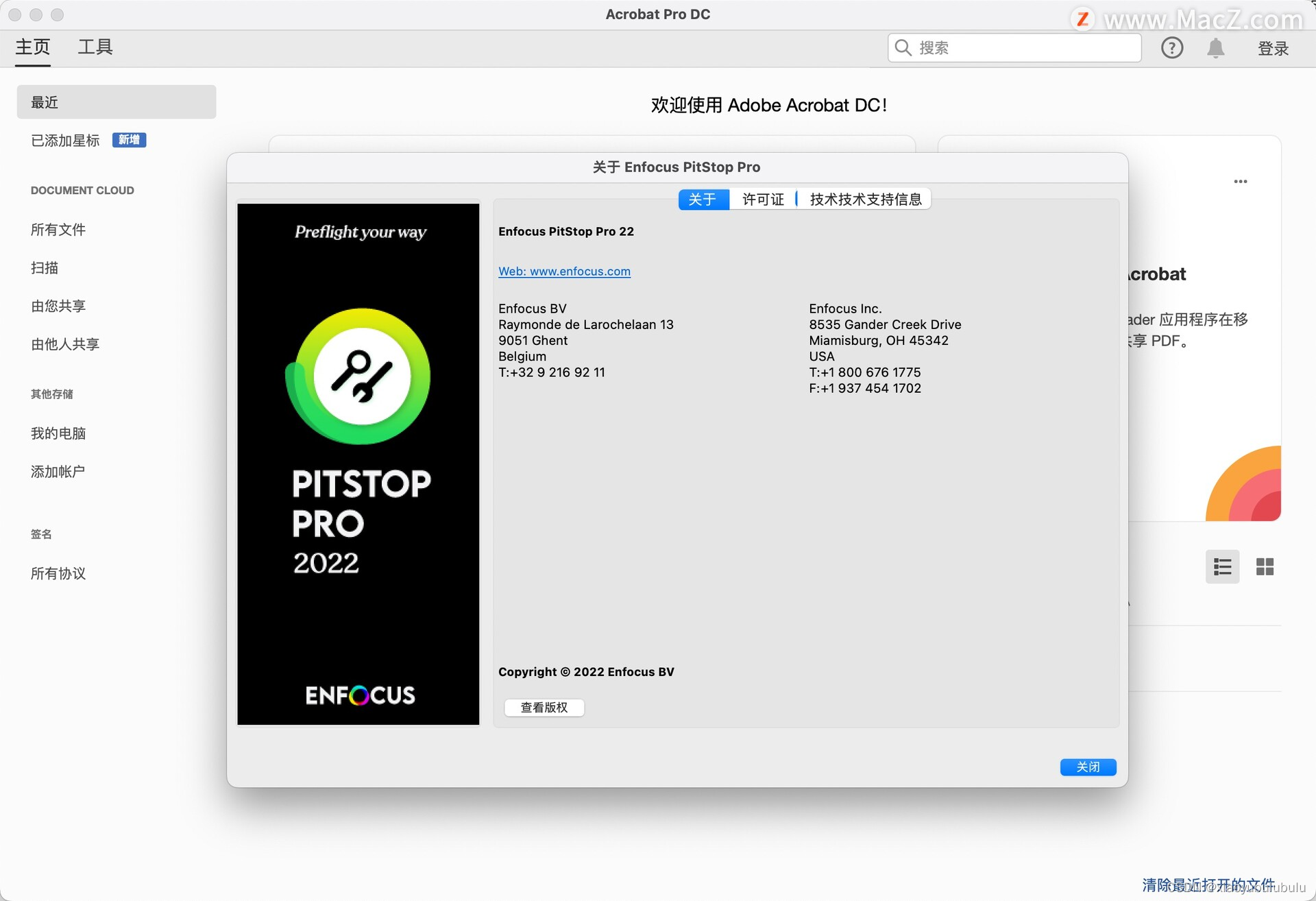
pdf处理工具 Enfocus PitStop Pro 2022 中文 for mac
Enfocus PitStop Pro 2022是一款专业的PDF预检和编辑软件,旨在帮助用户提高生产效率、确保印刷品质量并减少错误。以下是该软件的一些特色功能: PDF预检。PitStop Pro可以自动检测和修复常见的PDF文件问题,如缺失字体、图像分辨率低、颜色空…...
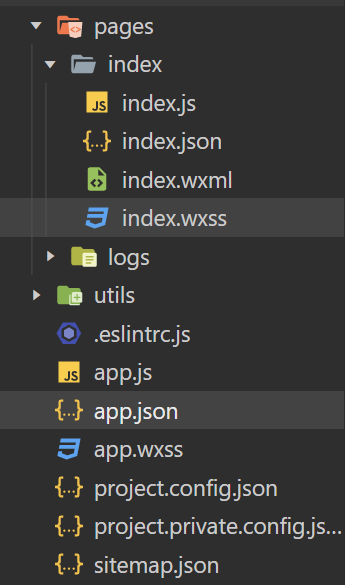
微信小程序入门开发教程
🎉🎉欢迎来到我的CSDN主页!🎉🎉 🏅我是Java方文山,一个在CSDN分享笔记的博主。📚📚 🌟推荐给大家我的专栏《微信小程序开发实战》。🎯Ἲ…...

将HermesAgent项目接入Taotoken的详细配置步骤与注意事项
🚀 告别海外账号与网络限制!稳定直连全球优质大模型,限时半价接入中。 👉 点击领取海量免费额度 将HermesAgent项目接入Taotoken的详细配置步骤与注意事项 本文旨在为开发者提供一份清晰的指南,帮助你将HermesAgent项…...

终极跨平台漫画阅读方案:nhentai-cross全平台使用指南
终极跨平台漫画阅读方案:nhentai-cross全平台使用指南 【免费下载链接】nhentai-cross A nhentai client 项目地址: https://gitcode.com/gh_mirrors/nh/nhentai-cross 你是否厌倦了在不同设备间切换漫画阅读应用?nhentai-cross正是为你量身定制…...

免费额度即将失效?ElevenLabs 2024.6.1新规生效前,必须完成的5项额度迁移准备
更多请点击: https://intelliparadigm.com 第一章:ElevenLabs免费额度机制的本质解析 ElevenLabs 的免费额度并非按“每月重置”的静态配额,而是一种基于账户生命周期的动态信用池(Credit Pool),其底层由实…...

从零到一:基于GD32E230核心板的PCB设计实战与模块化解析
1. GD32E230核心板硬件设计基础 第一次拿到GD32E230这颗国产MCU时,说实话有点小激动。作为兆易创新基于Cortex-M23内核的拳头产品,它用55nm工艺把芯片面积压缩到了惊人的3x3mm,却集成了5个定时器、2个SPI、2个I2C这些实用外设。我在去年一个智…...

PowerInfer:基于热点神经元预测的LLM高性能推理引擎部署指南
1. 项目概述:当推理速度成为AI落地的瓶颈最近在折腾本地大模型推理的朋友,估计都绕不开一个核心痛点:速度。模型效果再好,生成一句话要等上十几秒,那种“卡顿感”足以劝退绝大多数想把它集成到实际应用里的开发者。我自…...

基于Claude API构建AI代码生成工具:从API封装到工程化实践
1. 项目概述与核心价值最近在开发者社区里,一个名为ashish200729/claude-code-source-code的项目标题引起了不小的讨论。乍一看,这个标题很容易让人产生误解,以为这是某个知名AI模型的源代码被公开了。但作为一名在软件开发和开源领域摸爬滚打…...

LLM应用快速演示框架:从架构解析到智能体开发的实战指南
1. 项目概述:一个面向开发者的LLM应用快速演示框架最近在GitHub上闲逛,发现了一个名为wronai/llm-demo的项目,点进去一看,瞬间觉得眼前一亮。这可不是又一个简单的“Hello World”式的大语言模型调用示例,而是一个结构…...

从零构建Go Web框架:解析the0极简框架的设计原理与实现
1. 项目概述:一个极简主义Web框架的诞生在Web开发的世界里,我们常常面临一个选择:是拥抱功能齐全但略显臃肿的“巨无霸”框架,还是追求极致轻量与灵活的自定义方案?对于许多追求性能、热爱掌控感,或是需要构…...

自托管链接管理平台Linko:Go+React技术栈部署与核心功能解析
1. 项目概述与核心价值最近在折腾一个挺有意思的开源项目,叫monsterxx03/linko。乍一看这个名字,可能有点摸不着头脑,但如果你经常需要管理一堆链接、书签,或者在做内容聚合、个人知识库,那这个工具很可能就是你一直在…...

【Midjourney图像生成黑科技】:树胶重铬酸盐工艺原理、复刻难点与AI艺术胶片质感还原全流程指南
更多请点击: https://intelliparadigm.com 第一章:树胶重铬酸盐工艺的历史溯源与数字时代复兴意义 树胶重铬酸盐工艺(Gum Bichromate Process)诞生于19世纪中叶,是人类最早实现光敏图像复制的化学摄影术之一。其核心原…...